
In my school and district, we are beset with the many problems associated with an aging fleet of Power Mac 5200s. The 5200, an all-in-one design, contains design flaws described elsewhere on Low End Mac. Suffice to say they are slow, crash a lot, and don’t do anything particularly well (although they are okay at running AppleWorks 5).
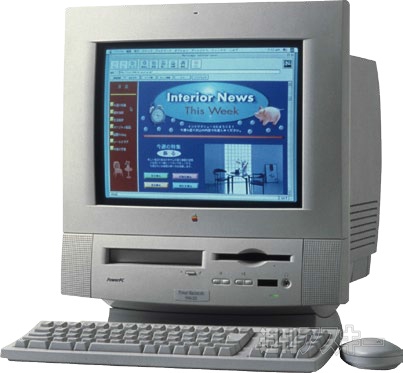 While attempting to diagnose the cause of frequent crashes on one of my student computers, it occurred to me that until I get some extra RAM to put in the machine, I might be able to improve performance by downgrading the OS from the district standard Mac OS 8.6 to Mac OS 7.6. With its smaller hard drive and RAM requirements, 7.6 might alleviate some of the problems I am experiencing.
Normally, a Mac OS installation disk will not let you downgrade (the software you are replacing is newer than what you are about to install). There are several ways around this problem. My solution is to tell the computer to use the CD as the startup disk using the Startup Disk control panel, then reboot the computer.
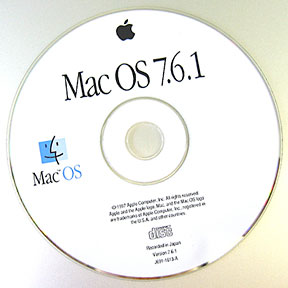 Now the System file on the hard drive is just a file; you can set it in the Trash, delete it, and so on. I set mine in the Trash but didn’t empty the Trash, because there were several extensions and control panels I wanted to transfer. Then I performed a standard installation of Mac OS 7.6.
I did have to delete some unused system files and applications to make room for the install, but I got that completed with little difficulty. Upon completion, I found that my network connections still operated properly.
The next step was to replace the missing control panels and software. It turns out that even Microsoft Outlook Exchange (our district email software) ran perfectly fine once I transferred all the files. (Warning: File 0sSS123.dll is missing. Outlook will now quit.) One at a time, I located the files and transferred them. Since the files were stored in at least three different locations (why, I don’t know), this took a while, but it was again a matter of simply reading the error messages and fixing each problem one at a time.
So, to shorten this story, everything I moved over worked fine, including our attendance software, Netscape, our sensor software from Vernier, AppleWorks, and Norton AntiVirus. The only thing that didn’t work, as far as I can tell, is that NAV’s autorun feature requires Mac OS 8.1 or higher. NAV itself does not.
After testing, I discovered that the older OS boots faster, runs faster, takes much less hard drive space and RAM, and is more stable than the version that had been installed on the 5200. [The 5200 originally shipped with System 7.5.1.] I can’t see why we switched to 8.6 on these old machines in the first place.
I brought this up via email with our district tech staff, and I got a surprising answer.
They said that Mac OS 7.6 is fine for student machines, and I’m okay to go ahead and switch. (I need to solve the NAV problem first, though.)
Although I lost the ability to keep working while the Finder moves files around, and those nice popup window drawers are gone, I have to admit the switch is an improvement – and I’ll be converting the rest as soon as I can find the time. In the meantime, I’ll be testing all teacher functions on my test machine and reporting results to the district.
So it just goes to show: Newer is not always better.
Keywords: #macos86 #macos76 #performa5200
Short link: http://goo.gl/vThQIx
