
“Computer, tell me a joke!” you say – and nothing happens. Why? Because you didn’t install the Speech Recognition software correctly.

A number of things could have gone wrong while doing it. Today we’ll learn the right way to install Speech Recognition (SR) on your iMac.
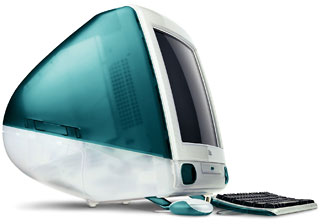 First, to make your iMac use the software, you need a special program that will make it work correctly. It is called MacSpeech PlainTalk Enabler, and it works on both the iMac and the Blue & White Power Mac G3. Once it is downloaded, place it in your Extensions folder, which is located in your System Folder. Then restart. This might seem like extra work, but trust me, it’ll work.
Next, you need the recognition software to make the magic. This software can be downloaded from Apple. It comes in two parts. Once it is downloaded, install it. Then restart.
It’s magic time! When your computer restarts, you should hear, “Speakable items is ready.” If you don’t, go to your speech control panel, go to the “Speakable items” tab, and make sure the “on” radio box is selected. Also, open your Control Strip and make sure the input source is “Built in mic.” You will see this by clicking the little button that looks like a CD with a microphone on top.
Let’s hear a joke! Shut your door and windows (the real ones, not the computer ones!), and mute any TVs or radios. Then say, “Open speakable items.” If the computer hears you, you’ll see a little sound wave near the person’s head. You might need to say it a few times, since the computer has some trouble hearing the first few times.
Now your computer will listen to you. It might take you a few times to get used to it, but now at least someone will listen to you.
Note: The iMac first shipped with Mac OS 8.1, and version 8.5.1 was current when this article was first published. Mac OS 8.6 was released two weeks later and included PlainTalk.
Further Reading
- PlainTalk, Wikipedia
- Speakable items, Wikipedia
- Bossing Your Mac with PlainTalk, Matt Neuburg, TidBITS, 2000.08.28
Keywords: #macspeechrecognition #plaintalk #speakableitems
searchword: macspeechrecognition
