
The 'Book Page
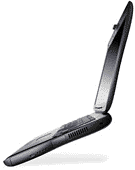
Wanted: A Killer PowerBook
Dan Knight - 2000.02.07 - Tip Jar
 I love a nice crisp high resolution screen. At
work, I use a 21" Sony Multiscan 500PS at 1280 x 960 pixels. At home, I
run a 19" Optiquest V95 at 1152 x 870 pixels.
I love a nice crisp high resolution screen. At
work, I use a 21" Sony Multiscan 500PS at 1280 x 960 pixels. At home, I
run a 19" Optiquest V95 at 1152 x 870 pixels.
I want a laptop computer that will show me at least as much as my 19" monitor - and ideally as much as my 21" screen.
The world is full of laptops like the iBook with 800 x 600 (SVGA in Windowspeak) and the PowerBook G3 with 1024 x 768 (XGA in Windowspeak) displays. They're fine for most users, especially those with a desktop computer to complement it.
 But I want a PowerBook that can replace my
big SuperMac S900 and large 19"
monitor.
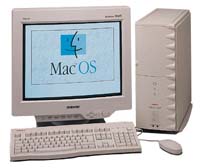
But I want a PowerBook that can replace my
big SuperMac S900 and large 19"
monitor.
It doesn't have to offer killer speed. Compared with my 250 MHz G3 card, the current PowerBook G3/333 would be a nice step up in performance.
It doesn't have to run for six hours on a set of batteries.
It doesn't need a positively huge hard drive. I only recently outgrew my 2.1 GB hard drive, so anything 4 GB or larger would be plenty for my purposes.
It doesn't have to be ultra-thin or ultra-light like some of the 1" thin 4-5 pound Wintel laptops. Something in the 6-7 pound range would be fine.
I don't need a DVD player in my PowerBook. I can watch DVDs on my much larger television. In fact, it doesn't need an internal CD-ROM or DVD drive for my purposes. An external drive would do the job on those rare occasions when I would need it.
Any PowerBook allows memory upgrades, so base RAM isn't an issue. I'd want to boost it to the 128-196 MB range right away, so I'd expect to have to buy more memory.
So far, the PowerBook G3 or iBook would meet my needs.
But to replace my desktop, I need more screen real estate than any current PowerBook (or most Wintel laptops) offers. I think the current pixel champ is the 15" SXGA+ screen in the Dell Inspiron 7500 at 1500 x 1050 pixels. Nice, but I'd settle for the 15.4" 1280 x 1024 SXGA screen - even if that does make the laptop's footprint a little bit larger.
Give me that in a PowerBook with decent battery life and an AirPort card, and I can surf the web, handle email, and do my web work comfortably.
If it weren't a Windows machine and didn't weigh nearly 10 pounds, the Dell Inspiron 7500 would be very tempting: 500 MHz Pentium III, 15.4" SXGA screen, 12 GB hard drive, 128 MB memory, and even an optional AirPort compatible PC card - at virtually the same price as the nine-month-old PowerBook G3/400.
The Inspiron is a Windows computer, so I'll pass.
But the 7500 clearly demonstrates that the computer I want can be made today. And when Apple gets around to building it, I'll be at the head of the line to buy one.
Update: The notebook I eventually ended up buying was the 400 MHz 15" Titanium PowerBook G4, which Apple introduced in January 2001. The 1152 x 768 display was less than I asked for in the article, but it was enough. The PowerBook G4 served as my main Mac for 2-1/2 years and as my field computer for three more.
Recent Content on Low End Mac
- World Book Encyclopedia 2012 DVD, Tommy Thomas, Reviews, 2013.03.05. "You may be asking yourself, in an age of Wikipedia and instant information, is World Book still relevant?"
- Vintage Computer Festival SouthEast, April 20-21, 2013, Simon Royal, Mac Spectrum, 2013.02.25. Old Apple gear and old PCs.
Latest Deals on Low End Mac
About LEM Support Usage Privacy Contact
Follow Low End Mac on Twitter
Join Low End Mac on Facebook
Favorite Sites
MacSurfer
Cult of Mac
Shrine of Apple
MacInTouch
MyAppleMenu
InfoMac
The Mac Observer
Accelerate Your Mac
RetroMacCast
The Vintage Mac Museum
Deal Brothers
DealMac
Mac2Sell
Mac Driver Museum
JAG's House
System 6 Heaven
System 7 Today
the pickle's Low-End Mac FAQ
Affiliates
Amazon.com
The iTunes Store
PC Connection Express
Macgo Blu-ray Player
Parallels Desktop for Mac
eBay

