
2001: I’ve put in a lot more hours and run a few more tests on Quicksilver, my 400 MHz PowerBook G4.
Toaster?
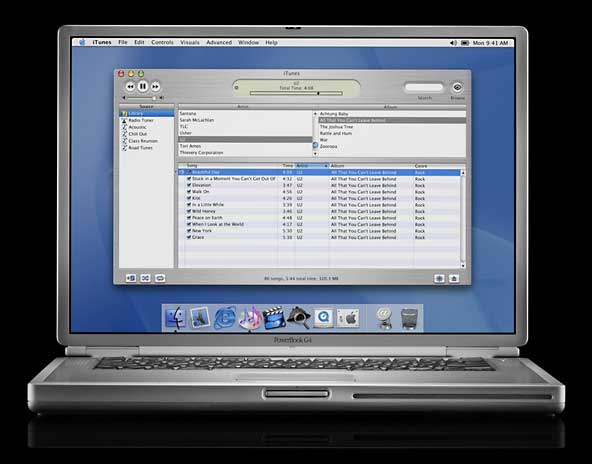 One of the most asked questions is about heat. Specifically, people want to know how hot the TiBook runs.
Unfortunately, every single utility I’ve tried doesn’t provide meaningful results. One reports 33°F or 1ºC, another says error, and yet another reports unknown.
As soon as someone creates a temperature utility that works with the TiBook, I will do some tests. Until then, all I can say is, “It gets hot.”
Cool It
The most common suggestion to attack the heat problem is the CoolPad from Road Tools. I have one coming in; I’ll report here once I’ve had a chance to use it.
Other suggestions include building my own NadPad with about $10 worth of parts from an office supply store and picking up a dual-layer cookie sheet from Macy’s – alas, no Macy’s here.
DVD Performance
The second most common question is about the “jerkiness” I noted in my first report. My response at this point is that we only tried one movie, The Matrix. We ran it before I had a chance to configure the TiBook to my liking. I have since viewed the first 15 minutes of The Matrix and not seen the problem.
I hope to find time for more extensive testing but should note that I have a real DVD player connected to my TV – and I’m far more likely to use that to watch a DVD than use my TiBook (see DVD and the Mac for more on this subject).
SETI@home
My first complete work unit was interrupted by Sherlock trying to index over 40,000 files on my hard drive in the background. My second work unit was completed in 14 hours, 8 minutes, 6.9 seconds.
Game Performance
If you visit Low End Mac regularly, you may have noticed that we don’t pay much attention to games. There are two reasons for that: Other sites do an excellent job with Mac gaming, and I don’t play games very often.
When I do game on my Mac, it’s not Myth, Marathon, Quake, or any of the other 3D shooters. My top choices are SimCity 2000 and Shanghai II, followed by Solitaire Royale 1.0 (a 1987 program that’s never needed an update) and Euchre.
That’s why you won’t see frame rate reports here. For results like that, your best bets are performance sites (Accelerate Your Mac, Bare Feats) and gaming sites (MacGamer.com)
Battery Life
I launched Jeremy Kezer’s Battery Amnesia 1.5.2 at about 6:45 Sunday morning, unplugged the power adapter and began draining the battery. According to Apple, this is a five-hour battery, so it could have potentially run until 11:45.
Battery Amnesia wasn’t about to allow that. After all, the program is designed to drain a PowerBook battery as quickly as possible. Battery Amnesia simulates constant use and makes regular hard drive access. The TiBook shut down somewhere around 10:30. In all, the battery lasted 206 minutes under maximum drain – 3 hours, 26 minutes.
After recharging the battery, I set “Reduce Processor Speed” under advanced settings in the Energy Saver control panel. This reduces CPU speed to 300 MHz – and it had no significant effect on battery life while Battery Amnesia was doing all it could to run down the battery. This time the battery lasted 211 minutes, five minutes longer than running at 400 MHz.
In the real world, you’ll probably see longer battery life than this, since you’ll probably be using energy saving setting when running from the battery. All in all, 3-1/2 hours of continuous use is very impressive.
The Display
I’d mentioned last week that the onscreen colors seemed a bit washed out, knew there was a profile somewhere out there to address the issue, but couldn’t for the life of me remember where. I know I linked to it from LEM when it was released.
Searches with Google and my site search engine came up empty, undoubtedly because I couldn’t remember the right keyword to find that particular item. A big thanks to Charles W. Moore for mentioning Accelerate Your Mac in a recent Applelinks article. The Accelerate Your Mac article is [not online and not in the Internet Archive] – scroll down to the link for downloading Brock’s Pismo/iBook profiles. At this point, I have not been able to choose either profile.
My TiBook Index
- My TiBook, Part 1: First Impressions
- My TiBook, Part 2: Migrating Everything
- My TiBook, Part 3: It’s Hot!
- My TiBook, Part 4: Solid Battery Life
- My TiBook, Part 5: A Portable CD Burner
- My TiBook, Part 6: Nearly Perfect
- My TiBook, Part 7: Static Shock and a Road Trip
keywords: #titaniumpowerbook #powerbookg4 #tibook
short link: https://goo.gl/Us33YR
