
The 'Book Page
Getting Ready for My TiBook
2001.01.30 - Dan Knight - Tip Jar
The titanium PowerBook
G4, now commonly called the TiBook on the Mac Web, is going to mean
some changes in the way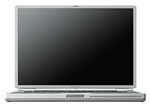 I work. Some of those changes will be for the better (portability,
wireless networking, and a bit more speed), but some won't.
I work. Some of those changes will be for the better (portability,
wireless networking, and a bit more speed), but some won't.
The Display
At my last job, I had a Power Mac G4/400 (Yikes!) with a very nice Sony 20" monitor. I ran that screen at 1280 x 1024, which is a lot of real estate. I could have Claris Emailer open on the left, WebChecker on the right, Internet Explorer 5 on the left, and my Claris Home Page notes on the right. ClarisWorks documents would be on either the right or the left. AIM was in the upper right corner. I used Application Switcher when I needed to access a buried application.
My home system is a bit less ambitious - and far more in keeping with the low-end focus of this site. I have a SuperMac S900 I bought "bare bones" for $300, a slightly accelerated (by today's standards) ixMicro Ultimate Rez video card, an IBM 15.2 GB IDE hard drive and a TurboMax card to drive it, and an Optiquest V95 19" monitor I picked up for about $340. I've also added a USB card, ixTV card, and E100 fast/wide SCSI & 10/100 ethernet card - and boosted the computer to 212 MB of RAM.
I run the screen at 1152 x 870, Apple's traditional "two page" resolution, although once in a while I do boost it to 1280 x 1024. But in anticipation of the TiBook's 1152 x 768 screen, I'm going out of my way to avoid the higher resolution.
In fact, I have several spreadsheets to track site stats (ClarisWorks is great for that kind of thing); they were one of the reasons I'd switch to 1280 x 1024. The monitor was a bit fuzzy at that setting, but I could see so much....
Over the weekend I set my monitor to 1024 x 768 and resized those spreadsheets to fit the height of the TiBook. Then I switched back to 1152 x 870 and moved the spreadsheets to the left, resizing them as necessary but making sure not to make them any taller on the screen. My new PowerBook may not arrive for weeks yet, but my spreadsheets will be ready for it.
I already miss 1280 x 1024, but I'm getting used to 1152 x 870. I know I'll miss those extra 102 pixels at the bottom of the screen, but getting used to 1152 x 768 shouldn't be too difficult. Still, it's the biggest compromise I'll be making when moving to the TiBook in February or March.
Of course, you can use the TiBook with an external monitor, so I may find myself connecting to the Optiquest at home - along with an external mouse and keyboard.
The Keyboard
I've been using extended keyboards for almost nine years. I appreciate the full-sized arrow keys, forward delete (Del), F13-F15, command and control keys on both sides of the spacebar, and an Enter key right next to my mousepad. I'll miss them all. I may look into an external keyboard for office use - I've been very happy with the Apple Pro Keyboard I've had at work for the past few months.
Nice as Apple's laptop keyboard is on the iBook and recent PowerBooks, I'm also used to typing on an angled keyboard, so I'll be exploring options for tilting the back of the PowerBook up a fraction of an inch. I might even try my hand at building the NadPad posted at Applelust.
The Trackpad
I've been using mice since my PC days and own a lot of different mice. My plan is to carry a Contour MiniPro optical mouse in the field, since it's compact, works smoothly, and has a case to protect the mouse and cable. There will be times when a mouse isn't practical. At those times, I can be grateful that Apple has been using trackpads longer than anyone else and essentially perfected it on the iBook. I'm assuming the TiBook will have a trackpad at least that good. That will be great for working from the living room or back deck.
But in the office, I'll probably work with a full-sized mouse. My current choice is the Kensington Mouse-in-a-Box Optical sitting on a Contour UniTray.
AirPort
I've got a few weeks to research alternatives to Apple's AirPort hub. I have a cable modem, which for the past month or two has not cooperated at all with my Hawking router. I have a DSL modem, but so far neither I, EarthLink, nor Covad have been able to make it work with my OS 9 setup or my updated Hawking router. (Covad tells me they can't get any Macs running OS 9 to work with EarthLink, but they can make it work with other providers - one more thing to research.)
We have a large ethernet network I want to share the DSL or cable connection with. My preference is DSL, which may be a bit slower but also specifically permits access by multiple computers and even running a server. (Details may vary by service provider. Yet another thing to investigate.)
From my perspective, it would be ideal to have a single device that (a) connects to the Internet via modem, cable modem, or DSL modem, (b) shares that connection on my network, and (c) also acts as an AirPort hub for my forthcoming PowerBook and my wife's iBook.
In the Field
There are a lot of reasons for buying the TiBook: watching DVDs anywhere, eliminating the noise and clutter of a desktop system, the easy-on-the-eyes LCD screen, or simply bragging rights to the world's thinnest laptop.
For me, the key factors are simplification (everything in one box), portability (I can take it to Macworld with me), and OS X compatibility (everyone seems to be running into a brick wall with OS X on SuperMac computers). But the main reason for choosing the TiBook over a Cube and flat panel display is portability; I want a large screened laptop I can take on the road.
At the Expo, I'd probably throw the TiBook in my Tutto case, which has four wheels and plenty of room for sales brochures, software, the power adapter, and who knows what else. (I helped start a trend at Macworld Expo in July - time and again people would ask where I got that great case.) But I'll also be looking into more practical over-the-shoulder solutions.
Accessories
I think the TiBook is going to create a market for clever accessories, such as a power plate that's maybe 1/2" thick and adds maybe 5-10 hours of battery life, a solar cell array that fits on the lid and charges the battery outdoors without hiding the Apple logo, and a folding hood that blocks sunlight and makes the screen easier to see outdoors.
Of course we'll see titanium-colored mice, laptop bags designed for the 13.4" width of the TiBook, and one or more docks that make it easy to use your PowerBook G4 with a monitor and other peripherals in your office.
Then it's just a matter of waiting for Apple to release the PowerBook G4.
Recent Content on Low End Mac
- World Book Encyclopedia 2012 DVD, Tommy Thomas, Reviews, 2013.03.05. "You may be asking yourself, in an age of Wikipedia and instant information, is World Book still relevant?"
- Vintage Computer Festival SouthEast, April 20-21, 2013, Simon Royal, Mac Spectrum, 2013.02.25. Old Apple gear and old PCs.
Latest Deals on Low End Mac
About LEM Support Usage Privacy Contact
Follow Low End Mac on Twitter
Join Low End Mac on Facebook
Favorite Sites
MacSurfer
Cult of Mac
Shrine of Apple
MacInTouch
MyAppleMenu
InfoMac
The Mac Observer
Accelerate Your Mac
RetroMacCast
The Vintage Mac Museum
Deal Brothers
DealMac
Mac2Sell
Mac Driver Museum
JAG's House
System 6 Heaven
System 7 Today
the pickle's Low-End Mac FAQ
Affiliates
Amazon.com
The iTunes Store
PC Connection Express
Macgo Blu-ray Player
Parallels Desktop for Mac
eBay

