
2001: Yes, it is a bit odd to own the newest PowerBook at Low End Mac. It doesn’t seem very low-end, does it? I could try to justify it: Apple has announced a 733 MHz Power Mac G4 and also has a 500 MHz PowerBook G4, after all.
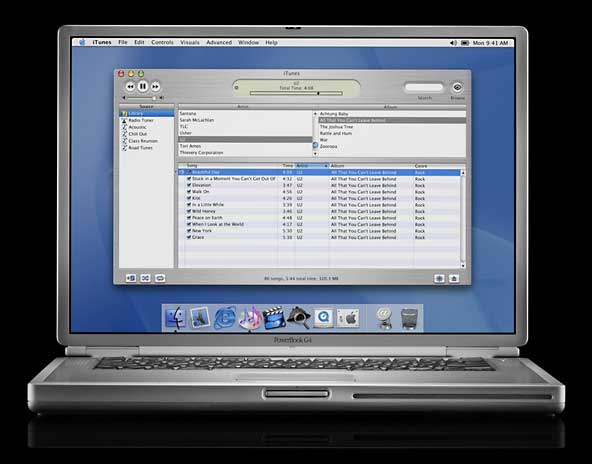 The only justification I can offer is that the TiBook is the right tool for the job, regardless of speed, price, or age. It has the screen size I need (just barely) for the way I work, it’s portable, and to top it off, I will be able to run OS X on it.
Networking
The first rule of computing: If it ain’t broke, don’t fix it.
It’s probably been two months since we were able to share our Internet connection. I’d been trying to configure my Hawking router to support DSL, to use DHCP instead of static addresses, and finally, in desperation, to do anything. In the end, I settled for connecting the cable modem to my SuperMac S900, leaving my wife to use Earthlink for her Net access and the kids to use my computer when they had to get on the Web.
I could do that because my SuperMac has two ethernet ports: one for the cable modem, the other for the home network. But Quicksilver, my PowerBook G4, only has one ethernet port. Time to fiddle with the Hawking router again.
I don’t know how many times I’ve reprogrammed, restarted, reset, and even updated PRAMs in that little black box. More often than not, I’d make a change, restart, and never see it on the network again. Thursday night I’d had enough of anything different, cleared the settings, and configured it for our cable modem and static IP addresses on our home network.
For some unknown reason, it worked this time. I’m never touching those settings again.
Now the whole family is happy. My PowerBook, my wife’s iBook, Nathaniel’s SuperMac S900, Brian’s Power Mac 8100, and Steve and Tim’s Power Mac 6100s can all see the Net. And my 6100 dedicated to SETI@home can finally report that work unit and begin a new one.
Problem solved, all because I couldn’t defer a solution any longer. After all, if I can’t print, surf the Web, access the file server, and do email, I’m up a creek.
It’s not a perfect solution. The connection goes down regularly with the Hawking router in place, a problem I didn’t have when my SuperMac or TiBook was wired directly to the cable modem. Sigh.
Taking the Heat
The biggest design problem with the TiBook is heat dissipation. The G4 runs hot, as do other electronics within its titanium case. Slowing CPU speed to 300 MHz in the Energy Saver control panel doesn’t seem to help noticeably.
At present, there seems to be no way to measure the internal heat of the TiBook. The temperature programs I’ve downloaded may work for previous G3 and G4 models, but they don’t give worthwhile results here (33°F and “error” are my favorite reports so far).
Thursday night I dug out the LapBottom that Dr. Bott sent me a couple years ago. My wife, then the only PowerBook user in the house, never found it practical. Besides, her PowerBook 150 never did run that hot. But after some discussion of TiBook heat on the Titanium PowerBook list, I recalled the LapBottom and dug it out.
The LapBottom is about 8-1/2″ x 12″. The bottom has foam, so it sits comfortably on your lap. The top has four large pads that support the laptop above a hard plastic surface, providing lots of room for air to circulate.
It works. I can put the TiBook on the LapBottom and put that on my lap and use it. However, because the LapBottom is 1-1/4″ thick, it puts the PowerBook G4 at an uncomfortable height on my desktop. Using the keyboard drawer on my wife’s computer table is just about perfect, though.
Additional Benchmarks
I’ve received email asking for more benchmarks: How fast does the TiBook complete a SETI@home work unit? How many frames per second in Quake?
I’m not a 3D gamer, so I don’t have the programs for testing frame rates. Given the way TiBooks are reaching users, look for results like that on Accelerate Your Mac and other sites soon.
As for SETI@home, I’ve just completed a work unit begun on my SuperMac and begun a new one. It will be sometime this weekend before I know how long the 400 MHz TiBook takes to complete a single SETI work unit.
My TiBook Index
- My TiBook, Part 1: First Impressions
- My TiBook, Part 2: Migrating Everything
- My TiBook, Part 3: It’s Hot!
- My TiBook, Part 4: Solid Battery Life
- My TiBook, Part 5: A Portable CD Burner
- My TiBook, Part 6: Nearly Perfect
- My TiBook, Part 7: Static Shock and a Road Trip
keywords: #powerbookg4 #tibook #titaniumpowerbook
short link: https://goo.gl/Y27rwk
