
The 'Book Page
The New iBook Value Equation
Dan Knight - 2002.01.14 - Tip Jar
Apple introduced the colorful clamshell iBook in July 1999 as a lower cost alternative to the PowerBook G3.
At that time, the Lombard PowerBook G3 was available at 333 and 400 MHz, and the less expensive of the two sold for US$2,499. By comparison, a $1,599 consumer model running at 300 MHz was quite a value.
But everything has changed over the last year. The Titanium PowerBook G4 was introduced a year ago - 400 MHz at $2,599. The redesigned white iBook (sometimes known as the iceBook) came out last May and provided 500 MHz G3 performance for as little as $1,299, half the price of the TiBook.
The equation changed again in October when Apple rolled out the PowerBook G4 at 550 MHz and 667 MHz, then modified them again in December by making the combo drive (which reads DVDs and burns CDs) standard.
At the same time the TiBook was getting a speed bump, Apple offered a faster 600 MHz iBook. And now they've added a 600 MHz iBook with a 14" display to the mix.
With the new flat panel iMacs and the 14" iBook, Apple is defining a middle level between the inexpensive consumer models and the pro-oriented models. How well does the 14" iBook fill that niche?
|
500 MHz iBook |
600 MHz iBook |
14" iBook |
TiBook/550 |
TiBook/667 |
|
500 MHz G3 |
600 MHz G3 |
600 MHz G3 |
550 MHz G4 |
667 MHz G4 |
|
128 MB RAM |
128 MB RAM |
256 MB |
128 MB |
256 MB |
|
15 GB hard drive |
20 GB hard drive |
20 GB hard drive |
20 GB hard drive |
30 GB hard drive |
|
CD-ROM |
Combo drive |
Combo drive |
Combo drive |
Combo drive |
|
12.1" screen |
12.1" screen |
14.1" screen |
15.2" screen |
15.2" screen |
|
4.9 pounds |
4.9 pounds |
5.9 pounds |
5.3 pounds |
5.3 pounds |
|
11.2" wide |
11.2" wide |
12.7" wide |
13.5" wide |
13.5" wide |
|
9.1" deep |
9.1" deep |
10.2" deep |
9.5" deep |
9.5" deep |
|
1.35" thick |
1.35" thick |
1.35" thick |
1.0" thick |
1.0" thick |
|
137.6 CI |
137.6 CI |
174.9 CI |
128.3 CI |
128.3 CI |
|
$1,199 |
$1,499 |
$1,799 |
$2,299 |
$2,999 |
To keep the size, weight, and cost of the original iceBook down,
Apple used a 12.1" 1024 x 768 display. It's gorgeous, but a lot of
people found the screen uncomfortably small. For those who wanted a
larger screen with more, 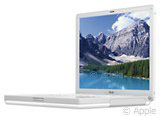 larger pixels,
the alternative was the $2,299 PowerBook G4 with a 15.2" 1152 x 768
display. That's a wonderful solution, and it's the computer we use to
run Cobweb Publishing, but some people complained the TiBook was too
wide.
larger pixels,
the alternative was the $2,299 PowerBook G4 with a 15.2" 1152 x 768
display. That's a wonderful solution, and it's the computer we use to
run Cobweb Publishing, but some people complained the TiBook was too
wide.
Apple had two options: use a 13" screen and make the iBook just a bit bigger, but also make the pixels only a bit larger, or use a 14" screen to make both the pixels and the iBook more than just a little larger.
As baby boomers are increasingly fitted with bifocals, the larger screen becomes a real blessing. The drawbacks are increased size, weight, and cost. The benefit is tapping into a very real market unwilling to ante up for the PowerBook.
Internally, the big differences between the old iceBook and the new 14" model boil down to a bit more memory (worth about $50 at the Apple Store) and an extra hour of battery life (priceless?). The real world premium, once you factor in the memory value, is $250 for the larger screen.
Compared with the TiBook, the 14" iBook is 0.8" narrower, 0.6 pound heavier, 0.7" deeper, and 0.35" thicker. The TiBook comes in at 128.3 cubic inches, the iceBook at 137.6, and the 14" iBook at 174.9, making it easily the bulkiest of the three portable lines.
At $500 less than the 550 MHz TiBook, the 14" iBook provides the same pixel size (much easier to read with aging eyes - or share around a conference table), has a bit more memory, and costs $500 less. The 600 MHz G3 provides roughly comparable performance with the TiBook's 550 MHz G4, although the G4 will be beneficial when using OS X.
We should note that the TiBook does have a PC Card slot and supports dual displays, two hardware features not matched by any iBook.
The real value of the 14" iBook is hard to peg. The entry level iBook as $1,199 is an indisputable bargain. The Combo drive version at $300 more is a bit harder to justify, even with the extra 100 MHz of speed. It's a good value, but less so than the $1,199 model.
Is the "entry level" TiBook worth $2,299? As someone who bought a 400 MHz $2,599 TiBook as soon as it shipped last January, I'd say so. The TiBook is a premium computer with a premium display and a compact form. The extra speed, larger hard drive (vs. 10 GB in the G4/400), and the addition of a Combo drive at $300 less than last year's model make the TiBook/550 an excellent value for those who need more screen space than the traditional 1024 x 768 display offers. (Yes, that extra inch is definitely worth it.)
As for the 667 MHz PowerBook G4, unless you plan on burning DVDs to an external FireWire SuperDrive, I just can't see any reason to go beyond the 550 MHz model.
For those comfortable with 1024 x 768 but unable to live with the smaller iBook's 12.1" display, the 14" iBook is a real alternative to the much more costly TiBook. In fact, I expect the 14" iBook will significantly cut into the TiBook market until Apple can move the PowerBook G4 to the 733 MHz level and beyond, Apple notwithstanding.
While the smaller iBooks are indisputably good values, the value of the 14" iBook is entirely a personal decision. If the small 12.1" display works for you, great; if not, the 14" iBook provides a real solution at a reasonable price.
Recent Content on Low End Mac
- World Book Encyclopedia 2012 DVD, Tommy Thomas, Reviews, 2013.03.05. "You may be asking yourself, in an age of Wikipedia and instant information, is World Book still relevant?"
- Vintage Computer Festival SouthEast, April 20-21, 2013, Simon Royal, Mac Spectrum, 2013.02.25. Old Apple gear and old PCs.
Latest Deals on Low End Mac
About LEM Support Usage Privacy Contact
Follow Low End Mac on Twitter
Join Low End Mac on Facebook
Favorite Sites
MacSurfer
Cult of Mac
Shrine of Apple
MacInTouch
MyAppleMenu
InfoMac
The Mac Observer
Accelerate Your Mac
RetroMacCast
The Vintage Mac Museum
Deal Brothers
DealMac
Mac2Sell
Mac Driver Museum
JAG's House
System 6 Heaven
System 7 Today
the pickle's Low-End Mac FAQ
Affiliates
Amazon.com
The iTunes Store
PC Connection Express
Macgo Blu-ray Player
Parallels Desktop for Mac
eBay

