
2001-03-16: $349 466 MHz G3 upgrade for WallStreet and Lombard PowerBooks. PowerBook 5300 trade-in for Canadians. Leftover Pismo price reduced at Apple education store. More ‘Book news.

- PowerLogix Blue Chip PowerBook Processor Upgrade for $349!
- PowerBook 5300 Trade-In Offer Extended to Canadians
- Pismos $1,599 at Apple Store for Education
- Try Your CoolPad Before You Buy
- PowerBook Hard Drive Recovery Service
- How ‘Bout Those Crazy RAM Prices?
Except as noted, prices are in US dollars, bold links are to outside sites, and regular links lead to ‘Book profiles on Low End Mac.
PowerLogix Blue Chip PowerBook Processor Upgrade for $349!
The biggest PowerBook related news story I’ve found for you this week is a deal offered by Small Dog Electronicsthrough DealMac.com on the PowerLogix Blue Chip G3 466/233 1 MB upgrade for the excellent price of $349 (actually $449 less a $100 rebate) and the lowest price I’ve seen on this item by far. I’m tempted. Shipping is $7. This Offer ends March 19, 2001, so if you’re interested, don’t dally.
The Blue Chip G3 processor upgrade line for PowerBook G3 (WallStreet and Lombard) is available in 466 MHz G3 or 500 MHz G3 versions. The 500 MHz unit is $599 at Small Dog.
Blue Chip G3 upgrades feature 1 MB of backside cache memory running on a cache data bus at half the processor speed (233 MHz and 250 MHz, respectively). It is this high-speed cache memory that helps the Blue Chip G3 CPU upgrades boost system performance.
The additional processing speed allows users to repurpose PowerBook G3 systems into formerly desktop-only type tasks. Upgraded PowerBook G3s are also being used by digital audio professionals to manage remote recording and performance tasks.
PowerLogix R&D, Inc. is dedicated to providing innovative products like the PowerForce, iForce, and Blue Chip upgrades for users interested in maximum performance from second generation and newer Power Macs and clones. For more information, visit http://PowerLogix.
Does upgrading a PowerBook G3 makes sense? Well, the WallStreet is a formidable machine, and in some respects the most versatile PowerBook Apple ever built. With its full set of legacy Mac ports, plus two PC Card slots and two expansion bays, you can pretty much trick it out to handle virtually anything you throw at it. The Lombard is nearly as versatile, and it also has built-in USB.
The PowerLogix Blue Chip G3 processor upgrade simply replaces the stock processor card, which the user removes and installs the Blue Chip upgrade in its place. The user removes the stock processor card and installs the Blue Chip upgrade in its place. To get around the boot ROM licensing issue, PowerLogix has written special software which enables the user to copy the information from their computer’s hardware ROM chip to a special alternate “ROM” chip on the PowerLogix upgrade card. This is legal because the PowerBook owner is already licensed to use the Apple ROM data on one computer. With the Blue Chip upgrade it will also likely be a good idea to keep your original processor card around in case the ROM copied as firmware ever gets corrupted.
In either case, it is about a 10-20 minute job to remove or replace the PowerBook’s processor daughter card.
PowerBook G3 250 – 784
PowerBook G3 500 – 1537
Blue Chip G3 500 – 1647
PowerBook 5300 Trade-In Offer Extended to Canadians
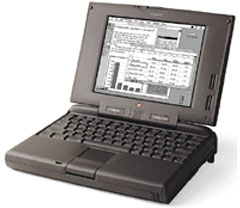
Perhaps the squeaky wheel really does get the grease. Last week I did some griping here about the current PowerBook 5300 trade-in offer from Apple not being available outside the U.S.
After complaints from Canadian Mac users, Apple has belatedly included Canadian residents in the program.
Better late than never, and full marks to Apple for listening.
The new PowerBook 5300 and 190 Upgrade Program allows you to replace your PowerBook 5300 or PowerBook 190 with a new PowerBook (Pismo).
This is a US English PowerBook with US English documentation, keyboard, and operating system.
- PRICE:
$1,599 USD
$2,399 Cad
(Plus a PowerBook 5300 or 190 – does not need to be in working condition)
To take advantage of this offer:
1) Place your order by calling the Apple Store at 1-800-MY-APPLE on or before March 23rd, 2001. Be sure to mention this special program. OFFER GOOD THROUGH MARCH 23, 2001, AND WHILE SUPPLIES LAST.
2) Attach a piece of paper inside the PowerBook with your name, address, telephone number, Web order number for the new PowerBook and serial number of the incoming PowerBook. We suggest that you tape this information to the display. This information will help us to confirm receipt of the product.
3) Package and ship the PowerBook 5300 or PowerBook 190 to:
US CUSTOMERS:
- Apple
10175 Ironrock Way
Elk Grove, CA 95624
Attn: 664-0120
CANADIAN CUSTOMERS:
- Apple Canada Inc.
c/o PowerBook Upgrade Program
7495 Birchmount Rd.
Markham, Ontario
L3R 5G2
NOTE: All PowerBook 5300 and PowerBook 190 computers must be received by Apple within 21 days of the date of the order, or this offer becomes void.
The box does not have to be original packaging. Remember, your new PowerBook cannot be shipped until Apple has received your PowerBook 5300 or PowerBook 190.
You will receive a confirmation email from Apple at each step of the upgrade process, including when your order is processed with the Apple Store, when your PowerBook 5300 or PowerBook 190 has been received, and when Apple has shipped your new PowerBook G3 (FireWire).
If you have additional questions about your order, send an email to pbupgrade@group.apple.com. For more information, read the program details on Apple’s site.
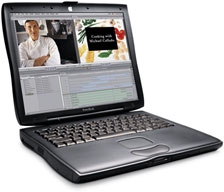 Pismos $1,599 at Apple Store for Education
Speaking of leftover Pismos, the Apple Store for Education is offering the PowerBook G3/400 for $1,599 to qualified buyers in the following configuration: PowerBook G3/400 64/10.0/DVD/56k/100BT 14.1 TFT, model no. M7630LL/A.
Try Your CoolPad Before You Buy
Road Tools, maker of the cool CoolPad accessory for laptops, is trying something new. They’re going to let you try the CoolPad before you buy it. Just fill out our easy order form, and Road Tools will verify your credit card and then quickly ship your order.
However, they won’t charge your card for at least three weeks after they ship, so if, for any reason, you decide that CoolPad isn’t right for you, just email them and they’ll arrange to have it picked up. No risk, no questions. Road Tools pays all shipping costs both ways, and your credit card will have never been charged. They think you’ll like the product so they’re making it easy for you to try it.
The “try before you buy” offer is for USA orders of a single CoolPad or a Podium CoolPad.
One way to improve laptop cooling is by letting air circulate underneath as well as on top. Most laptops dissipate some of their heat through the bottom and the more air that’s allowed to flow under the bottom, the better chance that heat will dissipate. If you place a running laptop on a bed it will probably overheat as air will not flow under the bottom.
Creating open air space under the PowerBook allows more efficient heat dissipation by convection. The hot air rises, and cooler air circulates in to replace it. One means of facilitating that is Road Tools’ CoolPad.
The CoolPad increases the airspace as well as elevating the back (or for better ergonomics, the front) of the laptop. The six small rubber pads on the bottom of the CoolPad hold the PowerBook in place, making it a great tool for air travelers whose laptops slide around on tray tables.
There are two versions of CoolPad – the basic, classic model, and the Podium CoolPad, which allows you to adjust keyboard tilt using Lego-like spacer blocks.
Original ‘Travel’ CoolPad, $19.95
3-Pack of CoolPads, $49.95
6-Pack of CoolPads, $89.95
Podium CoolPad, $29.95
2-Pack of Podium Coolpads, $49.95
6-Pack of Podium CoolPads, $129.95
Podium + Original CoolPad Bundle, $39.95
A flat rate of $4 for shipping for anything you order (in USA only)
All Road Tools products are guaranteed for life. All CoolPads are made in New Hampshire, USA
For more information, visit the Road Tools site or the Podium CoolPad page.
For USA distribution to resellers and VARs, visit http://www.drbott.com.
PowerBook Hard Drive Recovery Service
Go2Mac.com is investigating starting a specialized PowerBook hard drive recovery service that is fast and economical.
To access the service, you would simply send your 2.5-inch hard drive and a bench fee (about $75 in the continental U.S.) to Go2Mac with your contact information. Within three business days of receipt of your drive, they will diagnose it and email you a report of what data, if any, we found on the drive. At this point you can either a) elect to have your data recovered to CD-ROM for a fee, or b) have your drive returned to you.
If you have had the misfortune of losing a PowerBook hard drive and are interested in this type of HD recovery service drop Go2Mac a line at info@go2mac.com. Include the manufacturer and size of your hard drive and any information about what happened and the symptoms it is exhibiting.
How ‘Bout Those Crazy RAM Prices?
Prices simply can’t get much lower. The spot price for 64 MB PC 100 DRAM chips dropped to $2.08 in the last week. (That’s the wholesale level, and it takes eight chips to make up a module).
However, a spokesperson for memory reseller Insight, quoted by The Register, said prices were “at rock bottom” at the moment, but were about “to rocket.”
If you are thinking about upgrading memory, there has never been a better time. A scan of current prices on ramseeker indicate that 1-800-4-MEMORY, and Memory To Go are the price champions again this week. You can get a 256 MB PC 100 module for Pismo for $78. Amazing!
