

Mac Maintenance, Part 2: Optimizing OS X Performance
- 2005.07.06
Now that we know how to protect your hard drive and its data (see last week's column), it's time to find ways to maximize the performance of Mac OS X itself. The following tips should help you keep your system software lean and mean, making your Mac faster and more reliable while keeping more disk space available.
Memory
My first tip is a hardware tip - even a Unix tip. As you probably know, OS X is a Unix-based operating system. Unix is known for its robustness, security, and stability, but it is a resource-hungry system. It requires large amounts of RAM to deliver the best possible performance.
As they say, size does matter - for Unix anyway. Therefore, I recommend that you install as much RAM as you can afford on your Mac. You will thank yourself for it because it makes a genuine difference.
The way you allocate memory also has an impact on system performance. When you launch programs, they use the computer's memory and divide it between themselves. Memory hogs, such as Photoshop, generally need to eat up large chunks of RAM to offer their best performance, so keeping a minimum of applications open helps performance. If you have to work with several open applications, you should install all the memory that your Mac can handle. RAM is cheap nowadays.
|
|
For years, I thought I would never find a simple and suitable replacement for GoLive 4, and yet I found a magnificent open-source solution recently. (We will look at open-source software in a later column.)
No matter how much RAM you have installed and how you use your applications, there are other ways to keep Mac OS X zippy.
Save Disk Space
The first one is to have the smallest possible number of files on your startup disk. Why? As we explained in last week's article, your disk keeps track of your files in a directory. When your directory is too large, your disk has to work harder to find things, and that slows down overall performance. Imagine that you have to search for a book in different libraries. It will take you less time to find the book in a small, organized library than in a large, disorganized one.
Another important thing to keep in mind is that Mac OS X uses virtual memory, which allows it to treat your hard drive like very slow RAM, so having plenty of free space on the startup drive is a great bonus for your system.
The leaner your startup drive, the faster your Mac will be. You have learned how to organize the directory last week. Now you may want to consider how to shrink the amount of space you use. Don't hesitate to use my tip to divide your drive into a "system" and a "data" partition to achieve this goal. Separating your work files from the system is great for speed as well as security.
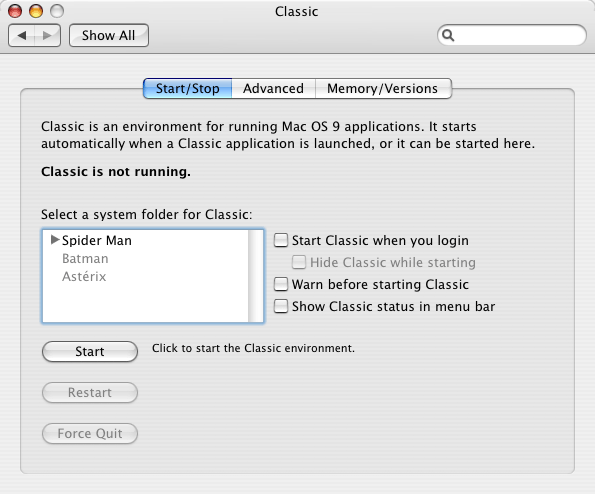
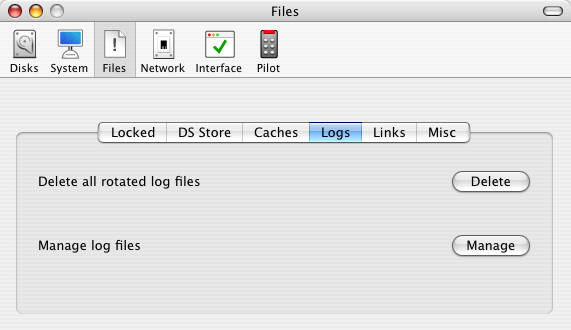
Another burden your Mac shouldn't have to carry: logs, caches, and histories. Don't get me wrong. These files are useful, but if you never clean them up, they will become cumbersome and they may even become damaged.
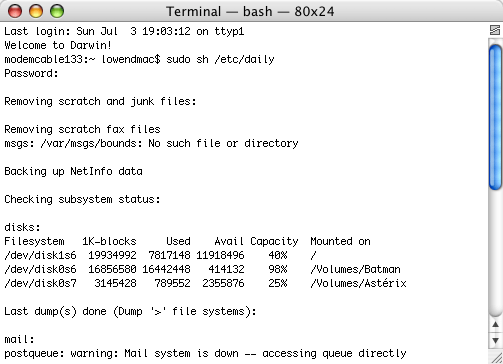
Mac OS X behaves as a server because Unix is server operating system. If you make sure it is on between 3:15 a.m. and 5:30 a.m, it will automatically perform background daily, weekly, and monthly maintenance routines. If you do not like leaving your computer on during the night, there are two ways to trigger these routines manually.
|
|
The geeky way: When logged in with an administrator account, go to your startup disk, open the Applications folder and then the Utilities subfolder. Launch the Terminal. Without quotes, type "sudo sh /etc/daily" and enter your password. Let your Mac run the routine and wait until you see your username again. Repeat the drill with "sudo sh /etc/weekly" and "sudo sh /etc/monthly".
Don't be too scared of the Terminal. Once you tame it, it won't
bite.
If you have been running your Mac for months or years without doing this, you should clear plenty of disk space - and you may notice a difference in performance.
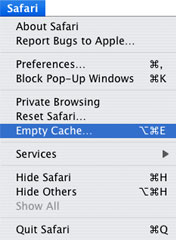 By the way, don't forget to clean up and reduce
the size of your browser's cache. Erasing the browsing history,
reducing the number days kept in the history, and minimizing the
number of stored cookies will also help. These can slow you down
when browsing.
By the way, don't forget to clean up and reduce
the size of your browser's cache. Erasing the browsing history,
reducing the number days kept in the history, and minimizing the
number of stored cookies will also help. These can slow you down
when browsing.
Another way to save disk space: If you reinstall Mac OS X, make sure to select only the frequently-used languages and printer drivers before installing. This will prevent the installation of a very large number of files on your system disk. If you haven't used Simplified Chinese in the last few years and none of your friends or relatives are familiar with it, keep it off your hard drive. You can always add it later on if you discover you need it.
Want to save even more space? Whenever you install software, keep the original installer around - even when it's shareware. Most programs offer you an Uninstall option right in the installer or a separate Uninstaller application. When you stop using a program, get rid of it. This will save disk space, and a proper uninstall will also remove all of the related files that you no longer need.
Fix Your Files
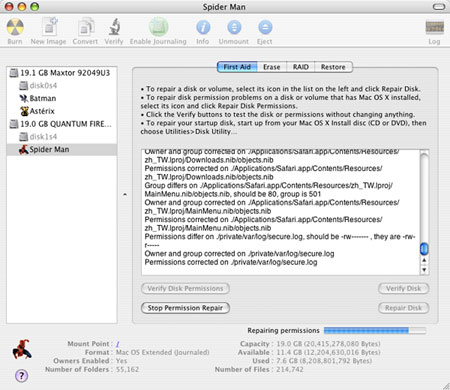
Repair permissions using Disk Utility
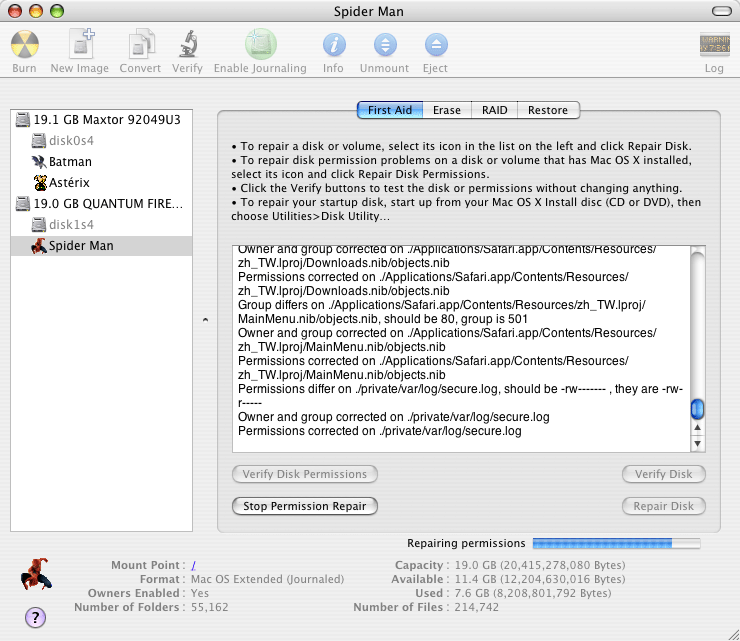
Among Mac OS X's Unix characteristics, there is the use of file permissions. When these get messed up, you may be unable to use all the functions of your favorite software or you may have problems handling some files. To keep such annoyances out of the way, repair your permissions every month with the Disk Utility.
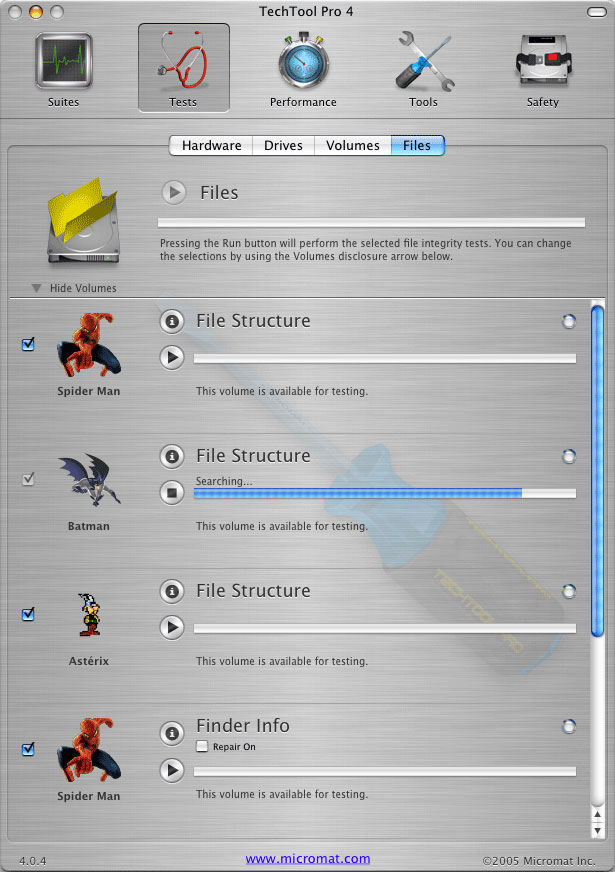 Lastly, corrupt files, depending on which
ones they are, can cause their share of problems. It is always good
to find out if you have any, in order to toss them out. TechTool
Pro 4 does a fantastic job testing files and reporting issues.
While using TechTool, why don't you also run the File Info test to
see if your file icons and other information need to be fixed? Both
tests can easily be found in the Tests category, under the Files
tab.
Lastly, corrupt files, depending on which
ones they are, can cause their share of problems. It is always good
to find out if you have any, in order to toss them out. TechTool
Pro 4 does a fantastic job testing files and reporting issues.
While using TechTool, why don't you also run the File Info test to
see if your file icons and other information need to be fixed? Both
tests can easily be found in the Tests category, under the Files
tab.
Among corrupt files, look out for corrupt fonts. They can make your applications unstable. And when you have too many fonts loaded, your Mac's performance will decline. I suggest looking at this list of basic system fonts (for Tiger) and disabling all other fonts until you need them. The Font Book (introduced with Panther) is located in the Applications folder. Launch it, select the fonts you want to disable, and click on the checkmark button in the middle of the window. You can always turn a font on later.
Job done! 
Next Week: Testing Your Hardware
- Link: Mac Maintenance, Part 1: Protect Your Hard Drive and Data
- Link: Cocktail
- Link: TechTool Pro 4, US$97.97
Join us on Facebook, follow us on Twitter or Google+, or subscribe to our RSS news feed
Michel Munger is a journalist who lives in Montréal. He discovered the Mac in 1994, and his work on a PC reminds him every day why he embraced Apple's platform. Munger has also authored some MacDaniel columns.
You can learn more about him on his personal website.
Today's Links
- Mac of the Day: PowerBook 2300, introduced 1995.08.28. The only Duo equipped with a PowerPC processsor run at 100 MHz.
- April 20 in LEM history: 00: That's different! - 01: Confessions of a DOS queen - Aquify the Classic Mac OS - BeOS and BFS - 04: iBook 2004 value equation - 06: Things you need to know before running Windows XP - Running Windows in parallel on your Mac - 07: 8-core Mac Pro value debated - Time to reinvent ultralight notebooks
- Support Low End Mac
About LEM Support Usage Privacy Contact
Follow Low End Mac on Twitter
Join Low End Mac on Facebook
Favorite Sites
MacSurfer
Cult of Mac
Shrine of Apple
MacInTouch
MyAppleMenu
InfoMac
The Mac Observer
Accelerate Your Mac
RetroMacCast
The Vintage Mac Museum
Deal Brothers
DealMac
Mac2Sell
Mac Driver Museum
JAG's House
System 6 Heaven
System 7 Today
the pickle's Low-End Mac FAQ
Affiliates
Amazon.com
The iTunes Store
PC Connection Express
Macgo Blu-ray Player
Parallels Desktop for Mac
eBay

