
Vintage Mac Living
Retro Computing: First Impressions of a Newly Acquired Apple Lisa
- 2006.02.14
I received a Lisa in the mail on my birthday, Saturday, February 4th. That was perfect timing.
I brought it in the house and opened the package.
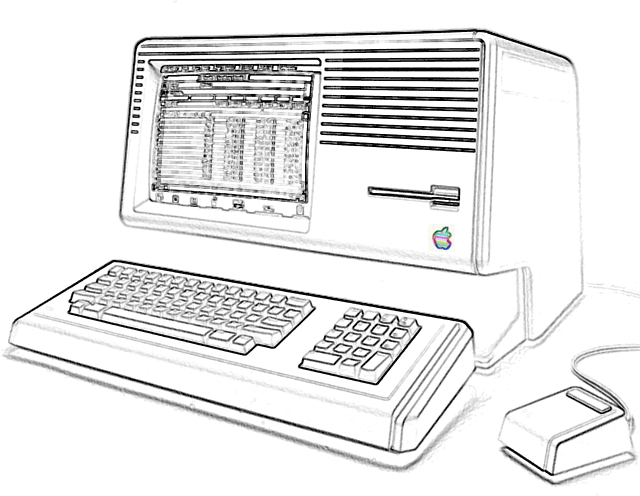
RT, the person who sent it to me, used excelsior to protect it in transit. It kept my Lisa from breaking, but the excelsior broke up and got inside the Lisa through the cooling vents. The excelsior got in all of the slots (I/O, CPU, memory, expansion), so I had to open it up and get all of that out before turning it on.
I must say, the Lisa (mine is a
Lisa 2 with a 3.5"
floppy) is very easy to open up and work on. Everything slides out and
comes apart very easily, so cleaning it out was a breeze.
Once I cleaned it out and put it back together, I hooked up the mouse from my old Mac Plus, plugged the Lisa's power cord in to the wall, crossed my fingers, and hit the power button.
It turned on, and the 10 MB Widget hard drive started spinning up.
At first I thought something might be broken, because the hard drive sounded like a blast of wind. But I figured it had been sitting for a very long time without being used, so I let it warm up for a while.
Then it started loading the OS - I knew it was loading something, anyway, because it had a dialog box with an hourglass on it and the hard drive was reading away.
Then, about two minutes later, the screen flashed. A happy Mac appeared on the screen, along with a dialog box at the bottom of the screen that said "MACWORKS XL 3.0 COPYRIGHT 1985 APPLE COMPUTER".
Unfortunately, I won't be able to tell you all about the Lisa Office System like I had planned. However, I can tell you (to some extent anyway) what it's like running Macintosh Finder 5.3 and System 3.2 on a machine that's about half as fast as the Mac 128K.
It's slow, kind of like running System 7 on a Plus.
My Lisa has 1 MB of RAM, and it has about 3.8 MB left on the internal 10 MB hard drive. It has quite a few programs installed, including MacWrite, MacDraw, MacPaint, MacProject, Microsoft File, Microsoft Word, Microsoft Excel, Basic (b), Basic (d), Tetris, and Solitaire.
It also has Calculator+, which is a much more advanced calculator than the one that came installed on Macs (at least before OS X).
It's a very good working machine, but there are a few things that are keeping me from using it and testing it further:
- I don't have a keyboard for it, so it can't really be used for anything other than solitaire.
- The internal 400k floppy drive doesn't work, so I can't load or save anything.
My Mom really likes the Lisa, more than any other computer we've ever had. When I asked her if she would like to say something about the Lisa, she said:
- "I was surprised I ended up liking Lisa so much. At first I didn't want Ted to get another computer, but once I started using Lisa, she really started to grow on me. She may be a bit slow, but she is not too slow for me. I find it very easy to find and access programs, and I love the solitaire games that are installed, many of them I had never played before. She is cutest and most friendly computer I have ever used."
This Lisa has really sparked an interest in computers for my Mom.
It's too bad we don't have a keyboard or a working floppy drive; my mom could really put it to good use if I had them.
If anyone has a Lisa keyboard, a 400k floppy drive, or a copy of the Lisa Office System (so I can play around with it), and is willing to donate them, please contact me - tedahodges (at) yahoo (dot) com.
Anyway, I really like using it so far, and I plan to use it for a
long time. It's hard to think that it had been sitting in RT's garage
unused for so long - and before that, RT had saved it from the trash.
Join us on Facebook. Follow us on Twitter.
Recent Vintage Mac Living articles
- What a waste! Some schools would rather store old computers than put them to use, 2007.09.12. Denver Public Schools is one example of a school district so ready to buy new computers that it has tens of thousands of old, usable computers sitting in storage.
- My incredible $110 Lombard and Power Mac G4 deal, 2007.07.11. Sometimes pawn shops can be a great source for older Macs, such as turning up a Lombard PowerBook and a very upgraded Power Mac G4 Digital Audio for just $110!
- Too stressed to even think about computers, 2007.05.16. "I've been so preoccupied that I haven't been able to think about computers, much less write about them."
- More in the Vintage Mac Living index.
Links for the Day
- Mac of the Day: Mac IIfx, introduced 1990.03.19. This 'wicked fast' 40 MHz Mac trumped the 33 MHz DOS world.
- February 14 in LEM history: 98: A perfect compact Mac - 00: Extended computer warranties worth the cost? - Making your PC work with your Mac - 01: Customize Microsoft Word - 02: Quadra revives a passion for computing - 03: Real world performance - DIY Pismo screen replacement - Best Mac for writing - 03: Fastest browser on the Mac - 06: 15" MacBook Pro - Impressions of a newly acquired Lisa - Finding and using free WiFi - Apple should liberate OS 9 - 07: New Mac mini cheaper than upgrading a Power Mac - 08: Falling in love with OS X
- Support Low End Mac
Recent Content on Low End Mac
- Fix Home Button Delay, Tablet the Ultimate Mobile PC, iPad Notebook a Possibility, and More, iOS News Review, 2012.02.10. Also using your iPad at work, two photo editors, a new iPad text editor, Macally's magnetic iPad 2 stand, and more.
- White MacBook Goes End-of-Life, Logitech Touch Mouse Supports Gestures, Firmware Updates, and More, The 'Book Review, 2012.02.10. Also MacBook Air better than any Ultrabook, docks for MacBook Pro models, Intel offers improved SSDs, and more.
- Mac and iOS Browsers: Options Galore, Freeware Forum, 2012.02.10. Safari is adequate on Mac and great on iOS, but the range of good alternatives is stunning. LEM writers share their favorites.
- Apple's Support Lead Shipping, Smartphones Outsell PCs, OS X Ported to ARM by Intern, and More, Mac News Review, 2012.02.10. Also the power of Tex-Edit Plus, Google and Twitter are already censoring the Web, Snow Leopard Security Update, and more.
- LogMeIn: Remote Screen Sharing for the Rest of Us, Alan Zisman, Zis Mac, 2012.02.09. Configuring the Mac's built-in screen sharing to work over the Internet can be difficult or impossible. LogMeIn makes it easy.
- 15 Years Ago Motorola Unveiled the PowerPC G3, Low End Mac Round Table, 2012.02.06. The G3 processor was optimized for real world Mac software and made a big leap forward in efficiency.
- Don't Kill Caps Lock, Learning to Love the iOS Keyboard, and an Adaptive iPad Keyboard, Charles W. Moore, Miscellaneous Ramblings, 2012.02.06. The Caps Lock key has a useful function, the iPad's keyboard really is useful, and checking out an adaptive keyboard for the iPad.
- More links in our archive.
Recent Deals
- Best 17" MacBook Pro Deals
- Best iPod classic Deals
- Best eMac Deals
- Best MacBook Air Deals
- Best iBook G4 Deals
- Best iPad Deals
- Best Classic Mac OS Deals
- Best Apple TV Deals
- More deals in our archive.
About LEM Support Usage Privacy Contact
Follow
Low End Mac on Twitter
Join Low End Mac
on Facebook
Low End Mac Reader Specials
TypeStyler 11 is now in the Mac App Store!! -- Special Introductory Price of $59.95!! -- To Buy From The Mac App Store Click Here Now!! Or buy direct
from Strider Software.
Don't install Parallels to play poker online! Poker Mac will show you how to download and install a native Mac poker and Mac Casino applications in minutes.
Favorite Sites
MacSurfer
Cult of Mac
Shrine of Apple
MacInTouch
MyAppleMenu
InfoMac
The Mac Observer
Accelerate Your Mac
RetroMacCast
PB Central
MacWindows
The Vintage Mac Museum
DealMac
Deal Brothers
Mac2Sell
Mac Driver Museum
JAG's House
System 6 Heaven
System 7 Today
the pickle's Low-End Mac FAQ
Affiliates
Amazon.com
The Apple Store
The iTunes Store
PC Connection Express
GainSaver
Parallels Desktop for Mac
eBay

