
Vintage Mac Living
Bringing New Life to Vintage Macs
- 2005.11.03
Hello Everyone,
My name is Ted Hodges. You may remember me from the article Bigger, Faster, More: Enough Already! that I wrote back in May.
It's great to be writing for Low End Mac again, and I hope to write for Low End Mac for years to come.
I would like to start with my biography, so you can get to know who I am and how I learned what I know today.
I'm 17 years old, and I have loved computers all my life. I remember that I always liked going to the library when I was about five years old, because I could play on the old WYSE terminals running the CARL system.
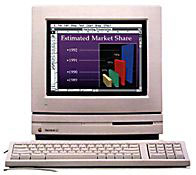 I never really used computers
until I went into third grade back in the fall of '96. My third grade
teacher, Jim Elliott, introduced me to a new type of computer called a
Macintosh (it was a Mac LC
II).
I never really used computers
until I went into third grade back in the fall of '96. My third grade
teacher, Jim Elliott, introduced me to a new type of computer called a
Macintosh (it was a Mac LC
II).
Mr. Elliott taught me the basics of how it worked. I was happy running ClarisWorks and playing Brickles, Shufflepuck Café, and Maelstrom on it, but I wanted to learn more about how it worked.
Within a few months, I really wanted to get a Macintosh of my own. Back then, a computer - even a used one - cost a lot of money, so it took some time for my folks to save up enough money to buy one.
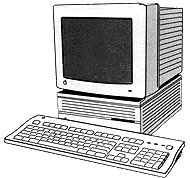 The big day came in April 1997 when we got a
Mac IIcx with 8 MB RAM and a
40 MB hard drive. It seemed so much faster than the "road apple" Power Mac 5260/120 that we just got
in school (maybe it was!).
The big day came in April 1997 when we got a
Mac IIcx with 8 MB RAM and a
40 MB hard drive. It seemed so much faster than the "road apple" Power Mac 5260/120 that we just got
in school (maybe it was!).
By November '97, I was ready for a change. The IIcx didn't have any kind of a screen saver (or any real programs on it other than a few games), so I went looking through the classifieds in the paper for a Mac SE or Classic II like I had in my 4th grade classroom.
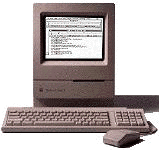 I found one,
a Mac Classic with 4 MB
RAM and a 40 MB hard drive. It had everything: System 7.5, After
Dark 2.0 (with the Fish! screen saver - who doesn't love the Fish?),
ClarisWorks 2, Kid Pix, and a few other games.
I found one,
a Mac Classic with 4 MB
RAM and a 40 MB hard drive. It had everything: System 7.5, After
Dark 2.0 (with the Fish! screen saver - who doesn't love the Fish?),
ClarisWorks 2, Kid Pix, and a few other games.
I talked my folks into trading the IIcx for the Classic (at the time, I didn't realize how much of a downgrade that was).
I was so happy that I couldn't sit still.
At this point I was getting to know the computer teacher at school. He taught me a lot more about computers, like how to install the System software onto the hard drive, and what kilobytes, megabytes, and megahertz are.
Right before Christmas vacation, we got a surprise in the classroom - a brand spanking new Power Macintosh G3. All the teachers were raving about how fast it was and how cool it was to be able to play a QuickTime movie in full screen mode without it being all choppy.
Boy, did I ever want one - the 3D graphics in the games, the Internet, the cool graphics built into ClarisWorks, the color printer. But who was a kidding? G3s would never be cheap enough for me.
By the time summer vacation rolled around, a new computer store opened (a subdivision of a computer store that was right next door) called "The Final Cycle", and it was only open on Saturdays.
They had pallets of compact Macs and LCs for something like $5/each (keyboard and mouse extra). I had saved about $50 from my allowance and mowing lawns so I could buy one Plus, one SE, one SE/30, and an LC II bundle (with monitor, keyboard, and mouse), all for $62 (my folks pitched in, since it was such a great deal).
I couldn't wait to get home and hook these things up. But when I did, the SE wouldn't work.
I was frantic, so I called my computer teacher from school (he gave me his number in case I ever needed help). He was nice enough to come to my house and show me how to take it apart, and it turned out that a RAM SIMM came loose, and that's what was causing the Sad Mac to come up.
He also told my folks how good it would be for me if we had a way to get on the Internet. so my folks decided it was time to get a Power Mac so we could get online. The problem was that even a Power Mac 6100 with a 15" monitor and a modem was going to cost a lot.
They saved for eight months, and then we got our Power Mac and went online.
The first Mac site I came across in April '99 was Low End Mac (LEM), and I have learned more from LEM than I ever could have reading books. Because of LEM, I leaned what programs to use with my older Macs, where to find them, how to get my compact Macs online, how to network Macs, found out about Network Assistant, and so much more.
When I read that Dan Knight was looking for writers to cover older Macs because most of the current writers had moved onto newer hardware, I jumped at the chance. I figure it's the least I can do, after everything Low End Mac has done for me.
I plan to do for others what LEM did for me. It's getting harder and harder to find new information on vintage Macs, so I plan on writing about older Macs at least twice a month - what you can do with specific models, what programs to run - basically everything about how to make your older Mac feel young and needed again.
I look forward to reading your comments about my writing, and I hope
my columns are of help to the people who feel that older Macs are still
very useful. 
Join us on Facebook, follow us on Twitter or Google+, or subscribe to our RSS news feed
Today's Links
- Mac of the Day: PowerBook 2300, introduced 1995.08.28. The only Duo equipped with a PowerPC processsor run at 100 MHz.
- Support Low End Mac
Recent Content
About LEM Support Usage Privacy Contact
Follow Low End Mac on Twitter
Join Low End Mac on Facebook
Favorite Sites
MacSurfer
Cult of Mac
Shrine of Apple
MacInTouch
MyAppleMenu
InfoMac
The Mac Observer
Accelerate Your Mac
RetroMacCast
The Vintage Mac Museum
Deal Brothers
DealMac
Mac2Sell
Mac Driver Museum
JAG's House
System 6 Heaven
System 7 Today
the pickle's Low-End Mac FAQ
Affiliates
Amazon.com
The iTunes Store
PC Connection Express
Macgo Blu-ray Player
Parallels Desktop for Mac
eBay

