
Low End Mac Gaming
Gaming on '030s
Brian Rumsey - May 11, 2000
It's time to look at gaming on some of Apple's most popular computers ever: the 68030 based Macs. Used from the late-eighties until the mid-nineties, the 68030 was seen in a wide variety of Macs. Today these Macs are quickly heading into obsolescence - or so it may seem. They are obviously not up to playing most of the games which are making headlines, but with a little knowledge of what to do, they can still provide plenty of entertainment.
This time I will discuss hardware and software upgrades which can help the gaming experience on these Macs; next time I will try to highlight some good games for playing on '030s, similar to the two columns which I did about Quadras a few months ago (Gaming on '040s and Games for '040s).
As with most older Macs, if you have not upgraded any of the components of your 68030 Mac, you should consider doing so. It can be hard to know how much you should put into an older computer. Probably the most essential upgrade is memory, or RAM. Most '030s came with between 1 and 4 MB of memory, which is simply not enough these days. Except for a few models, desktop 68030 machines use 30-pin SIMMs. Some of the newer ones use 72-pin SIMMs, which are also quite easy to find. The IIfx takes a special kind of SIMM which can be quite hard to find.
If you are not sure which type of memory your Mac takes, check its profile on Low End Mac. Currently the price for 30 pin SIMMs is slightly over one dollar per megabyte. To find out who is currently offering the best prices, visit ramseeker.
I would say that 8-10 MB is the least amount of RAM you want to have in one of these machines. There were a number of '030-based Macs, as well as the 68020-based LC, which are limited to 10 MB anyway. You can max out their RAM for a little over ten dollars, which is definitely the most cost-effective upgrade. Some '030 Macs can go as high as 128 MB. I would see little reason to go over 32 MB unless you have specific programs which use a lot of RAM yet work well on computers of this era. In fact, for most purposes, 16 Mb would probably be fine.
Storage is the next logical question. I would recommend at least a 250 MB hard drive. Also, the 68030s were the first generation of Macs which were able to utilize the space available on CD-ROMs. For an '030, I would say that any CD-ROM should do the job. Very few games, if any, which will run on '030s will see large benefits from a fast CD-ROM drive. It doesn't hurt to have a fast drive, by any means, but unless you are also planning to use the drive on a faster computer, or do extensive copying, even 2x should be fine.
Some people wonder about the video needs for this level of
computer. I would say that it is very nice to have the ability to
display 640 by 480 pixels at 256 colors. Many '030s have this
ability built in. A few, such as the LC
II, require an inexpensive VRAM (video RAM) upgrade in order to
have this capability. 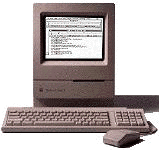 Of the ones
which do not have built-in video, most of the video cards which are
commonly used support this resolution. One problem can be some of
the compact '030s, especially the SE/30 and Classic II. While good machines
for some uses, their lack of color - or even shades of gray -
hampers their gaming ability. The SE/30 has an expansion slot which
can be filled with a color-capable
video card, although these are difficult to find.
Of the ones
which do not have built-in video, most of the video cards which are
commonly used support this resolution. One problem can be some of
the compact '030s, especially the SE/30 and Classic II. While good machines
for some uses, their lack of color - or even shades of gray -
hampers their gaming ability. The SE/30 has an expansion slot which
can be filled with a color-capable
video card, although these are difficult to find.
Once you've beefed up your storage and memory, you are just about ready to go. Some companies produce processor upgrades for '030s. In my opinion, they are very rarely a good deal. Even the cheapest ones usually cost more than a stripped-down first generation Power Mac. If you are not afraid to play with the insides of your computer, you may want to consider finding a faster motherboard which you can transplant into your system. On eBay, '040 boards and systems often go for around $20. The Low End Mac computer profiles list which motherboards fit which models.
Once you have your '030 as powerful as it is going to get, you should get the latest system software. Most '030s can run up through Mac OS 7.6.1, while a few can only run through Mac OS 7.5.5. I would recommend at least 7.5, because it has more features and gives greater compatibility than 7.1 or earlier. Mac OS 7.6 and its bug fix, 7.6.1, is not a major upgrade, but definitely not a bad one. Mac OS 7.6.1 is required for a few applications.
Many games also require QuickTime. I would recommend version 2.5, as it seems to work best on machines of this era. It is also the last version which did not require you to pay to get all the features, as well as the version which comes with 7.6 and 7.6.1.
This covers most of the bases. Some options, such as network cards, are not needed by all users but are definitely good for people who are into multiplayer games. If you have any more specific questions which I did not directly address, I would be glad to try to help you via email. Otherwise, I am off to the computer, the '030-based computer in this case, to see which games are best. I will report findings in my next article.
Further Reading
- Mac II series, 16 to 40 MHz '030s
- Mac LC series, 16 to 33 MHz '030s
- Compact Macs, including 16 to 33 MHz '030s
- Performas, including several '030s
- PowerBooks, including 16 to 33 MHz '030s
About LEM Support Usage Privacy Contact
Follow Low End Mac on Twitter
Join Low End Mac on Facebook
Favorite Sites
MacSurfer
Cult of Mac
Shrine of Apple
MacInTouch
MyAppleMenu
InfoMac
The Mac Observer
Accelerate Your Mac
RetroMacCast
The Vintage Mac Museum
Deal Brothers
DealMac
Mac2Sell
Mac Driver Museum
JAG's House
System 6 Heaven
System 7 Today
the pickle's Low-End Mac FAQ
Affiliates
Amazon.com
The iTunes Store
PC Connection Express
Macgo Blu-ray Player
Parallels Desktop for Mac
eBay

