
The Mobile Mac
What's the Best 'Book for My Needs: MacBook, MacBook Pro, iBook, or PowerBook?
- 2006.05.25 -Tip Jar
A few days ago I wrote an essay, Picking the Right Laptop in 2006, andin that essay I recommended an Mac for those users not forced touse Microsoft Windows for one reason or another. All of the basicadvice relates to PCs as well as Macs regarding size, weight, andperformance, but once the decision is made to go with a Mac, itmight seem difficult to decide which one.
Where PCs tend to fit neatly into the various categories, Macstend to blur the lines. Take the large desktop-replacement systems.In the PC world, these are huge, thick and extremely heavy.
Apple's 17" MacBook Pro andits PowerBook G4 predecessor are alsohuge, but they are barely an inch thick and weigh less than 7 lbs.Apple's 15" MacBook Pro andPowerBook G4 are under 6 lbs andalso only an inch thick.
The recently discontinued 12"PowerBook G4 is quite tiny, about the overall size of mostultralights, but thicker at 1.2" and comparatively heavy at 4.6lbs. The just-introduced MacBookconfuses things even more, with size just begging for travel, but a5.2 lb. weight that is heavier than the 12" PowerBook and 12" iBook it replaces.
Finally, if you really want an ultralight, you're simply out ofluck, as Apple doesn't make one.
Which 'Book?
Where does this leave the Apple laptop buyer today?
Again, that depends on who you are and what you want. For theartists out there who want large screens and don't mind the bulk,the 17" MacBook Pro is quite possibly the most powerful and capableportable computer ever offered for sale (calling it a laptop is areal stretch). From the stunning screen to the powerful Core Duoprocessor, it just doesn't get any better than this. The fact thatthese machines are thin and light enough to actually move around(careful to not bang-up that humongous case) is just icing on thecake.
Want something a little more manageable but still need serioushorsepower? The 15" MacBook Pro is for you. The same processors andgraphics as the 17", only with a smaller, slightly lower resolutionscreen make for a convenient size that travels fairly well.
Both MacBook Pros also satisfy those users who absolutely mustrun a Windows application (or want to play Windows games) throughApple's Boot Camp beta software. With Boot Camp, not only can aMacBook Pro or regular MacBook boot Windows XP, they are actuallyrather fast by Windows PC standards.
Of course, if you want the beautiful aluminum casing, the slimand lightweight handling, and those gorgeous wide screens, but wantto or need to save money and need neither ultimate horsepower northe ability to run Windows, an older PowerBook may be the perfectcompromise.
As an attorney, I don't do very much video editing or graphicswork, but I spend a lot of time writing motions and briefs. A wide,high resolution screen really helps here, as I can look at twodocuments side-by-side.
While the MacBook Pro models are faster, the applications I use- mostly MS Word and Safari (Apple's browser) just don't benefitenough to make my day any easier on the newer Intel Macs than it ison the slower PowerPC Macs. For that reason, I returned the 15"MacBook Pro that I bought (the early noisy model - they are quietnow) and bought a refurbished 15" PowerBook G4. Sitting on my deskdoing basic office-productivity type work, there really is nodifference between the two.
Smaller
Do you need something smaller? This is where things getinteresting. With the large 15" and 17" models, you buy the newIntel models if you want the latest or have the money and find aleftover PowerPC model if you want a bargain or need to run anolder app in Classic mode, which the Intel models don'tsupport.
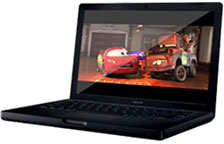 For the road warriors out there, things became alot more difficulty last week with the introduction of the MacBook,a 13.3" widescreen laptop with a polycarbonate case like the oldiBooks had.
The MacBook really is a replacement for three models: the 12"and 14" iBooks and the 12" PowerBook, though the latter is more afunction of pricing than market position. At 5.2 lbs., the MacBookis heavier than the 12" iBook and 12" PowerBook, making this thefirst time in five years that Apple doesn't have a laptop for saleat under 5 lbs. It's also wider than either of the 12" models,though is thinner than both and runs the same (claimed) six hourson its battery.
The MacBook is a delightful computer, especially the overpricedblack model ($150 premium over an identically configured whiteone). They are delightfully thin, and the black matte case feelseven more professional than the aluminum cases on the Promodels.
The white ones, however, look and feel just like the iBooks did,which is to say they look rather cheap. Of course, at $1,100 forthe white 1.83 GHz model, it is cheap, and that's a verygood thing.
When shopping last year, the 12" iBook wasn't in the running formy dollars on account of its cheap looks and, more importantly, thecheap feel of the keyboard. The white MacBook, while still lookingcheap, sure doesn't feel it, with a firm and solid keyboard that isa delight to type on, though a bit strange at first.
Today, I'd likely buy a white MacBook rather than spend more forthe black one. Last time I spent the extra for the 12" aluminumPowerBook over the much cheaper 12" iBook.
The 13.3" screen neatly cuts the 12" and 14" iBooks in themiddle, and for many users it will be more versatile than either.You get slightly more vertical resolution (800 vs. 768 pixels) anda whole lot more horizontal (1280 vs. 1024) in a format that makesDVD movies a dream.
I'd prefer to stay with a matte screen, but there are those wholike the glossy and have valid reasons for their preference.Whether you prefer matte or glossy, the size is right, and asglossy screens go, this is one of the best. Colors are extremelyvivid, and blacks are really black, something that conventionalmatte LCDs often have trouble with.
Many people, myself included, complained about the new MacBookusing integrated graphics (like theIntel Mac mini does). As an iBook replacement, I have noproblem at all with integrated graphics, but as a 12" PowerBookreplacement, I find it disappointing. Dedicated graphics -somewhere below the mighty X1600 GPU of the MacBook Pro and abovethe GMA 950 used in the MacBook - would have been a great way toinexpensively add real value to the black MacBook's premium price.A black MacBook with a 64 MB or 128 MB X600 GPU would easily fetch$1,599 and make the black model more than a vanity purchase. Iwould have bought such a black MacBook on introduction day.
I digress, the MacBook is, in my opinion, an extremely fittingreplacement for both the 12" and 14" iBooks.
Okay, I'll admit it now, I'm a 12" PowerBook fan, and I havebeen since that model's introduction in 2003. I've owned and used12" PowerBooks since the 1.0 GHz Rev. B model and still do. The 12"PowerBook does everything I need it to do for productivity, withthe only "feature" missing for me being the ability to use BootCamp and play Windows games.
If the new MacBook were smaller and lighter than it is, I'd livewith the integrated graphics. After all, the ancient Nvidia card oneven the last 12" PowerBooks wasn't much to write home about and islikely equaled by Intel's latest and best integrated graphics.
Where the MacBook fails as a 12" PowerBook replacement is thesize and weight - it's more than a half pound heavier and has anextra inch in width.
The MacBook is quite probably the best smallMac yet....
The 12" PowerBook is great on the tray table of a coach airplaneseat, and the MacBook will work there as well (same height withscreen open), but the extra width will crowd you a bit (not enoughto matter much).
Weight is the real killer, especially when you go beyond thelaptop and look at the AC adapter, which is also larger andheavier, and the batteries, which last an hour longer (claimed) butare also larger and heavier.
This is nitpicking. The MacBook is quite probably the best smallMac yet, it's just not a direct replacement for the 12" PowerBook'sniche.
If you're always on the go and want the smallest and lightestMac you can get, the 12" PowerBook is still the champ. If you'rewilling to carry a little more weight, you'll enjoy your DVD moviesin widescreen glossy pleasure on the new MacBook.
Either way, both are outstanding portables. Just think of theMacBook as the new iBook and consider the 12" PowerBook as adead-end.
And who knows, maybe Apple has something upcoming for us 12" PBfans. 
Andrew J Fishkin, Esq, is a laptop using attorney in Los Angeles, CA.
Today's Links
- Mac of the Day: PowerBook 500 Series, introduced 1994.05.16. 'Blackbird' includes a 25 to 33 MHz 68040 along with smart batteries and grayscale or color displays.
- Support Low End Mac
Recent Content
About LEM Support Usage Privacy Contact
Follow Low End Mac on Twitter
Join Low End Mac on Facebook
Favorite Sites
MacSurfer
Cult of Mac
Shrine of Apple
MacInTouch
MyAppleMenu
InfoMac
The Mac Observer
Accelerate Your Mac
RetroMacCast
The Vintage Mac Museum
Deal Brothers
DealMac
Mac2Sell
Mac Driver Museum
JAG's House
System 6 Heaven
System 7 Today
the pickle's Low-End Mac FAQ
Affiliates
Amazon.com
The iTunes Store
PC Connection Express
Macgo Blu-ray Player
Parallels Desktop for Mac
eBay

