My First Mac
Really My First Mac
- 2001.03.13
Some of you may remember a few months ago, I wrote a My First
Mac column (My Friend's First Mac) about
selecting a PowerBook 540 for a good
friend of mine - and how that got me interested in Macs. 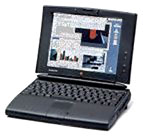 Well, actually, I kept that laptop. (I got a great
deal on a PowerBook 540c with 20 MB
of ram and a 340 MB hard drive and gave her that, instead.)
Well, actually, I kept that laptop. (I got a great
deal on a PowerBook 540c with 20 MB
of ram and a 340 MB hard drive and gave her that, instead.)
But, I never really got to use that PowerBook 540. To make things short, I had two incredibly turbulent and busy months, and dang it, just never had the time to fire it up and start teaching myself the Mac OS. I never will use that 540.
Why? A few weeks ago, I heard a Mac using friend of mine lamenting the fact that she and her husband had to compete for the iMac at night, and she wished she had a laptop or something so she could code web pages while her husband did his graphics work.
I heard myself say, "Hey, want a PowerBook 540 with a lot of software on it?"
"How much?"
"Oh, you can have it."
Really, I have all the computers I need. I have "Ad Astra" (my desk top "dark tower") and "Deus Volt" my little 486 laptop. The 540 was more or less a gadget to me. I bought it to start learning the Mac OS. I was happy to give it away to somebody who can really use it. I love to give computers to those in need - I know what a difference they can make in a person's life. (I mean, I 'll never forget the ecstatic phone call I got from a friend to whom I had given an old Pentium 150. Compared to her 386 it was so fast - it could keep up with her when she typed! Her gushing is the best payment I've ever gotten.)
I had all the computers I need, but my research into Macs had led me to really want to learn the Mac OS.
Chitchatting a bit with Dan about an article of his, I lamented my (hopefully temporary) Macless state, but said I at least had great Karma due to all the computers I had given away. Dan said something about getting myself a new TiBook like his. I pointed out that he could really really up his Karma by giving poor Macless me that TiBook. Dan said his Karma was plenty good, thank you very much. (Hey, ya can't blame a girl for trying.)
I decided to buy another PowerBook. I set myself some criteria: it had to support a modern OS, have a Power PC processor, support sufficient RAM, have a 56k modem, and play well with my PC. And it had to be under $500.
So I checked out what LEM had to say about the various PowerPC PowerBooks. I thought about getting a 5300, but then I saw that the 1400 was a recommended best buy. Alas, but it would probably be too expensive. No, according to everymac.com, they did sell within my price range.
I hit eBay.
And there I found him. "Oberon," the machine I'm typing this on.
1400CS/133 with 32 MB of RAM, ethernet card, 56k 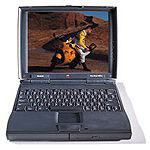 modem, floppy drive, 1 GB hard drive, CD-ROM, and
two batteries all for a "buy it now" price of $450 and free
shipping. I hopped on this baby like white on rice.
modem, floppy drive, 1 GB hard drive, CD-ROM, and
two batteries all for a "buy it now" price of $450 and free
shipping. I hopped on this baby like white on rice.
Oh yeah...
A huge part of this laptop's appeal to me is its upgradability. I have done major tinkering on my desktop system. I like to open the box and tweak, which is why I am a happy and satisfied Windows user. This PB 1400 represents the best of both worlds to me: I get the challenge of learning a completely new OS, and I get to open the box and tinker on it, too! (I plan to max out the RAM and drop in a G3 upgrade.)
So, what are my impressions of this machine? Obviously, I like it. It boots a little slower than I thought it might, and I kind of miss the Windows boot process (I like seeing my computer go out and find all of its innards, count the RAM, and tell me what OS I have), and I'm not even sure which version of the Mac OS I'm running. Some things say 7.6.1, others say 8.1. I'm very happy with the crispness of the screen, and ghosting is minimal.
I wish there were more color in the tool bar - I'm used to the look of Windows's tool icons, and I like the mouseovers that tell me what each icon does. The tutorial helped me greatly in finding applications on the hard drive, and I've also used the finder to locate some applications, but I do wish I had a task bar and Windows Explorer. Cry all you want about Windows, but Windows Explorer is a superior tool for seeing at a glance what is on a hard drive. (Turns out that a feature much like the task bar and Windows Explorer will be available in OS X. 'Bout freaking time, I say.)
Already this machine has provided me with several hours of delight and discovery, and if you're reading this, well, then, I've figured out how to get it on line and mail this to Dan. (Which actually turned out to be a bit of an adventure, since the modem that came with this machine isn't listed in the Modems folder. Working with PCs has taught me that modem drivers are often very similar, so I selected a 56k modem at random from the list, crossed my fingers - and it worked!)