My First Mac
When Randy Met Mac
Randy Peterson - 2000.07.06
Back in 1983, there were two opposing camps of users in my high school computer science room. It was the first year our small rural school had offered computer classes, and the classroom had been outfitted with two Commodore 64s and two TRS-80 Model IVs. (The Apple II, though arguably the dominant computer in education at the time, was well out of our price range, and the nearest Apple service center was at least two hours away.) Appropriately enough, the two species of machine paired up on opposite ends of the room. TRS-80s the right; Commodores on the left.
For whatever reason, I spent most of my time on the TRS-80. Maybe all those PEEKs and POKEs on the Commodore troubled me. I don't know. Soon, the Commodore users became the targets of ridicule from the right side of the room. Color? Sheesh! What a bunch of babies! We went on writing our BASIC programs on our green-on-black screens, convinced of our superiority.
When the Macintosh was announced the following year and "user-friendly" became a media buzzword for the first time, we were equally unimpressed. "User-friendly? More like user-stupid!" we said. After all, what good were computers if just anybody could use one?
I entered college in 1985. For most students at the small school I attended, using a computer meant sitting in front of a VAX terminal in the main computer lab writing term papers with MASS-11 and occasionally sending electronic mail to each other. Our early sophomoric email messages were limited to the campus network, since the school's BITNET connection was unavailable and largely unknown to mere students.
The school newspaper did have a Macintosh, however, and I did get to
play with it one afternoon in 1987. It was a Mac Plus, and the faculty advisor for the
paper 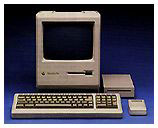 had offered to let me use it for a project
I was working on. The project fell through, but my attitude toward the
Macintosh softened a bit. The choice of fonts was staggering. I think
it had six. I also really liked that talking moose that kept popping up
on the screen.
had offered to let me use it for a project
I was working on. The project fell through, but my attitude toward the
Macintosh softened a bit. The choice of fonts was staggering. I think
it had six. I also really liked that talking moose that kept popping up
on the screen.
My interests took me in other directions, however, and I soon found myself in the physics lab, learning 6502 assembly language programming on an Apple IIe. I truly liked that machine. There was some really cool software available for it, and while it seemed much less stern and businesslike than the old TRS-80 I once used, it still had a green-on-black screen, so I didn't feel too far out of my element. Also, the assembly language I was learning was arcane enough that the (ugh!) friendliness of the machine didn't threaten my feeling of superiority when I used it.
During my junior year in college, I started looking around for a computer to buy. A used Apple IIe was impossible to find and way out of my budget. I learned, however, that the Commodore was also based on the 6502, and the assembly language was practically identical. Since my main goal was to continue to learn assembly, I finally bought a used Commodore SX-64 for $300. It was an odd, portable version of the 64, and while I never did much assembly language programming on it, I played an awful lot of Ghostbusters and Zork, and I even wrote a few papers with Speedscript. In 1990, I started graduate school, and the Commodore went with me.
In graduate school, I was a graduate assistant in the Special
Education department, and once again I crossed paths with 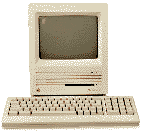 the Macintosh. The secretary's machine was a Macintosh SE with a hard drive. Accustomed to
meager student account quotas and tiny floppies, the storage seemed
limitless - all 20 megabytes of it. I used the machine after hours and
when the secretary was out, and I soon fell in love (with the Mac, not
the secretary).
the Macintosh. The secretary's machine was a Macintosh SE with a hard drive. Accustomed to
meager student account quotas and tiny floppies, the storage seemed
limitless - all 20 megabytes of it. I used the machine after hours and
when the secretary was out, and I soon fell in love (with the Mac, not
the secretary).
Maybe I had grown older and feeling superior was no longer important
to me. Maybe I finally had real work to do, and getting it done was
more important to me than the mental exercise of coaxing a computer
into submission. In any event, in spite of my youthful contempt for
"user-friendliness" and my love of text-based interfaces with
green-on-black displays, the next computer I bought was a Macintosh.
With a student discount and money from a night job, I bought a Macintosh Classic and never looked
back.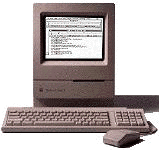
Since then, that first Classic has been followed by a PowerBook 160, a Performa 475, a Power Macintosh 7100, and, most recently, a used SE much like the one that finally hooked me for good.
These days, when I need to feel superior to others, I have Windows 98 at work. It satisfies my need to impress others with my ability to solve complex puzzles. When I'm not being paid for my time and I want to actually enjoy using a computer, I sit down in front of my Mac.
Occasionally I do feel a little nostalgic, and I bring up a green-on-black telnet session to the VAX at the university where I now work. After a wistful sigh and a few minutes of actually trying to use the thing, it usually goes away.