
I first started looking into alternatives to the Apple AirPort Card when a friend of mine had a slot-load iMac G3 and the original 802.11b AirPort Card was the only option to go wireless – other than USB dongles. Original AirPort Cards are expensive nowadays. Ever since Apple stopped selling them, there are less and less of them around – and everyone wants them.
As a way to make a Mac wireless, AirPort is superb in every way. Newer Macs use 802.11g AirPort Extreme Cards, which are still sold by Apple, and more recently Apple has implemented the next stage in its latest range of Intel machines, 802.11n.
The guy over at Geek Technique took a further look into what the original AirPort Card was made of. Apple’s AirPort Card is basically a repackaged Broadcom-based PC Card. (See WiFi PC Cards Compatible with PowerBooks for a list of cards that includes chipset information.)
With that information, it is easy to see a cheaper alternative. Geek Technique found that the Orinoco Silver range of 16-bit PC Cards were exact matches for the original AirPort Card. To prove this, they fitted a stripped down Orinoco Silver card into an iBook G3, and it worked. (I have tried the exact same iBook and card, and I could not get the keyboard back in place in a usable fashion.)
There are a number of Orinoco cards: Bronze, Silver, and Gold. There are also Classic and Combo cards. Intrigued by this, and with my ever growing taste for hacking hardware, I decided to give it a go.
What I found interesting was that while the Orinoco Silver card worked in the AirPort slot in my 400 MHz PowerBook G4, it would not work in the PC Card slot. While the AirPort and Orinoco Silver cards are the same, there is something about the AirPort slot that is obviously different.
There are a number of machines that accept original AirPort cards:
- PowerBook G3, 400 & 500 MHz (Pismo)
- Titanium PowerBook G4, 400 MHz to 1 GHz
- Clamshell iBook G3, 300 to 466 MHz
- Dual USB iBook G3, 500 to 900 MHz
- 2002 eMac G4 700/800 MHz (this is the original eMac before the ATI Graphics)
- iMac G3, 350 to 700 MHz, AirPort Card adapter required
- iMac G4, 700/800 MHz
- Power Mac G4 with AGP graphics, but not the FireWire 800 Power Mac G4
- Power Mac G4 Cube
While Geek Technique installed this AirPort hack into an iBook, I tried it in an iMac G3. Here’s how:
- First, lay out a soft cloth, put your Mac face down, and undo the access door on the back.
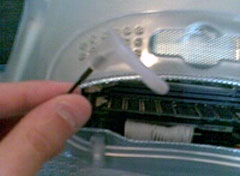
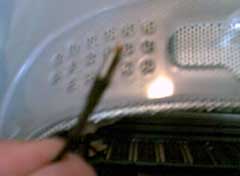
- Just above the RAM slots you will see a little white plastic tab – pull it out.
- Remove the cover off the antenna – just pull it.
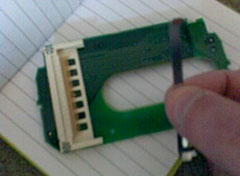
- Remove the little silver card restraint from the AirPort bracket. This will give your new card a little more room to move.
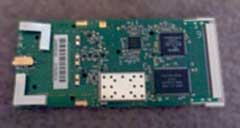
- This is your stripped down PC Card. We are going to use it in place of an original AirPort card.
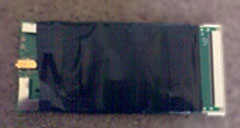
- Cover it in insulating tape to prevent any metal touching where it shouldn’t. Leave the antenna connector and the PC Card connector end free from tape.
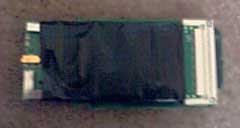
- Simply slide the taped up card into the AirPort bracket. It will only fit one way, so do not force it, if it is tight, turn it over.
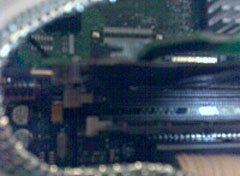
- This is the tricky part. Push the bracket with the card installed into the two white rubber grips just above the RAM slots. Make sure it is fully home – you will know because the bracket will click into its connector. You may need to squeeze the card into place.
The awkward part is that the hacked card is longer than the Apple AirPort card. To ensure that the card fits properly, you need to squeeze it in between the top RAM slot clip and the bottom of the left-hand AirPort bracket. Once installed correctly, you will have no problems.
Please note: I tried this in a 400 MHz PowerBook G4, 400 MHz SawtoothPower Mac G4, and a G4 Cube. While the card worked, the length of the card means it will not install without sticking out by an inch, so you cannot put the machine back together in a usable fashion.
Also note that this may only work with Broadcom-based PC Cards. If you want to attempt this with other hardware, you do so at your own risk.
Follow Simon Royal on Twitter or send him an Email.
Like what you have read? Send Simon a donation via Tip Jar.
keywords: #wifi #pccard #airport #hack #techspectrum #simonroyal
short link: http://goo.gl/ASFOvV
searchword: airporthack

Nice hack, Simon. I was wondering if this would work with other PC cards – I’d like to put a USB 2.0 card into an old iMac G3. Is it possible to do?