
We have had time to get used to Mac OS X 10.5 Leopard. How does it compare to the legendary Mac OS X 10.4 Tiger?
Progress
It took a long time for Apple to get OS X right.
Version 10.0 was a stab in the dark, and 10.1 made things a bit better. OS X 10.2 Jaguar was the first proper edition, but it still had a long way to go. Mac OS X 10.3 Panther was not the best edition, but it was definitely better than the previous ones.
When Apple brought out 10.4 Tiger, it was amazing. Tiger became the longest running version of OS X, and I was wondering how Apple was going to top it. Then 10.5 Leopard came out with its fancy new features and power hungry visuals – but under the hood, in an everyday situation, how does it compare?
I have run both Tiger and Leopard. I even ran both on the same machine to give it a fair comparison: an Intel iMac Core Duo 1.83 GHz with 2 GB of RAM.
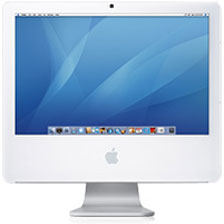
As you might expect, Tiger (version 10.4.11) flew along. Universal Binary apps screamed along, with the smaller ones opening in one or two bounces of the Dock icon. PowerPC apps took a little longer to open, but we are comparing operating systems here, and not system architecture.
Moving to Leopard
After wearing in the shoes of Tiger for a few months, I wiped the hard drive and did a fresh install of Leopard. Things were not as rosy. The whole machine felt slower – boot time was slower, and loading time was a little slower. My iMac may not be top of the range (getting on three years old), but it is way above the minimum specifications for Leopard (which are an 867 MHz G4 with 512 MB of RAM), so I was a little disappointed.
With any new operating system, you expect some bugs. That’s one reason for system updates. As I write this, we’re already on the fifth major update for Leopard, but at the time I was testing Leopard, Apple had just released 10.5.3. The first few updates made a huge difference to stability, speed, and system performance.
We have to bear in mind that we had a grand total of eleven updates for Tiger, and some these made massive differences, especially the earlier ones.
Comparing the two operating systems at launch, I would have to say that Tiger was more bug-ridden than Leopard and broke more apps than Leopard did. I only had one application, the hard drive cloning tool SuperDuper, that expressly said Not for Leopard. Tiger, on the other hand, broke most of my apps on its launch.
Mac OS X Tiger was released as a PowerPC operating system, and the first Intel version was 10.4.4; Leopard was a Universal Binary from day one, streamlined and getting ready for Apple’s impending decision to leave the PowerPC platform altogether.
Visually, Leopard introduced some new handy features in the Finder. Cover Flow is an obvious hit, as well as Stacks. While using my other machine, which has Tiger on it, I miss these features.
For me, Tiger is still the best. While Leopard has a lot of handy features, if your machine isn’t way above minimum specs, you will notice a drop in performance.
Maybe this will be addressed in future system updates. Performance and speed have already been improved with the first five updates. Tiger still runs very well on an old G3. I am writing this on a Pismo PowerBook G3 (400 MHz G3, 1 GB RAM, 40 GB hard drive) – and it smokes.
If you have the machine to run Leopard well, I would suggest it – after cramming in as much as RAM as possible. However, if you’re running anything lower than a 1 GHz G4, stick with Tiger.
Both operating systems are fabulous. There isn’t much difference for the average user between the two except some fancy effects and a simpler way of connecting to other machines on your network.
I run both and love both of them. Being a lover of older Macs (G3s especially), Leopard is sometimes not an option, so Tiger has a special place in my heart. But for any machine capable of running it well, I’d install Leopard.
Follow Simon Royal on Twitter or send him an Email.
Like what you have read? Send Simon a donation via Tip Jar.
keywords: #tiger #leopard #techspectrum #simonroyal
short link: http://goo.gl/rHf3wh
searchword: tigerorleopardbest
