Low End Mac Reader Specials
TypeStyler For Mac OS X is Now Shipping! Download The Free Fully Functional 60 Day Tryout at www.typestyler.com
OWC: We Make DIY Upgrading Easy! Maximize your Apple MacBook / MacBook Pro. Up to 8.0GB Memory, up to 1.0TB HD & More. Easy Guide + Free, Detailed Installation Videos. Click here
Don't install Parallels to play poker online! Poker Mac will show you how
to download and install a native Mac poker application such as Full
Tilt Poker Mac.
Laptop Hardware Provided by TechRestore - Overnight Mac & iPod Repairs.
Compare products like desktop computers, apple laptops, apple macs, and LCD Monitors side by side! All the information and reviews to make the best purchasing decision for new mobile phones, sat nav systems, or MP3 players. The Ciao online shopping community makes searching products easy for you.
Kitchens Sync
Simple Mac Security in the Age of Malware
- 2008.08.13 - Tip Jar
Popularity: ![]()
![]()
![]()
![]()
A few weeks ago, it was reported that the total count of known malware for Mac OS X had reached 3.
While some may be worried that the number of malicious programs aimed at the Mac is rising, I'm not concerned. Coming from years on Windows, I can assure you that I don't take a cavalier attitude towards security. Rather, I simply realized that all three viruses could only infect a system if the user willingly downloaded and opened them.
On Windows, a computer is vulnerable to a virus simply by being connected to the Internet.
I'm Sorry, I Have a What?
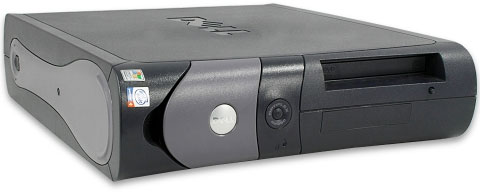
I still remember my first virus. I don't recall it's name, but I remember exactly how I got it. I had just unpacked my brand new crash-factory from Dell and was inputting my dial up information. Then I proceeded to make one big mistake: I connected to the Internet. After I was sure the connection worked, I established a connection to my email account and retrieved my emails. After reading through my new messages for 5 minutes, I was startled by an angry looking dialog box informing me that, "RPC service has unexpectedly quit" accompanied by a 30-second countdown. When the time expired, my computer shut down.
What? I thought I left this Windows 98-esque garbage behind when I upgraded to the wonderful new Windows XP. So I started up again to continue what I was doing.
5 minutes later, same story. Needless to say, I was irritated. I called tech support. After a few minutes on hold, I was able to give the representative my symptoms. She calmly informed me, "You have a virus."
"I'm sorry, I have a what?" I replied.
"A virus," she calmly answered.
My jaw dropped. I just didn't get how I could get a virus after only being online for 10 minutes. The representative walked me through removing the virus and securing my computer; this whole process took an hour and a half. That day I found out that Windows can be infected by simply being connected to the Internet, even on dial up. Since then I have been so paranoid about security that I have never had another virus problem - but the Dell is still molasses slow.
Basic Security
To help Mac users keep their computers safe, here are a few simple steps:
- Turn on your built-in firewall. A firewall provides the first layer of protection against malware and hacks. The firewall's location varies by system version, check your help menu. (In OS X 10.4, it's in the Sharing system preference.)
- Use a good password, and don't reuse passwords. If you use an easy password over and over, not only could a hacker guess it and paw through your data, but he may try it in other locations, such as online banking sites. A good password is composed of numbers, letters, and symbols and is not related to you personally (i.e., names of pets, friends, or family, birthdays, etc.)
- Be careful what you download/open. Make sure you know what you are downloading before you click the link. Any site is a potential viral source. Also, never open a program if you don't know exactly where it came from. If in doubt, delete it.
- When you're on a site which deals with sensitive information, such as monetary account info or identity info, make sure the link is encrypted. The URL will start with https:// (note the s), and your browser will usually display a notification somewhere. Check your browser's help or website if you don't know where it is.
- Be careful what you connect your Mac to. Be sure that the public networks you connect to are maintained and secured properly by trusted authorities. Just because there is free WiFi doesn't mean it's safe or provided by a reliable source. Some hackers set up open WiFi near public spots to lure people in and steal data. In the same vein, never conduct sensitive communication, including checking email, on a public network because anyone could be intercepting your data.
If you follow these tips, you will have made considerable progress
towards securing your Mac. However, it is always good to get further
advice from a more comprehensive source, such as Macworld. In fact,
consider that Step # 6.
If you find Kevin's articles helpful, please consider making a donation to his tip jar.
Recent Columns by Kev Kitchens
- Mac OS X Server Shortcomings in the Enterprise, 08.17. For large organizations, the maximum number of servers, replication issues, limited database size, domain integration and high costs can keep Apple out.
- Apple Comes Through, Resolving Overheating iMac Problem, 06.10. After frustration with the local Apple Store, customer service came through by authorizing a repair - and then a replacement when the problem persisted.
- Apple Store Headaches over Fixing an Overheating iMac under Warranty, 04.08. The fan never seemed to run on this 8-month-old iMac, but it was getting hot and flaky. The problem was mixed messages from the staff of the local Apple Store.
- Snow Leopard and Windows 7 Put the Focus on Optimization, Not Feature Bloat, 03.09. "While there are some advances, the major focus for each new version centers on code optimization and other architectural improvements."
- More in the Kitchens Sync index.
Links for the Day
- Mac of the Day: iMac Core Duo, Jan. 2006 - The first Intel-based iMacs ran at 1.83-2.0 GHz, came with 17" and 20" displays.
- Group of the Day: Mac Pro List is for those using a Mac Pro.
- November 23 in LEM history: 99: Should I buy a USB card? - 01: Can a low-end Mac be an only Mac? - Palm Desktop without a PDA - CyberDog saves the day - 05: How Consumer Reports could compare Macs fairly - Speakers for your Mac - Living with the hi-res 15" PowerBook - Birth of the PowerBook - Daystar 1.9 GHz iMac G4 upgrade - 1.92 GHz PowerBook upgrade
- Support Low End Mac
Recent Content on Low End Mac
- Apple's Tablet an End Run Beyond Netbooks, Frank Fox, Stop the Noiz, 11.20. Whatever Apple has planned will leverage existing technologies while going beyond what its competitors can offer.
- i5 iMac Benchmarked, Mac mini 'Shouldn't Be Overlooked', Twitter Client for Classic Mac OS, and More, Mac News Review, 11.20. Also why Apple leaves the low end to others, 10.6.2 fixes video playback problem in 27" iMac, 3D Leopard and Snow Leopard performance, and more.
- Apple #4 in Reliability, Apple Tablet a Gadget for All?, HP's i7 Notebook Outdoes Mac Rivals, and More, The 'Book Review, 11.20. Also Flash 10.1 improves video on Hackintosh netbooks, thin-and-light notebooks impress, Windows XP finally on the way out, and more.
- NASA Chemical Sensor for iPhone, Smartphone Death Match, iPhone Earrings, and More, Ian R Campbell, 11.20. Also mobile phone dangers, new apps, GPS solution for iPod touch, new iPod and iPhone cases, and more.
- Replacing the Hard Drive in a Clamshell iBook, John Hatchett, Recycled Computing, 11.19. Yes, it is one of the most difficult Apple notebooks to disassemble and reassemble, but a 10 GB hard drive just will not do.
- IBM Model F: A Great Old Keyboard with an Outdated Layout, Tommy Thomas, Welcome to Macintosh, 11.19. Although it used a different technology than the revered IBM Model M keyboard, the Model F was a great keyboard in its own right.
- Soft Touch Keyboards, Wireless Mouse Options, Loving SeaMonkey 2, and More, Charles W. Moore, Miscellaneous Ramblings, 11.18. Also the future of browsing with PowerPC Macs and the multiple mouse input bug introduced with OS X 10.5.8.
- More links in our archive.
Recent Deals
- Best eMac Deals, 11.18. Used 1 GHz Combo, $100; SuperDrive, $269; 1.25 GHz Combo, $119; SD, $319; 1.42 GHz Combo, $289; SD, $498.
- Best Mac OS X 10.6 and Mac Box Set Deals, 11.18. "Snow Leopard", single user, $25; 5 users, $45; Mac Box Set, single user, $139; 5 users, $180; Server, $414. Shipping included.
- Best Xserve Deals, 11.18. Used 1 GHz dual G4, $649; 2.3 dual G5, $795; 3.0 4-core Xeon, $1,899; refurb 2.26 4-core, $2,499; new, $2,888; refurb 8-core, $2,999; new, $3,449; more.
- Best 15" MacBook Pro Deals, 11.17. Used 1.83 GHz, $750; 2.16, $800; 2.33, $900; refurb 2.4, $1,299; 2.53, $1,449; 2.66, $1,699; 2.8, $1,899; new 2.53, $1,579; 2.66, $1,799; more.
- Best Power Mac G4 and AGP Video Card Deals, 11.17. Used 400 MHz, $50; 933 MHz, $80; 500 dual, $60; 867 dual, $90; 1 GHz dual, $150; 1.25 GHz dual, $225; 1.42 GHz, $499.
- Best Mac OS X 10.5 Deals, 11.17. "Leopard" upgrade, $80; single user license, $135; 5 users, $173; Mac Box Set, 5 users, $230; Server, 10 users, $340; unlimited, $850. Shipping included.
- Best Mac mini Deals, 11.16. Used 1.42 GHz G4 mini, $379; 1.66 GHz Core Solo, $419; 2.0 Core 2, $450; new 2.26 GHz nVidia, $580; 2.53 GHz, $769; Server, $990.
- Best iBook G4 Deals, 11.16. Used 12" 1.07 GHz Combo, $210; 1.33 GHz, $298; 14" 1.33 GHz, $398; 1.42 GHz, $479; SuperDrive, $498.
- Best iPod shuffle Deals, 11.16. Used 1 GB, $35; 4 GB, $65; refurb 1 GB, $39; 2 GB, $59; new 2 GB, $55, 4 GB, $75. New and refurb prices include shipping.
- More deals in our archive.
About LEM | Support | Usage | Privacy | Contacts
Navigation
Used Mac Dealers
Apple History
Video Cards
Email Lists
Favorite Sites
MacSurfer
MacMinute
MacInTouch
MyAppleMenu
InfoMac
Macs Only!
The Mac Observer
Accelerate Your Mac
RetroMacCast
PB Central
MacWindows
The Vintage Mac
Museum
DealMac
DealsOnTheWeb
Mac2Sell
ramseeker
Mac Driver Museum
JAG's House
System
6 Heaven
System 7 Today
the pickle's Low-End
Mac FAQ
Abandonware
Petition
Mac vs. PC Info
Affiliates
The Apple
Store
Mac
Connection
B&H
MacMall
TechRestore
ExperCom
Crucial
Memory
batteries.com
Advertise
MacMinute
MacInTouch
MyAppleMenu
InfoMac
Macs Only!
The Mac Observer
Accelerate Your Mac
RetroMacCast
PB Central
MacWindows
The Vintage Mac
Museum
DealMac
DealsOnTheWeb
Mac2Sell
ramseeker
Mac Driver Museum
JAG's House
System 6 Heaven
System 7 Today
the pickle's Low-End
Mac FAQ
Abandonware
Petition
Mac vs. PC Info
Mac Connection
B&H
MacMall
TechRestore
ExperCom
Crucial Memory
batteries.com