
Time and things move slowly in the Hatchett computer universe. I have recently moved from using my trusty G3 Pismo PowerBook (from 2000) to a 12″ PowerBook G4 from 2003. Since the 12-incher has an 867 MHz processor, I was able to install the Leopard (OS X 10.5) operating system, and after a small period of time, I felt it was time to review the differences between Tiger (OS X 10.4) and Leopard.
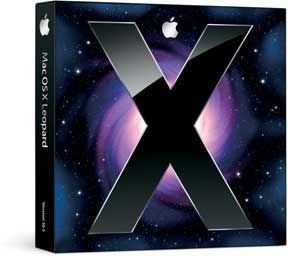 Leopard’s major selling point for me is the Time Machine backup software. I put a 160 GB hard drive in the PowerBook and, by happy chance, had a 160 GB La Cie external FireWire drive. Before you can say Time Machine, I had the drive connected to the PowerBook and was doing the first backup. This took time, but once you are done with the first backup, every time you connect the PowerBook to the external drive, it seamlessly (you hardly know it is there) backs up any changes that you have made. Cool and reassuring.
If you are like me, your backup plans are often well intentioned but sporadic. Now I can sleep better and snore more deeply.
I don’t like Stacks. I just don’t. Call me old fashioned, but I prefer my files in Finder view. Maybe you can’t teach an old dog new Leopard tricks. I’m out to lunch on having the “Album View” feature for going through files. It’s nice to be able to have a “snapshot” of file contents, but since my “old” PowerBook lacks the new “multitouch” trackpad, scrolling through files is not available to me. I guess if I could flip through the files the way I flip through albums on my iPod touch, I would be more excited about it.
Apple’s Cloud or Not?
Having access to the MobileMe “cloud” is sort of cool. As long as I have a network connection, my data goes up to the cloud and is then downloaded to my iPod touch. If I had other G4 or Intel Macs, all of my info would be synched automatically across all my computers and mobile devices. Coolness.
However, I’m not too sure that I want to stay with the Apple mothership too much longer. I used iTools when it first came out and liked having the stylish “mac.com” email address. I have even tried to use iDisk from time to time. Not too much success with our system at school. (It wants to update ever 5 seconds, which is not good for our bandwidth.) But now it costs me a C-note ($100) every year – and I’m just trying to make ends meet in the Hatchett computer universe.
Besides, Google is offering some interesting alternatives to the MobileMe cloud. I use Google Calendar at work, and it synchs with my iCal application and my iPod touch. Google’s online calendar supports all operating systems, and I have liked having my Gmail account. It goes right to my inbox on the iPod touch, and I can use it with the Mac’s Mail application as well. That leaves Address Book to integrate with Google.
Since I could use all this stuff on my G3 Pismo, Linux, or whatever, I’m sort of inclined to save myself that $100 each year.
Back to Leopard. I have to say that Time Machine is worth the price of admission. And even for an old curmudgeon like me, Leopard is a happy place to do your work.
 Editor’s note: OS X Tiger has much lower hardware requirements than Leopard. It runs on most G3 Macs and officially requires 256 MB of memory, although it can run (pretty sluggishly) with less. Leopard officially requires an 867 MHz or faster CPU (G4 or better) and 512 MB of memory, although it is possible to install it on slower G4 Macs. If you have a G3 Mac, Leopard is not an option, and if you have a slow G4 Mac, Tiger may be the better choice. The biggest drawback to Leopard is its lack of Classic Mode, which is why we continue to use Tiger on one of our procution machines at Low End Mac.
We have Leopard running on our server at Low End Mac headquarters, a dual 500 MHz Power Mac G4 with 1.25 GB of memory and a 7200 rpm hard drive. It runs MAMP and DNSUpdate to host a low traffic site and uses file sharing to allow our Leopard Macs to use its drive for Time Machine backup. I would not be comfortable using this as a production machine, but our faster G4 Macs (dual 1 GHz and dual 1.6 GHz G4 Power Macs and a 1.25 GHz eMac) handle Leopard very nicely. (Low End Mac doesn’t yet own any G5 or Intel Macs, although I’d love to go there when finances permit.) dk
Keywords: #osxtiger #osxleopard #tigervsleopard #leopardvstiger
Short link: http://goo.gl/BnttbT
searchwords: tigervsleopard, leopardvstiger
