
Last week, the Low End Designer took a look at a few supplemental applications that can be used in conjunction with the major design and layout programs. This week we’re looking at drop-in replacements, and it’s Quark XPress that’s getting the chop.
Quark History
 Quark has been the dominant professional layout application since it gazumped PageMaker in 1987. It’s actually quite an interesting story.
Quark Inc. was founded by Tim Gill in 1981 with $2,000 loan from his parents. In just three months he wrote the Word Juggler word processor for the failed Apple III computer. Despite the fact that few people ever bought an Apple III, Gill made enough money to pay back the loan within six weeks of publishing Word Juggler.
Quark Xpress was launched in 1987. Quark spent a lot of time finding out exactly what its customers wanted and giving it to them.
Paul Brainerd coined the term desktop publishing in 1985 for his PageMaker application. When his firm, Aldus, released the program, it changed the publishing industry almost overnight and guaranteed the Mac an industrial presence that it has retained to this day.
Despite this, Aldus dropped the ball. When 100% of the publishing market was using Macs, Aldus wasted years developing PC versions – first for GEM, Digital Research’s failed graphical user interface, and later for early editions of Windows. During this period Quark was able to grab the dominant position in the DTP (desktop publishing) market, and PageMaker was eventually consigned to business publishing and secretarial work.
In 1994, Adobe bought Aldus.
It’s a salutary lesson, and one that seems to be lost on Quark itself. Quark has spent the last five years adding more and more Web design features to XPress, yet I have never encountered a single designer who uses Quark for online publishing. Meanwhile, Adobe has busied themselves developing a new DTP layout application, Abode InDesign.
Quark XPress has its detractors, particularly on the PC platform. Presumably Windows users see Quark as a native Mac application and instantly hate it. Ridiculous, I know, but I’ve heard such sentiment from PC-people.
Nevertheless, that’s not to say there’s nothing wrong with Quark. There is. It’s overpriced, buggy – it crashes more often than a car with tires made from ice – and its creators, Quark Inc., are a diabolical lot who actually seem to enjoy alienating their customers.
 Despite all of this, I am still a Quark user, if no longer a loyal one. I do like its main competitor, Adobe InDesign, but I can work much faster in Quark. The end result is that I wouldn’t abandon it unless I was forced to.
In those circumstances, most designers, art workers, and Mac operators would go straight to InDesign. Would I? Who can say? There are other options, and in terms of cost-effectiveness, InDesign is not the closest to the low-end.
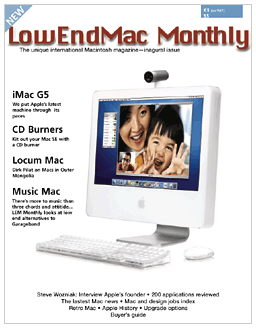
In order to illustrate our points in this edition of The Low End Designer, we’re trundling out our imaginary print magazine once more, LowEndMac Monthly.
A Life in Design
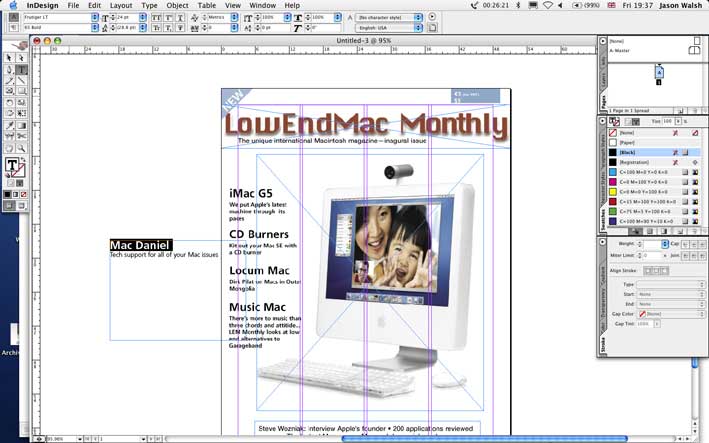
 It hardly seems fair to describe Adobe InDesign as a “competitor” to Quark. In almost every other aspect of graphic design, Adobe has the market almost to themselves. Compared to the other two companies whose software we’re looking at here, Adobe is nothing short of a behemoth.
In fact, some designers have raised concerns about moving from Quark to InDesign as they don’t want to see too much power concentrated in one company – if InDesign became an industry standard, Adobe would become a kind of “Microsoft of the graphic arts.”
Nevertheless, InDesign is an excellent application with an interface that any Photoshop or Illustrator user will be comfortable with. It should be noted, however, that InDesign is far from being a low-end option. This application is nothing short of a resource hog. According to Adobe, the current version, InDesign CS, requires 128 MB of RAM, OS X, and a G3 processor. Maybe so, but we recommend at least 512 MB of RAM in order to work comfortably.
Adobe even has an option for those few remaining recalcitrant PageMaker users: Adobe InDesign CS PageMaker Edition. This is not really a different version of InDesign; rather it’s an attempt to smooth the path to InDesign for PageMaker users. Basically the PageMaker Edition is just InDesign CS plus the Adobe PageMaker Plug-in Pack. According to Adobe, this
“provide[s] an exclusive upgrade path from PageMaker. Popular PageMaker tools ease the transition to InDesign. Professionally designed templates introduce you to the advanced layout capabilities of InDesign. And extensive training materials help you master InDesign quickly.”
The plug-in pack is also sold separately, but it’s unlikely that anyone would be particularly interested in it in this form.
MLayout
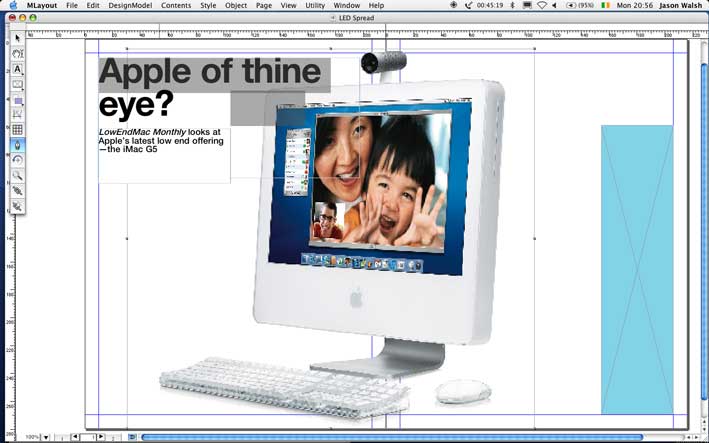 MLayout (since discontinued), from Korea’s Softmagic Inc., is a Mac OS X only application. This reflects its heritage as a NeXTstep application. NeXT never gained a foothold in any industry (except perhaps spying: <http://www.scripting.com/mail/mail970219.html>. Scroll down to second message), but at one point it did look like a credible competitor to the Mac. Adobe Illustrator and a few other graphics apps were released for NeXTstep, but Quark wasn’t interested. Softmagic stepped in and developed the program that has now become MLayout.
MLayout is very Quark-like in terms of its interface, much moreso than InDesign. In fact, as a Cocoa app, it feels much more Mac OS X native than either program, almost like what Quark should be.
One peculiarity is that double-clicking on the title bar shades the window rather than docking it, though this could just be my system, which is currently munged up with application lint after installing and testing literally hundreds of programs over the last few months.
MLayout doesn’t seem to be making serious inroads in North America and Europe just yet. All of the Mac news sites regularly regurgitate their press releases, but few have reviewed it. This is a shame, as it is an excellent option, and at $299 it’s a lot less expensive than the alternatives.
However, it does show just how intransigent the printing and publishing industries are – and for good reason: If it ain’t broke, don’t fix it. This also explains why so many designers have stuck with Quark 3.3 or 4, with only Mac OS X compatibility forcing them to move on.
MLayout features all of the typographic controls necessary for serious design as well as high-quality rendering of PDF (using Apple’s built-in Quartz technology), Unicode-based multilingual support, and automated pagination based on XML and tagged RTF standards.
Softmagic make much of their tables-support, and rightly so. MLayout does a better job with tables than either Quark or InDesign.
Using the program is child’s play: create your page, draw a text frame and import (or type) the text, draw an image frame, import image, and so on. MLayout also has support for Bezier paths and spot color, though sadly PANTONE colors are not built-in, presumably for licensing reasons.
Ragtime Solo
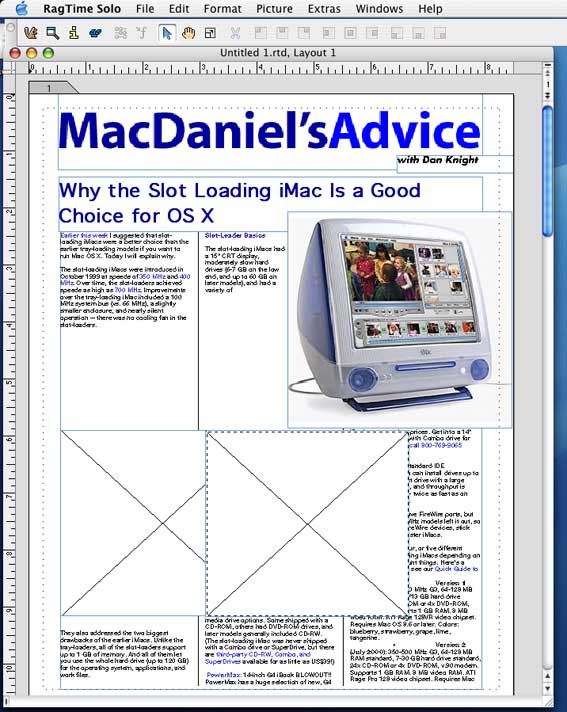 Rather than attempt to assault Quark and Adobe’s famous layout apps, Ragtime is intended to be used in business publishing. This means that rather being designed with technical precision in mind, Ragtime is developed with ease of use as its first principle.
The end result is that Ragtime works more like a word processor than a normal layout app. The problem with this approach is that while it will certainly make life easier for first-time users, it will confound and annoy professionals. Anyone who has ever attempted to perform layout in Microsoft Word will know exactly what I mean.
That said, Ragtime is ultimately a frame-based app just like Quark and MLayout, and it has all of the advanced features you would expect from a design app including support for ICC color profiles and precise text controls including baseline shift and leading. The thing is, the option you are looking for is not always where you would expect it to be – that’s not to say that Ragtime is wrong per se, it’s more of a case that most designers are conditioned to work in a way dictated by their software, usually Quark.
Ragtime is free for noncommercial work, so if you are a student of want to put together newsletters for a charity or community group, the price is certainly right.
Conclusions
Ragtime is the perfect app if you’re not a design pro – it has every feature you could conceivably need, but for experienced designers it will seem a bit like working whilst wearing boxing gloves. At the end of the day, for noncommercial work, the price is certainly right. One other area in which Ragtime could possibly excel, but not one that this author is particularly happy to comment on, is long document creation. Perhaps a book designer or journal editor would like to have a look and drop me a line?
When it comes to InDesign, what is there to say that hasn’t been said before? It’s easily up to the standard of Quark XPress, as witnessed by the great variety of publications made using Adobe’s top-line software, such as Cosmo Girl from the Cosmopolitan stable and the News Tribune in Tacoma, Washington. It also has superior PDF support, as you would expect from Adobe – after all, they developed the PostScript and PDF formats.
MLayout requires some considerations. All things being equal, MLayout would be making serious inroads into pro design, but as far as I am aware, it isn’t. That said, I cannot say how popular it is in its native Korea; for all I know it could be used to produce newspapers like Joong-Ang Ilbo.
In terms of first-use feeling, I felt very comfortable with MLayout, in fact I hadn’t felt so elated since I managed to persuade the editor of a local newspaper to run a feature on the German art-rock ensemble, Einstÿrzende Neubauten, no easy task in itself!
Also see Scribus, Another Alternative to Quark and InDesign.
Low End Designer Mailbag
From Tim Larson:
If only GraphicConverter did really optimized PNG compression, it would go from a great tool to a great one. Currently I can get better results with Pngcrush.
Tim
Thanks for the tip Tim, I’ll check it out.
J
PREVIOUS: 4 Shareware Programs Every Mac Designer Should Try
NEXT: Kill Bill: 12 Alternatives to Microsoft Word
Keywords: #quarkxpress #indesign #mlayout #ragtime
Short link: http://goo.gl/ndJb3f
searchword: killingquark
