
Last week you had the rant; this week you get the information. Jason Walsh examines the options when it comes to choosing inexpensive Macs for design work.
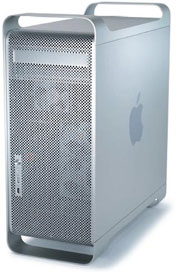 If it is your goal to start up a design studio, buying hardware couldn’t be easier. Jut pop over to the Apple Store and buy yourself a new Power Macintosh G5 with all the extras, a 30″ Cinema Display a nice PowerBook with a 17″ screen and maybe an Xserve to boot.
Hey, it will only cost $21,748!
Obviously that figure is well over the budget of most Low End Mac readers, so you can just forget about doing any serious design work.
Or can you?
Well, plenty of designers were working long before Apple released the G5, so clearly it is not necessary to frighten your bank manager just to get started.
Publishers note: Remember that this was written in 2004 when Mac OS X was still pretty new.
Wither Mac OS 9?
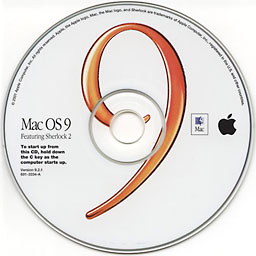 Which version of the Mac OS is the best to use for design work? Before the introduction of Mac OS X, this was a much simpler question to answer, but the development of Apple’s next generation operating system has drawn a line in the sand, and that line is the PowerPC G3 processor.
OS X offers many advantages to the designer, not least stability, protected memory and proper multitasking, but ultimately choosing whether to use Mac OS X or the classic Mac OS will be dictated by your budget and will affect your software choices.
At the risk of putting the cart before the horse, we shall be concentrating on hardware in this edition of The Low End Designer, waiting until next week’s edition before taking a look at software. That notwithstanding, it is essential to briefly mention one application now as it may dictate your choice of hardware. That application is Quark XPress.
Quark XPress is at the center of the universe for print designers, but Quark’s actions of late have been making many designers quite irate. The reasons are numerous and include, but are not limited to, astonishingly poor customer support, an absurdly long delay before releasing an OS X native version, draconian licensing restrictions, and, perhaps most importantly, file versioning.
Quark 6 only works under OS X. Fair enough – the same is true of Photoshop CS, for example, but in Photoshop you can generally open files created in a recent version of Photoshop in an earlier version, such as Photoshop 5. Not so with Quark. If you receive a Quark 6 file, you can only open it in Quark 6. If you expect to receive material from outside, this is beginning to make owning a Mac OS X machine a necessity.
For the time being there is a workaround: Quark 6 can save down to Quark 5 format, so ask the sender to do so. It’s an unwieldy solution, but at least it’s a solution.
While it would be fantastic to run a purely Mac OS X shop, there are several compelling reasons to continue running older versions of the Mac OS, most notably when you already have a significant investment in hardware not supported in OS X – not just Macs, but scanners, printers, and other peripherals.
In order to square the circle of backwards compatibility and software versioning, the ideal situation is have a combination of both, if budget will allow, an old high-end Mac with the classic Mac OS and a more recent low-end Mac running a version of OS X.
As a rule, print designers will be able to get along without OS X, whereas to work on websites it makes more sense to have at least one OS X machine, even if only for testing sites in Safari and recent versions of Internet Explorer.
If you are designing for print, using Mac OS 9 offers you one major advantage. When it comes to buying software, copies of Photoshop 5, 6, or 7 and Quark 4 cost a lot less than the more recent OS X equivalents.
Which Mac?
Hopefully you should by now have at least some idea which version of the Mac OS is for you, so let’s get down to it – which Macs should you consider buying?
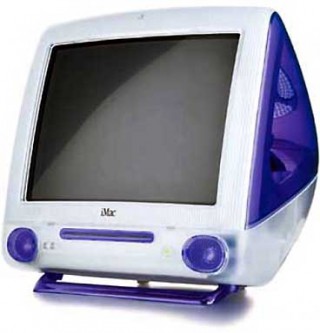 The iMac
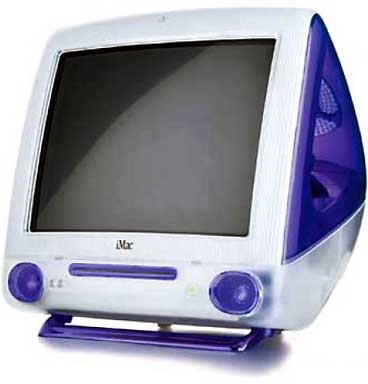
The original CRT iMacs feature a G3 processor, and they will run OS X comfortably when you add enough RAM. The iMac was Apple’s greatest value computer ever, and with their current average retail price on eBay under $300, they continue to offer excellent value. In fact, the only thing spoiling the iMac is the relatively small 15″ screen, but it is crisp and clear and has a resolution of 1024 x 768.
The eMac
Again, new or secondhand, Apple’s bargain basement G4 machine offers all of the advantages of the original iMac, plus a larger screen and zippier processor, but similarly features all of the disadvantages.
Blue & White G3
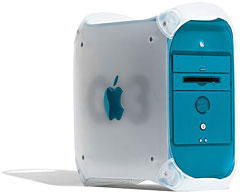
Introduced in January 1999, the Blue and White G3 is our favorite machine. For the purposes of running a design studio on a budget, this machine is perfect. It is expandable, inexpensive, and runs both Mac OS 9 and OS X perfectly well. Averaging around $250 on eBay, this machine will run any software you could be interested in for serious design work – but bear in mind that unlike the iMac, you’ll need to get a separate monitor, which is both a blessing (as you can buy a nice, well proportioned, high resolution screen) and a curse (because it will cost more).
Power Macintosh G4
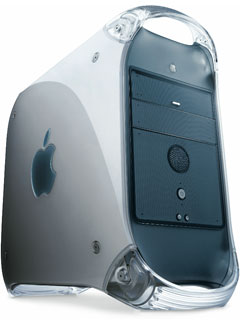 The Power Macintosh G4 has all of the advantages of the G3, but it has the added punch of a faster processor and the AltiVec unit. There are many different G4 models, but they all represent good value. Check out Low End Mac’s G4 profiles to see which model is for you.
Both the G3 and G4 will make excellent office file servers and do not necessarily need to be dedicated to this task. If you are planning on using multiple machines, you’ll find that ethernet is a much better option than “sneakernet”.
Pre-G3 Power Macs
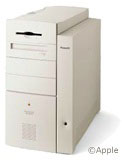 Machines like the 8600 and 9600 were the powerhouses of their day and it still shows. Running OS X is not to be encouraged, as it requires the XPostFacto hack and will be slow. XPostFacto is an interesting challenge – and great if you really cannot afford a more recent Mac – but OS 9 will be a lot more efficient on these machines.
Less “insanely great” Power Macs such as the 4400 are still “great enough” so long as you are not trying to perform the impossible on them and certainly worth a look.
Clones
Some clones were great, and some were just okay. All of the above for pre-G3 Power Macs applies to these machines, but be aware that nonstandard parts and poor documentation on the Web may make life that little bit harder for you.
The 68000 CPU Question
All of the above is of little concern if you’re planning to use a 680×0 Macintosh.
Use a 68k Mac? Isn’t that just a stupid idea? Well, no.
Again, forget about web design, except for the most basic old-fashioned HTML pages. There is barely even a modern web browser available for 68k Macs, but with a bit of thought, even an ancient Mac can be useful in a studio.
How so? Text.
Yes, text. If you think graphic design is all about flashy Photoshop filters and multi-gigabyte files, I hope for all our sakes you decide to find another line of work. Typography remains the dominant art form in design, and all of the processing power in the world is of little importance when throwing text around.
One important aspect of type layout is, of course, word processing. Microsoft Word 5.1, ClarisWorks/AppleWorks and Nisus Writer are all great performers on 68k Macs and offer front-end type handling much more fluidly than layout programs like Quark.
Low End Mac publisher Dan Knight pointed out to me his own successes with old word processors,
“Word 5.1a was fantastic and runs comfortably on a 16 MHz SE/30 or Mac Portable. Quark 3.x was okay on Quadras, and FrameMaker cried out for a Power Mac. Of course, each new version seems to cry out for more horsepower.”
The key to working well in any field is efficiency. If you are rasterizing entire pages at high resolution on a Power Mac, it will slow to a crawl. In these cases it would be better to leave the machine to its own devices and move to another computer and get on with some other work. Having a Quadra or Centris solely dedicated to text handling is a cheap and effective way of increasing your efficiency in this manner.
What about actually using a 68k Mac for layout?
It can be done. Quark 3.3, a sterling performer, works just fine on 68k Macs. Quark 4 is a better bet, however, as it is still commonly used in print shops and bureaus, and it will run on any Mac with a 68030 processor or better. The real problem comes when adding graphics to your layout – processing images on 68k Macs is slow, perhaps unacceptably slow by today’s standards. Using the likes of a Mac SE is not to be recommended, not only because of the 9″ screen, but also because you will be forced to work with FPO (for position only) images in place of directly importing high resolution scans. This is traveling too far back in time to even contemplate.
The Mobile Designer
There was a time when a laptop was little more than an executive toy, unsuitable for anything serious other than word processing and running a simple spreadsheet.
The PowerBook changed all of that. I recently purchased a brand new 17″ PowerBook G4 – my second new Mac ever – and if you can afford to buy one, by all means do. Realistically, most people can’t. I am certainly aware of the hole left in my finances.
Which laptop Macs are worth considering?
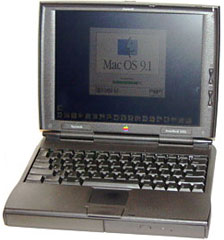 PowerBook 1400
This fine laptop was always low-end, at least by Apple’s standards. While you won’t get OS X running on it, the 166 MHz model performs well under OS 8 and 9, and the machine can be upgraded to a G3.
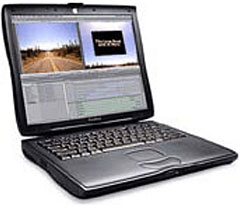 PowerBook G3
WallStreet, Lombard, or Pismo are all good, solid performers. The Low End Mac profiles will give you all of the detailed info on these machines, but none of them would prove problematic in a design scenario.
New Laptops
The iBook and PowerBook range are both excellent, and although the PowerBooks are more powerful, the iBooks are the best priced laptops available from any manufacturer. The 12″ iBook is a particularly good value, though the screen is constricting in Quark. It is also interesting to note that the iBook can do “desktop spanning” over multiple monitors, despite Apple’s assertion that only PowerBooks can do this. (See Use an Extended Desktop with Your iBook, iMac or eMac for details.)
Of course, TFT screens are not ideal, as they offer relatively poor color accuracy, so expect to hook up a CRT monitor when you’re working in the studio and reserve the laptop screen for use in meetings with clients.
One caveat regarding any used laptop is that you will probably have to purchase a new battery – that laptop on eBay is being sold for a reason. Expect to pay in the region of US$100-160 for a new battery.
In an Ideal Low-End World
Obviously, in an ideal situation you’d have a few G5s, a bank of Xserves, and a PowerBook or two, but this is not children’s television. This is reality, and in reality we have this slogan: It’s the economy, stupid.
Whilst purchasing several thousand dollars worth of Apple equipment would doubtlessly make a contribution to the economies of both the United States and my native Ireland, I am speaking here of personal economy. Which Macs would I ideally buy, should I want to set up a studio?
For my money, it would have to be a Power Macintosh G3 for use on the heavy lifting and a PowerBook G3 WallStreet for mobile work and bringing to client meetings.
Truth and Consequence
Which Mac, or indeed Macs, you decide to buy is going to have one other consequence – your choice of peripherals. In a few weeks we’ll take a close look at scanners, printers, and the rest of them (even the dreaded floppy drive), but for now all you need to know is that pre-iMac, the connection of choice was SCSI. Post-iMac, it is USB and FireWire.
And that’s without even thinking about the OS X drivers issue. Oh joy.
PREVIOUS: Why Design Using Low-End Macs?
NEXT: Quark XPress, InDesign, Photoshop, Warez, and the Value of Software Suites
Keywords: #lowenddesigner #macos9
Short link: http://goo.gl/46VLC7
searchword: why0s9
