
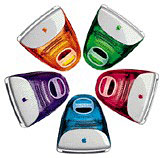
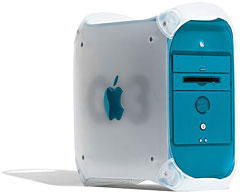
Got an elderly Power Mac that’s feeling a little suffocated by the ever-increasing demands of Mac OS X? The beautiful Aqua interface, with its rolling sheets and minimizing and zooming effects has always taxed lower-end G3s and G4s. Provided your needs include no Mac-specific apps, Linux can provide a snappy user experience, along with modern stability, security, and performance on your older Mac.
 Just a few years ago, it would have seemed like a joke to tell Mac users to wipe the Mac OS off their older Mac’s hard drive and install Linux. After all, you could just use an older version of the Mac OS, perhaps along with some older application software, and enjoy a speed increase. Besides, Linux had such a stigma as a “geek toy” or was seen primarily as a server OS.
Linux Has Become Less Geeky
Things have changed considerably. To keep up with the latest technologies, even in commonplace things like the Web and email, you need newer software to stay up-to-date and secure. Relying on an older version of the Mac OS and its age-appropriate apps is increasingly difficult.
For example, it’s getting harder and harder to connect to today’s mail servers with older Mac email clients, as other Low End Mac columnists have noted recently (see The Trials and Tribulations of Email on Vintage Macs).
 Most Linux distributions now have intuitive, graphical installers and package management systems that make installation, updating, and installing new software as easy as on OS X or Windows. In the five years or so that I’ve been tinkering with Linux on Mac hardware, it’s never been easier to set up and maintain a Linux box and do the everyday tasks – email, web surfing, messaging, word processing, spreadsheets, etc.
The best of the newer Linux distributions are a lot like OS X in one key facet: You can do a lot of things graphically, keeping the Unix stuff to a minimum. Of course, OS X still has the easiest to use desktop environment for today’s common media needs, but the Linux desktops are catching up.
Is Linux Really Faster?
When pitching Linux as a speed fix for older Macs, the first question is invariably, Is it really that much faster?
 There are too many variables to provide a definitive answer, but in my comparison of Mac OS X 10.3 Panther or 10.4 Tiger on the same G3 and G4 systems, I often find Linux with the GNOME environment to have a more responsive interface than OS X’s Aqua. Menus snap open as soon as you click on them. When you quit an application, its windows just goes away so you can get on with whatever you were doing next.
Picking your Linux distribution and getting it installed on your Mac may be a somewhat trying process, especially after years being of spoiled with OS X’s very nice Installer. It pays to do the research and know what’s going to meet your needs.
For a simple Linux desktop setup, I’ve prioritized my needs as such:
- Web browsers with strong support for modern web technologies and standards compliance.
- An email program that will let me manage my multiple IMAP and POP accounts.
- An IM client with the ability to connect to my iChat (AIM) and Yahoo! Messenger accounts.
- A nice text editor for HTML/PHP programming and bash scripting.
- The ability to run the latest Apache, PHP, Python, MySQL, and PostgreSQL for testing.
- An office package with good compatibility with Microsoft’s ubiquitous Office suite.
- A good FTP/SFTP client for connecting to both servers on my LAN and remotely.
- A few little small games for amusement, with a First Internet Backgammon Server (FIBS) client being a top priority in this department.
- The ability to easily connect to wired and wired networks.
- The ability to connect to file servers and WebDAV volumes like my iDisk.
- A nice image editor, and a way to view my photo library.
- Manage a library of music, including the .m4a files that fill my iPod.
- Not taking several days to accomplish the installation and setup.
While it won’t be as easy as installing OS X and iLife, I think it’s worth the effort for those wanting to breathe new life into old hardware.
I’m going to take the next few weeks to go over the many options out there for PowerPC Linux and hopefully help you decide which is best for your older Mac that just doesn’t run OS X with enough pep.
Next week I’ll review the OS that perhaps make this easier than any other: Ubuntu Linux, whose slogan is Linux for human beings.
Responses to Use Regular Mac OS X to Set Up a Low-end Server
Thanks to everyone who wrote in last week to let me know they enjoyed my column about setting up regular old Mac OS X client as a Mac OS X Server. It turns out that I left out a few crucial pieces of software, and several readers pointed out some additions to help max out the server potential of your low-end, OS X-capable Mac.
The QuickTime Streaming Server, which I indicated was only available as part of the full Mac OS X Server, can be had for free as Darwin Streaming Server. Once again, you don’t get the GUI that comes with OS X Server, but it is truly cool that Apple offers such a powerful media streaming solution for free.
Another project that I wish I would have mentioned last week is Webmin. A free, Perl-based app, Webmin requires installation via the Terminal, but once that’s done, a small web server runs on your server, powering the web-based Webmin interface. Webmin can then be accessed via a browser from any machine that can reach your server.
Webmin is a thoroughly comprehensive, from editing config files, to stopping and starting services, all the way down to managing your hardware.
Follow-up Articles
- Getting Ubuntu Linux Up and Running on a PowerPC Mac
- Fedora Core and Yellow Dog Linux: 2 More Good Choices for Macs
More on Linux for PowerPC Macs
- PPC Linux, a series of articles by Jason Walsh, May-Aug. 2002
- Unix and the Mac, a series of articles by Adam Loiacono, Jan.-May 2002
If you’re interested in running Linux or BSD on PowerPC Macs, consider joining our Linux on PowerPC Macs group on Facebook.
Keywords #linux #maclinux #linuxonmac
Short link: http://goo.gl/jcb2rK
searchword: linuxzip
