
The 'Book Review
Blocked MacBook Vent, MacBook Benchmarked, How to Upgrade RAM and Replace Your Hard Drive, and More
This Week's Mac Notebook News
Compiled by Charles Moore and edited by Dan Knight - 2006.06.01
This Week's MacBook News
There's so much 'Book news again this week that we've created a special MacBook only 'Book Review. Our normal 'Book Review will appear tomorrow.
Perhaps this week's most widely anticipated news is MacBook performance. Our friends at Bare Feats have done some exhaustive work comparing the MacBook to the Pro models as well as older PowerPC models. Performance is generally good, but the MacBook is not the Mac to buy for serious 3D gaming. dk
All prices are in US dollars unless otherwise noted.
General Apple and Mac desktop news is covered in The Mac News Review. News about Apple's transition to Intel CPUs and other Intel developments is covered in The Macintel Report.
Opinion
- The Black MacBook: What Price Beauty?
- MacBook Foreshadows Features for MacBook Pro Line
- MacBook's Vent Blocked
Reviews
- Adventures Installing MacBook RAM, and More
- MacBook vs. MacBook Pro, PowerBook, and iBook
- MacBooks 'a Great Choice'
- Notebook Review on the Black MacBook
Tech Tips and Info
- Step by Step Guide to Upgrading MacBook Memory
- Instructions for Accessing the MacBook's RAM Modules
- Instructions for Replacing the MacBook's Hard Drive
Opinion
The Black MacBook: What Price Beauty?
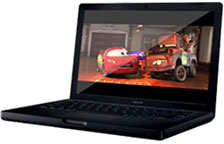 "Who else but Apple Computer could make basic
black a $200 option?" asks Computerworld's Ken Mingis.
"Who else but Apple Computer could make basic
black a $200 option?" asks Computerworld's Ken Mingis.
"Much has been made of Apple Computer Inc.'s decision to introduce glossy LCD screens with its new MacBooks and offer the top-end model of its most popular laptop line in black as a $200 option.
"Some Mac fans have bemoaned the fact that Apple - which released the MacBook last month - took a page from the Windows world, where black laptops with shiny, reflective screens have been de rigueur for years now. (They even started a petition pledging to buy a MacBook if Apple will offer it with a matte screen.) Others are tickled with the changes."
MacBook Foreshadows Features for MacBook Pro Line
Low End Mac's Jake Goodridge says:
"Due to Apple's recent penchant for making mysterious 'come and see what we did' announcements prior to the release of new products, there were some questions raised when the MacBook made its unannounced debut in the Apple Online Store last week.
"What had been rumored for some time simply appeared, and all of a sudden the computer world had an Apple branded, Intel-based consumer notebook. Yet, looking at the recent history of the iBook, Apple's behavior towards what is now the MacBook continues a trend started in October 2003."
MacBook's Vent Blocked
G-Stahl.com reports:
"This is either the most self-explanatory observation or something Apple's production process has overlooked. In the first case I hope you forgive me:)
"Just as many other MacBooks, mine got really hot and that got me a bit concerned. This is my first Apple laptop and I take a lot of pleasure in discovering new things about it. After playing around with it I found that the vent under the screen is covered with a piece of laminate. I briefly checked the manual and it doesn't mention anything about it. It's very hard to get to it as the gap between the screen and the base is very tight. However, I was able to remove it and surprise . . . my fans went quiet. The laminate covers the whole vent so no air gets out at all."
Reader comments indicate some MacBooks come with plastic covering the vent, while others don't. dk
- Link: MacBook's Vent Blocked
Reviews
Adventures Installing MacBook RAM, and More
My columnist colleague over at MacOpinion, Marc Zeedar, just installed a RAM upgrade in his new MacBook. Marc says:
"[I haven't found] the glossy screen and chiclet keyboard . . . a problem yet. But I do most of my heavy typing on my external Adesso split keyboard (I was developing some wrist cramps and the split keyboard really helps).
"As for the glossy screen, it's gorgeous, and I honestly can't see any reflection when it's turned on. Off, the screen's a mirror, but on, unless I go up close and look at it at a sharp angle, I can't see the reflection at all. It could just be my light source. I need to try it in a variety of locations and see if I notice a problem.
"The thing does get REALLY HOT, though. Blazing. Not for laps, even with jeans on. It was even too hot for my cat! (And he loves electric blankets on high.)
"Possible tip: I just read that there's a tool in the Dev software on the system DVD that you can run to turn off one of the processors. I'm thinking about trying that as I'm hoping it'll run cooler and extend battery life. If it works, I'll post an update.
"Since my report, I found an app called CoreDuoTemp, which shows you the temperature of your Intel processor. Mine consistently shows around 70C during moderate tasks, but jumps to around 80-83C during intense computations.
"I received my 2 GB of generic third-party RAM and installed it without a hitch. Installing it was definitely more difficult than on any Ti or iBook where you just lift up the keyboard. In the MacBook's case there are three tiny screws - you'll need a jeweler's screwdriver as the heads are very tiny - and I found the screws difficult to remove because there isn't a lot of room inside the battery bay for the screwdriver. Once the screws are loosened, the L-shaped metal base comes off (you may have to tug on it a bit) and there are two metal levers you press to eject the RAM from their sockets. It was a little disconcerting how much force was needed.
"Once the old RAM is out, you just put in the new RAM. Getting the new RAM locked in is tricky - you really have to jam it in there. You must press on both sides of the DIMM at the same time or else one side will go in farther than the other. Trying to hold the MacBook from sliding while pressing the RAM DIMM with two fingers is difficult, and it really needs to be pressed in tight. You could use a screwdriver or some push tool, but I'd be careful - if it slips off, it could damage your case or something else.
"Getting the L-shaped metal cover back on isn't easy either - there are padded sections that must be carefully fitted or else they'll stick out and keep the metal frame from screwing in flush.
"Overall, it's not difficult, just tight. I would liken it to putting in an Airport card or hard drive in a Ti. Once people are accustomed to the new method, it'll be a piece of cake.
"Interestingly, after upgrading the RAM, I noticed my MacBook runs a lot cooler. That CPU fan noise I mentioned in my articles I hear less often, and the CPU temp doesn't jump over 70 as often and many times it's in the 60s.
"As for performance, I haven't noticed much of a difference, at least for Universal apps. Xbench didn't get much of a better score (a few points). But I can now run many more apps at once without seeing the spinning beachball and app launching is faster. I haven't tested non-Universal apps yet, but I suspect those are faster.
"One other follow-up. In my article I was critical of battery life. However, I forgot I was running with 'all options on' - that is, I had Bluetooth and WiFi and the screen at full brightness. Just turning off Bluetooth ups my estimated battery life to 3:18, and I suspect I'd get closer to four hours without WiFi and with some conservation. That's actually not too bad. For instance, if you're on an airplane, you're not allowed to have those wireless options on anyway, and that's a time when you want longer battery life. If I can get 3-4 hours for word processing and other lighter tasks, that'd make me happy.
"Overall, for my needs, it's a perfect machine. Just the right balance of price/features."
You can read Marc's recent four-part series on getting acquainted with the MacBook on MacOpinion.
- First Look: MacBook Part One
- First Look: MacBook Part Two
- First Look: MacBook Part Three
- First Look: MacBook Part Four
MacBook vs. MacBook Pro, PowerBook, and iBook
Bare Feats rob-ART morgan says:
3D Gaming and Core Image Results
"Apple says, that the MacBook 13" (and Mac mini) '...features a graphics processor... that's no slouch...'. That 'the Intel GMA 950 graphics supports Tiger Core Graphics and the latest 3D Games.' Our experience with the embedded Intel GMA 950 graphics chip on the Intel Mac mini is that it reduces the Mac to a pathetic 3D gaming and Core Image platform."
"The 13" MacBook is NOT optimized for 3D gaming or Tiger Core Image effects.
"The MacBook 13" not even a good Core Image machine...."
iMovie and iDVD Results
"Our revised results with our second 13" MacBook . . . show that it is every bit the equal of a 15" MacBook Pro running at the same 2 GHz core clock speed - even with a slower 5400 rpm hard drive."
- Shootout: MacBook 13" versus MacBook Pro, PowerBook and iBook in 3D Gaming and Core Image
- Shootout: MacBook 13" versus Two Other Macs Doing Typical iMovie and iDVD Functions
MacBooks 'a Great Choice'
Macworld's Jonathan Seff reports:
"The release of the MacBook Pro ushered in a new era in mobile computing for Apple: It debuted two processing cores, a built-in video camera, remote-controlled multimedia software, and more...
"Even though Apple no longer offers a laptop for less than $1,000, the improvements built into the new MacBooks are well worth the added cost. Despite minor flaws, the MacBooks are a great choice for people who want a laptop, but who don't need the fastest model available, or who don't play 3-D games that require speedy frame rates. And with its first black model in years, Apple has given all laptop users a reason to covet the MacBook."
Notebook Review on the Black MacBook
Notebook Review's soulreaver99 reports:
"Apple has come up with many creative methods in successfully 'switching' Windows users over to the Mac through a variety of ad campaigns (yes, the ones on their website), promoting an intuitive OS X operating system, and mass marketing the Windows compatible iPod MP3 players. The next thing you know, Apple announces they will be dropping the IBM made processors and then switching over to the manufacturer that's been powering PC-based computers for years, Intel. This then creates an opportunity for old and new Mac users to do this blasphemous thing which is to run Windows XP NATIVELY on the notebooks and desktops! Now just recently Apple finally adds the 'glossy' screen that Windows based notebooks have been using for years on their new line of MacBooks and MacBook Pros. What's next, a two button mouse? Ha!
"An Intel chipset, being able to run Windows XP and a wide glossy screen makes the new MacBook one of the most anticipated laptops of all time. I personally held off on the 15" MacBook Pros which came out earlier this year to wait for a smaller 13.3" since I am used to working with smaller notebooks such as my 12" iBook and my 13.3" Sony Vaio S460. I was even more pleased when I heard that Apple finally implemented the glossy XBRITE-like screen onto their new MacBooks and just recently, the MacBook Pros."
Tech Tips and Info
Step by Step Guide to Upgrading MacBook Memory
Creative Mac's Dave Nagel says:
"When it comes to design, Apple's new 13-inch MacBook is innovative inside and out. One of the ways it's innovative on the inside is in the design of its memory slots, making it simple to upgrade memory yourself (and allowing you to save money in the process). Here's a step by step guide to upgrading memory in the MacBook.
By default, the 13-inch MacBook comes with a scant 512 MB RAM in the form of two 256 MB chips. Obviously that's barely enough to start your computer and launch a Web browser in this day and age. So the options are to upgrade via the Apple Store ($500 to $600 for a full 2 GB complement) or buy the memory from a third-party vendor (less than $300 for 2 GB) and install it yourself. You can install the modules in pairs of 1 GB chips, or you can add in a single 1 GB chip, bringing your total memory to 1.25 GB.
Instructions for Accessing the MacBook's RAM Modules
Instructions for Replacing the MacBook's Hard Drive
Join us on Facebook, follow us on Twitter or Google+, or subscribe to our RSS news feed
Links for the Day
- Mac of the Day: PowerBook 500 Series, introduced 1994.05.16. 'Blackbird' includes a 25 to 33 MHz 68040 along with smart batteries and grayscale or color displays.
- Support Low End Mac
Recent Content
About LEM Support Usage Privacy Contact
Follow Low End Mac on Twitter
Join Low End Mac on Facebook
Favorite Sites
MacSurfer
Cult of Mac
Shrine of Apple
MacInTouch
MyAppleMenu
InfoMac
The Mac Observer
Accelerate Your Mac
RetroMacCast
The Vintage Mac Museum
Deal Brothers
DealMac
Mac2Sell
Mac Driver Museum
JAG's House
System 6 Heaven
System 7 Today
the pickle's Low-End Mac FAQ
Affiliates
Amazon.com
The iTunes Store
PC Connection Express
Macgo Blu-ray Player
Parallels Desktop for Mac
eBay

