
August 2001 – With Mac OS X 10.1 Puma on the horizon, I want to step back and look at Apple’s other point one releases: 7.1, 8.1, and 9.1.

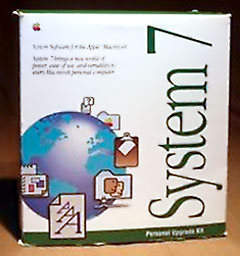 Up to System 7, Apple released major versions of the system software and then did small updates as new Macs became available. System 6, for example, went through many revisions but was basically the same whether it was released in 1991 on the PowerBook 100 or earlier, as with the Mac IIci.
System 7.1
I’ve always been partial to the point one releases. It started with System 7.1, which was quite stable. System 7 was a large release for Apple with lots of new features and under the hood improvements. It broke a lot of software that worked with System 6, such as Macro Maker. System 7.0 took quite a bit more memory and processing power, but it offered a lot of new features.
Apple released several updates to System 7 – and then broke the mold with 7.1. Up to that time, Apple had given away all their system software. If you bought a Mac Plus in 1986, all your System upgrades would have been free. System 7.1 didn’t really add many features – the Fonts folder is the most noticeable – but it added more stability. After 7.1 was released, Apple continued to refine it with three system updates.
I delayed buying System 7.5, since it cost a lot of money. I finally decided to upgrade because I wanted to try out new shareware programs that required it. I reverted to System 7.1 after a couple weeks – and actually returned 7.5, since I was displeased with 7.1.
Why was I displeased? System 7.1 took 300 KB less memory and was quite a bit faster and more stable than 7.5. Using 7.1, my Mac IIsi could boot faster and practically never crashed – and I could download the drag manager for 7.1 to get my favorite feature from 7.5.
Nowadays System 7.1 looks pretty meager. A pruned down version with most of the functionality takes less than 4 MB of hard drive space and a little over a 1 MB of RAM. It doesn’t have many of the newer features of the Mac OS, but many of those features existed then as shareware. For a Mac with 4 MB of RAM, System 7.1 remains one of the best options, since it allows System 7 software but leaves more RAM free than System 7.5.
Mac OS 8.1
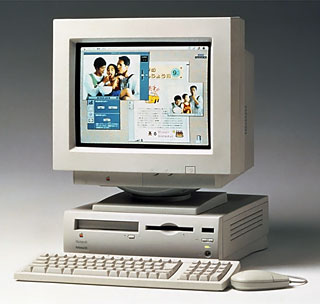 Mac OS 8.1 is also a favorite. Indeed, it is my current OS. I’ve used 9.1, 9.0, 8.6 and 8.5, but I’ve gone back to 8.1. Earlier this year, I used a Quadra 630 as my main Mac for a couple months. Mac OS 8.1 is the most advanced OS that runs on a 68040.
After using it for a while, I realized that I had been upgrading my OS over the years, but I hadn’t really upgraded my habits. I was devoting more and more of my RAM and processor to features that I wasn’t using.
As with System 7.5, I delayed upgrading to 8.5. I had a favorite utility – OneClick – that was incompatible with 8.5 for a long time. When I finally did upgrade, I noticed that I had more frequent crashes. None of the more recent versions of the Mac OS seem as stable as 8.1.
Indeed, I think that 8.1 on my Power Mac 7600 could give Mac OS X a good fight. My 7600 is more modern, since it has a G3 and loads of RAM. I very rarely have any crashes (but Mac OS X would still win that fight). Mac OS 8.1 is much faster – there isn’t a single program on my Mac that takes more than a “bounce” to load. And Mac OS 8.1 has a wonderful interface, albeit a bit less colorful and animated than Mac OS X.
I’m so pleased with my current setup that I don’t ever expect to change my 7600. I could run Mac OS X as an unsupported install, but why? I have a totally snappy performer with loads of nifty little customizations. FinderPop, all by itself, is a reason not to upgrade to Mac OS X.
Mac OS 9.1
Mac OS 9.1 is a little different than 8.1 and 7.1. Both 7.1 and 8.1 were little improvements of their respective OS that introduced a few new features. On the surface, 9.1 seems to have the same story. But the difference is that 9.1 was developed in the era of Mac OS X. Apple didn’t focus on fixing bugs for 9.1 as much as they did for 7.1 and 8.1. That’s not to say that 9.1 isn’t as good, but it was more important to Apple to get Mac OS X out the door. As if to underline that, Apple never made any splash for 9.1. It just sneaked onto the stage when it was ready.
OS X 10.1
It’s hard to say what OS X 10.1 will be like once people really have it. In many ways, it will be the first version of Mac OS X that people will really start using. By improving the system performance, 10.1 will be much more enjoyable to use. I know that eventually I will move to Mac OS X, and I will enjoy it. But in the meantime, I’m surprised at how much I enjoy using 8.1. It’s not that I don’t like some of the later improvements to the Mac OS, but taken as a whole package, I prefer 8.1. It’s stable, fast, and has a great feature set.
Which version of the Mac OS do you think is best?
Short link: http://goo.gl/Mmp5B4
searchword: pointone
