
Lately I’ve been using a Gmail account for most of my email. I find that Gmail has an elegant, easy to use interface that works well on pretty much any computer, as well as a good capacity for storage of old emails (2 GB and counting).
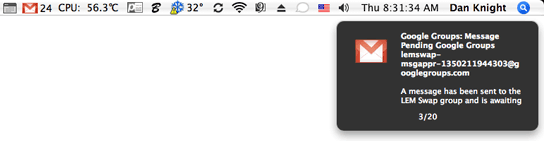
 I also love the integration with your computer via the Gmail notifier (available for both Windows and Mac OS X). The OS X version goes in your menu bar, near the volume control and spotlight icons. It plays a sound when new mail arrives and allows you to create a new mail message, see your inbox, or read new email via a dropdown menu. This kind of integration is what I’ve always wanted from webmail, and Google has provided it.
Hotmail, on the other hand, has for the past couple years been relatively stagnant. Its user interface was very clumsy and confusing.
For instance, in order to read a message, you would click on the sender rather than the title of the message when viewing it in your inbox. I still can’t figure out how the people at Microsoft came up with that – it’s the last way I can think of for selecting email messages to read.
Also, attaching a file is confusing in the sense that once a file is selected, the OK button is at the top of the screen!
Windows Live Mail
Microsoft thinks it can do better. Windows Live Mail, its next-generation Hotmail webmail interface, aims to be more Outlook- and Windows-like than the previous version of Hotmail.
I was initially not too interested in trying it, but every few times I would log into my Hotmail account, I’d get a notice asking whether I’d like to try the new beta of Windows Live Mail. I finally decided that I might as well – not much could be worse than the existing Hotmail interface anyway.
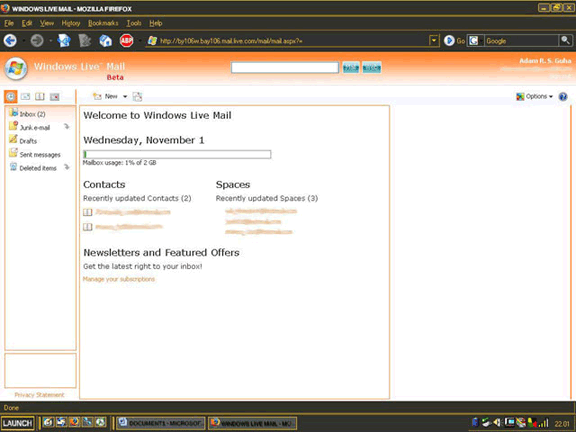
The new layout is similar to that of Outlook and to the column view in the Mac OS Finder. On the farthest left column are your boxes – inbox, junk mail, trash. The next column consists of the messages in the box that you’ve selected, and the furthest right column consists of a “preview” of the message. Junk mail messages don’t get an automatic preview; instead you have to authorize it.
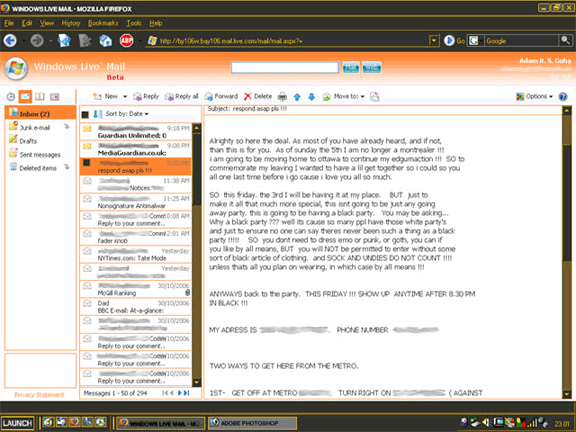
Microsoft seems obsessed with the idea of a mail preview. Outlook, Outlook Express, and Entourage all come with that feature enabled, and I find it both annoying and potentially unsafe at the same time. While I think that a preview for webmail is less dangerous in terms of installing malicious software, it does bring up the idea of privacy. In case you’re in a public environment, you may not want someone looking over your shoulder and seeing a personal email.
That said, by default when you sign in, no message is selected, but I could not find a way to just “go back to your inbox” when you’re done reading a message.
It’s still a beta, so it’s buggy. Writing a new message didn’t always work for me, and I got errors that said that my “request could not be processed” the first three times I tried to write a new email. Imagine that – an email application where I can’t write a new message. I hope it gets fixed soon.
You can also change the color of the menus and accents on the page (which matters a great deal when reading email), and change the view from a column view to a vertically oriented one. There’s also a “lite” version of the Live Mail page, which can be accessed if you feel that the pages are taking too long to load. Then again, if it’s anything like Windows Vista, they should really have no less than five different versions….
Back to Gmail
I still prefer Gmail. I think it’s a much more consumer-friendly application, and it’s well written, lacking much of the awkwardness found in Hotmail.
For the record, though, I’m not totally bashing Microsoft. They’ve had their good products and services (Microsoft Word for Mac is excellent, the MSN Messenger service is generally good, and dare I say Windows 2000 Professional was actually a decent operating system. Too bad it went downhill with XP and continues to do so with Vista).
.mac Email
What if Apple were to make a version of its mac.com email available for users of any operating system for free? iTools, the predecessor to .mac, was a free service for Mac users where you had access to email and an “iDisk” as long as you had a Mac running Mac OS 9.
What if Apple were to allow the email portion to become free and give users a limited amount of storage? They could integrate it with iChat in a similar way that Microsoft has integrated Hotmail with Microsoft Messenger (Messenger notifies you of new emails), so there’s sort of a nice “plus” if you happen to be using the service as well as a Macintosh computer.
Nonpaying users could get, say, 1 GB of storage and webmail access only, whereas paying users could get 3-4 GB of storage and the ability to integrate it with Apple’s Mail software (or any other email client they choose).
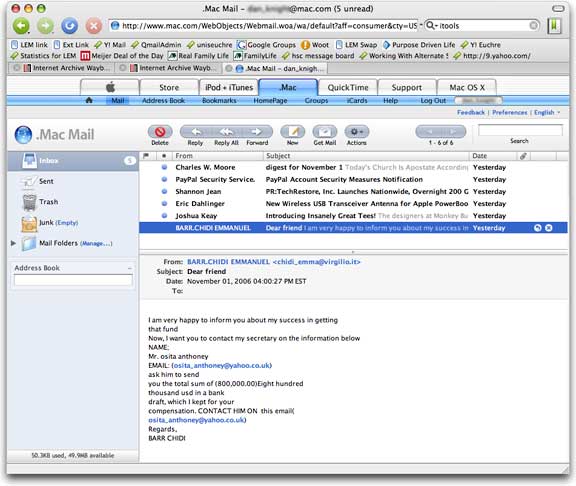
Apple is in a better position in the market today than it was five years ago when mac.com was a free service. People know the Apple brand, know the image, and know what people are saying. They know iTunes, and they’re starting to know the paranoia that Microsoft is creating by requiring its users to validate their software before installing any updates. They know the confusion of multiple versions of Windows and the user-interface disaster that is Hotmail.
If Apple were to provide free webmail, it would help to bring more people to the brand. They will soon understand that Apple isn’t just a company that makes the Mac and the iPod, but also quality software and essentially all of the things necessary for the digital lifestyle.
Publisher’s note: It took a long time for Apple to once again offer free email. The free iTools service, introduced in January 2000, was replaced by $99/year .mac in July 2002, and in July 2008 that gave way to MobileMe. In June 2011, Apple announced iCloud to replace MobileMe, launching it in October 2011. Although iCloud has some extra cost services, email and other basic services are free.
iTools and .mac provided users with mac.com email addresses, MobileMe used the me.com domain for email, and iCloud email goes to icloud.com addresses. Users of earlier email addresses can keep them and use them with the newer systems.
Keywords: #freeemail #gmail #hotmail #windowslivemail
