
Apple Archive
They Just Don't Build Laptop Computers Like They Used To
- 2005.02.25
The new PowerBook G4s are thin, lightweight, sleek, and fast. They've got as many ports as a desktop computer and are not far behind in terms of speed. Their RAM can be upgraded easily, they've got large, bright screens, and they can connect to any wireless network effortlessly.
But it sure isn't easy to repair them when things go wrong.
A friend of mine recently had the screen fail on her 15" aluminum PowerBook G4. I had a similar issue with my 400 MHz titanium PowerBook and decided that replacing the whole computer was cheaper than having the old one repaired!
My friend was determined to repair hers, since it was so new. Apple wanted over $1,000 for a new screen, but she was able to secure one via eBay for under $700 - not exactly cheap.
I remember at the time mine was giving me problems, the local Apple dealer told me that replacing something like a logic board or power manager board in the G4 took several hours of unscrewing endless half-centimeter screws just to gain access to the parts.
After having a replacement screen for my 1996 PowerBook 5300cs sitting around for two years, I finally decided to attempt to install it while I was back home for spring break. I figured that even if I did damage something, at this point the computer was worth so little it didn't matter.
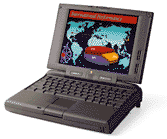
Amazingly, it took me a total of about 30 minutes to get the new screen installed. I couldn't believe how simple the process was, and I didn't even need instructions! For those interested, it essentially involved unscrewing three screws to release the keyboard, removing the left-side screen hinge cover, unscrewing four screws in order to remove the back of the lid, removing and installing the new screen (which involved briefly disassembling the left screen hinge to get the screen cable through), and then replacing the screws.
The new screen was a huge improvement.
Unfortunately, the computer's just as slow as it ever was, and it really isn't too useful these days thanks to the ever-advancing Internet and new software that's simply incompatible with older Mac OS versions.
On top of that, something else seems to be on its way out. The computer freezes up often, regardless of OS version.
Did older PowerBooks last longer than newer ones? Or were they just more worthwhile to repair?
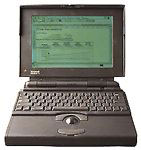
One thing's for sure . . . older PowerBooks put out a lot less heat than today's machines. My 12" PowerBook gets uncomfortably hot under the left wrist rest and above the keyboard. The 5300 gets slightly warm, but nothing beyond that. I remember my old PowerBook 140 barely got warm at all.
The 140 lasted a while, but the screen was what eventually developed problems, caused by the wear on the screen cable from constantly opening and closing the lid. However, the rest of it should still work fine (but my AC adapter has disappeared).
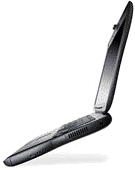
I had good luck with my 333 MHz PowerBook G3. It was still based on the "give the inner components enough space to let off heat" principle, and the only issues I ever had with it was the fan shorting out (just after the warranty was up, but at least it was an inexpensive repair).
In terms of repairs, older PowerBooks like the 5300, 140, or G3 were relatively simple to access compared to a modern PowerBook G4. Since it took me such a short time to replace the screen on the 5300cs (and I'd never done it before), someone who knew what they were doing should be able to install it in a matter of a few minutes.
In 1998, a 10" screen probably would have set a user back a few hundred dollars, and maybe another $50 for installation. So, they could have their laptop (which at the time would have still been worth about $1,000) repaired for under $500.
These days, it can cost users $1,000 to have their $1,200 laptop repaired, and it's simply not worth bothering with it.
That said, Apple laptops aren't the only ones that suffer from these problems. As users demand thinner and lighter notebook computers, one of the sacrifices they have to make is the ability to have the machine repaired if something goes wrong.
Older laptops - like the PowerBook G3 or my Dell Latitude CPx - had more modular components. In fact, almost everything in the Dell could be replaced modularly (CD, hard drive, logic board, audio system, etc.), and the screws on the bottom are coded as to what they unscrew.
Of course, the Dell has been a lot more unreliable than any other notebook I've owned (and that leads me to wonder if they did this "easy upgrade" thing for a reason!).
Modern laptops are convenient due to their size and weight . . . but it's sadly impossible to expect them to have a life span of more than a few years.
About LEM Support Usage Privacy Contact
Follow Low End Mac on Twitter
Join Low End Mac on Facebook
Favorite Sites
MacSurfer
Cult of Mac
Shrine of Apple
MacInTouch
MyAppleMenu
InfoMac
The Mac Observer
Accelerate Your Mac
RetroMacCast
The Vintage Mac Museum
Deal Brothers
DealMac
Mac2Sell
Mac Driver Museum
JAG's House
System 6 Heaven
System 7 Today
the pickle's Low-End Mac FAQ
Affiliates
Amazon.com
The iTunes Store
PC Connection Express
Macgo Blu-ray Player
Parallels Desktop for Mac
eBay

