
Apple Archive
Upgrading a Power Mac G3 from Mac OS 9 to Panther
A 'Best of Apple Archive' Article
- 2004.12.03
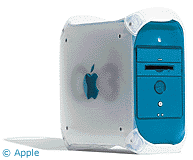
Due to the lack of two monitors, I haven't been using my blue & white G3 very often in the past few months, but I decided to switch it on earlier this week to see if I could open a file that a friend had sent a while back.
It was a Windows Media file, and I hadn't been able to open it because the version of Windows Media Player I had was apparently too old. Not a big deal - just download the new version of Windows Media Player and I'm all set.
Except that when I went to Microsoft's website, the latest version of Windows Media Player available for Mac OS 9, which was installed on the G3, is version 7.1. Unfortunately, it is version 7.1 that says it's outdated.
At this point it wasn't so much that I cared about opening the file from my friend; it was more about being able to open other files in the future. I had brought my OS X 10.3 CDs to Montreal with me and decided that this was a good time to attempt installing it.
When I had initially formatted my 40 GB hard drive, it was on my beige G3, so I had created an 8 GB partition in case I ever decided to install OS X. I never did, and OS 9 ended up getting installed on that volume.
 This partitioning was one
of the reasons I didn't particularly want to install OS X on
the blue G3. OS X likes to use up a lot of hard drive space,
and applications are fairly large. However, it ended up working out
to my advantage. I left OS 9 and the OS 9 applications on
the 8 GB volume, and cleared out the remaining 30 GB or so
volume for OS X.
This partitioning was one
of the reasons I didn't particularly want to install OS X on
the blue G3. OS X likes to use up a lot of hard drive space,
and applications are fairly large. However, it ended up working out
to my advantage. I left OS 9 and the OS 9 applications on
the 8 GB volume, and cleared out the remaining 30 GB or so
volume for OS X.
I booted from Install CD 1, and everything went smoothly. In about 25 minutes I had the OS X desktop up and proceeded to do some software updating. But I got a "Your computer has crashed, please restart it now by pressing the power button" message just as the 10.3.6 update was completing. I restarted - unluckily, the system had been corrupted (fsck &endash;y &endash;f couldn't find any errors on the disk itself), so I was forced to do an "archive and install" just to get back to 10.3.
I don't think I'll be trying to update it again anytime soon.
I was afraid the RAM might be to blame, but I used it for several hours with no problems whatsoever. The old G3 wasn't terribly slow, with the exception of some of the visual effects. The video card is old, so I wasn't expecting it to be too fast.
For a 350 MHz processor, things load quickly, and while browsing the Internet isn't quite as fast as on my PowerBook or my PC, it's not exactly intolerable.
I upgraded Windows Media Player to version 9, and the file I wanted to check opened just fine.
One thing I noticed is that when upgrading from 9 to X, if you had any icons that were image previews in OS 9, the size of the preview is not increased in OS X. In fact, they're decreased! This is annoying, at the very least. Because they're smaller, trying to find a place on which to double click the file becomes a real pain.
However, because of the partitions, I can still boot into Mac OS 9 and have everything exactly like it was before if I so choose. I somehow doubt that I'll be doing this very often, if at all.
So far I haven't found anything that doesn't open in OS X, except for my ProTools project files. I've since gotten Cubase for OS X on my PowerBook, which I've found to be slightly better than ProTools, in my opinion. All of my recent projects are on the PowerBook, and I really have no need to access the older ProTools files on the G3.
Now that the software's updated enough for 2004, the question that remains is, "How much longer will the hardware be truly usable?" I guess I'll just wait and see.
About LEM Support Usage Privacy Contact
Follow Low End Mac on Twitter
Join Low End Mac on Facebook
Favorite Sites
MacSurfer
Cult of Mac
Shrine of Apple
MacInTouch
MyAppleMenu
InfoMac
The Mac Observer
Accelerate Your Mac
RetroMacCast
The Vintage Mac Museum
Deal Brothers
DealMac
Mac2Sell
Mac Driver Museum
JAG's House
System 6 Heaven
System 7 Today
the pickle's Low-End Mac FAQ
Affiliates
Amazon.com
The iTunes Store
PC Connection Express
Macgo Blu-ray Player
Parallels Desktop for Mac
eBay

