
Apple Archive
Firefox, a Better Browser for OS X, and Windows
- 2004.10.22
This past week I managed to get yet more spyware on my PC via the Internet, and I figured there must be something more than I was already doing to prevent some of it from coming through. I was using firewalls, and I was using a popup blocker - but I also was using Internet Explorer.
Internet Explorer seems to be a bit of a problem on PCs. While it's a reasonably good browser, it's so commonly used that most of the spyware, adware, and viruses know the various loopholes that it has and use those loopholes to install themselves on your system.
On the Mac, it's not the spyware that makes IE a problem, but the popups and general slowness.
For both platforms, there are a number of options, and the quality of some of the Mac-oriented browsers seems to be higher. The options that I had been considering for the PC (Netscape and Opera), I didn't particularly like.
Then I thought of Firefox. Firefox runs on both Macs and Windows PCs, and the great thing about it is that both versions are actually on par with each other. This is a far cry from AOL, which has ten times the features in its Windows version than its Mac version.
Firefox is a Mozilla-based browser, like Netscape. It's designed for general consumer use, even though it's currently in beta (with version 1.0, they are apparently going to be placing a full page ad in the New York Times).
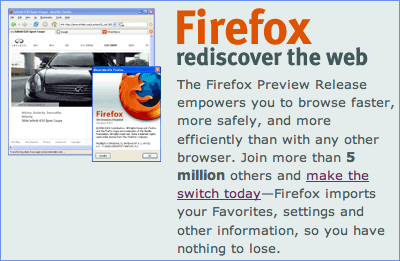
Both versions pretty much fit right in with the operating systems they run on. There are no annoying splash screens, such as a few other browsers use, and they generally open up quickly. Both Mac and Windows versions offer bookmarks with an option to sort them by name - I guess someone there realized that I'm not the only person in the world that uses this feature.
Both versions include a built-in popup blocker, which is pretty much a necessity these days. (Microsoft finally included it with Windows XP Service Pack 2. Real helpful to the many users that use Internet Explorer 6 on Windows 2000 or Explorer 5.x on a Mac.)
You can also choose the browser's theme, so if you've been unhappy with Safari's ugly brushed metal look, Firefox lets you choose something that's more suitable to your tastes. Themes can be downloaded from the Mozilla website.
The most important questions are "Is it fast?" and "Does it actually work with any websites?" The short answer to both would is Yes. Browser speed varies depending on your hardware and your Internet connection speed (and since my Internet just dropped off 5 minutes ago, I guess it wouldn't be very fast at all right at this moment), but in general, compared to Internet Explorer for Windows, it seems to load pages faster. It seems to be about on par with Safari.
When I first tried out a Mozilla-based browser, I found that there were a large number of sites I couldn't even use with it. Secure sites and sites that require passwords tended to present a problem. Also, sites that made extensive use of Java or Flash seemed not to work terribly well (or took forever to load, as they still seem to on Safari). Well, I have yet to see a problem with the latest build of Firefox.* I haven't come across a site that wouldn't load and display properly, and it hasn't even crashed on me once. Pretty respectable for a beta version.
- * Editor's note: I've only had a single problem with Firefox versions since 0.8 - a complete inability to log into Yahoo! Games. I've had it on both Macs and Windows PCs, and it has been reported to bugzilla. Other than that, I'm happily using Firefox myself, along with Camino, it's more "Aquafied" Mozilla cousin. dk
On my PC, I've switched completely to Firefox. On my PowerBook, I'm sort of in between Safari and Firefox. My bookmarks are currently in Safari (I haven't transferred them over yet), so I still use it for quite a few things. I think I will probably just make the switch over in the next week or so.
Safari is good, but I now think that Firefox is better. On the PC, there is absolutely no question that Firefox is far superior to Internet Explorer.
Oh, and the last three spyware scans that I did after switching to Firefox found nothing.
About LEM Support Usage Privacy Contact
Follow Low End Mac on Twitter
Join Low End Mac on Facebook
Favorite Sites
MacSurfer
Cult of Mac
Shrine of Apple
MacInTouch
MyAppleMenu
InfoMac
The Mac Observer
Accelerate Your Mac
RetroMacCast
The Vintage Mac Museum
Deal Brothers
DealMac
Mac2Sell
Mac Driver Museum
JAG's House
System 6 Heaven
System 7 Today
the pickle's Low-End Mac FAQ
Affiliates
Amazon.com
The iTunes Store
PC Connection Express
Macgo Blu-ray Player
Parallels Desktop for Mac
eBay

