
2002 – One thing that has really been overlooked about the Mac is its excellent compatibility with Windows. While compatibility has long been a part of the Mac OS (including PC Exchange and DOS cards for Quadras and early Power Macs), in the past couple years it really has been ignored as a feature.
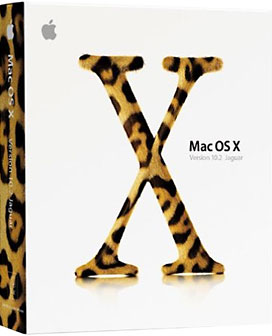 Until Mac OS X, that is.
Mac OS X’s file extensions really improved Mac/Windows compatibility. In the past, if you sent a Word document from a Mac to your friend’s PC, he couldn’t open it unless he knew what the file extension was (.doc) for the PC and added it to the file’s name. Mac OS X places file extensions on most files, so when you transfer them to a PC, they open right up.
What about sending from a PC to a Mac? Again, since Mac OS X can read the PC’s file extension, it has no problems opening files, unlike Mac OS 9 and before, which depended on creator codes to know what application opens what file.
The other thing that many people seem to forget is that the Mac has the advantage of being able to run Windows applications in Virtual PC. With today’s 800 MHz and faster Macs, this is almost as fast as running it on an older PC, although video does tend to be slow, and games can’t really be run unless they are text-based or otherwise very simple.
However, the fact remains that you can run many modern PC applications on a Mac. You can also run Mac applications on a PC, but it is considerably more difficult, and as far as I know, you can only emulate a 68040 processor, which doesn’t make Mac emulation too useful.
One very nice capability that Virtual PC offers is the ability to transfer files from the Mac side to the PC side. Since Mac OS X recognizes file extensions, files transferred from the PC desktop have no trouble opening on the Mac. You can also connect to Windows networks and share files, and in Mac OS X 10.2 Jaguar you can easily connect to Windows computers over a network using the Windows File Sharing option in the Network System Preferences.
Another thing I was really stunned by was how compatible CDs created with Apple’s Disc Burner are with PCs. The other day I was helping someone set up her Dell laptop with a Linksys wireless card so it would connect with the Apple AirPort base station. The Mac was seeing it fine, but the PC was having problems. I was on the phone with tech support, and after trying almost everything, we determined that the drivers needed to be reinstalled. Not having the latest version on CD, the only option was to download them from the Internet.
Since the Dell couldn’t get online, the only computer that could do it was her G4 tower. I downloaded the latest drivers, inserted a CD-R disc, and hoped that the disc Apple’s software makes would work on a PC. When I inserted the disc into the PC, it recognized it as a PC CD-ROM, and the drivers installed perfectly. I was really amazed and pleased at how seamless that whole process was; in the past it was much more difficult to transfer files from the Mac to PC and vice versa without something going wrong.
I would also just like to mention how helpful Linksys phone support was. Not only were they willing to help with an older product, but they stayed on the phone with me for almost three hours until everything worked. That’s good tech support.
Not only is the Mac software becoming more PC-friendly, the hardware is, too. Since nowadays Macs use USB and FireWire, you can often use the same peripherals.
Until the iMac shipped in August 1998, the Mac used its own proprietary ADB ports and Mac serial ports. Companies could add Mac compatibility by making special hardware; now all they have to do is write Mac drivers for their USB devices. Four years ago I would have had to buy two scanners, printers, and digital cameras – or at least two different kinds of cables – if I wanted to have each compatible with both a Mac and PC. Now all you need is one.
Overall, it’s better for both consumers and corporations that Macs and PCs have become so compatible with each other. The consumer benefits by no longer having headaches when transferring files (trying to figure out what application should open what file or what the file extension might be) and saving money when buying new hardware, and Apple (and PC makers) benefit by now having more devices available for their machines.
I’m also sure that both Microsoft and Apple will be receiving a lot fewer phone calls from people having trouble opening a Mac file on a PC or vice versa.
Keywords: #maccompatibility #windowscompatibility #macandwindows
Short link: http://goo.gl/FkJ2KF
searchword: macandwindowscompatibility
