
Apple Archive
Taking Back the Schools
What Apple can do to increase education market share
- 2002.09.20
For years, Apple has held a dominant place in the educational market. It wasn't just the Macintosh - the Apple IIe and IIGS were incredibly popular machines for schools in the 1980s and early 1990s. In fact, schools continued to buy the Apple IIe and IIGS after the Mac had already come out.
After the Apple II series was phased out, schools came to a divide: They could purchase new PCs and software or new Macs and software to go along with them. At that time, Windows 3.1 was gaining popularity, but it still didn't have the wide variety of educational software that the Mac had, so even though the Mac cost a little more, most schools went that route.
Then came the time to upgrade again in 1996-97. With Windows 95 available and many applications to go along with it - not to mention the low cost of high-megahertz Pentium-compatible PCs - the choice was a little harder. Yes, the Mac was out there with the software schools needed, but the PC was also there - with most of the software and at a lower price.
Still, Apple had the machines better suited to education, such as the 5200-5500 models, which had options such as a connection for a TV, video in and out, connections for video editing and capture, and even a TV tuner.
This would not last long, though. As great as the iMac was, it faced some serious
competition from  PC companies (such as Dell
and Gateway) that were able to offer machines with more features
for a lower price. Since the iMac didn't feature some of the
"extras" that the previous all in one Macs had (such as expansion
slots and a floppy drive), it was tougher to compete with the PC
offerings.
PC companies (such as Dell
and Gateway) that were able to offer machines with more features
for a lower price. Since the iMac didn't feature some of the
"extras" that the previous all in one Macs had (such as expansion
slots and a floppy drive), it was tougher to compete with the PC
offerings.
It wasn't just that - PC manufacturers "reminded" schools that most businesses use Windows PCs, so developing skills on them was essential. This, combined with low price and a new abundance of software, convinced many schools to start purchasing PCs.
This trend is continuing. Dell PCs are among the most popular (if not the most popular) type of computer in schools.
- How can Apple replace some of these Dells with Macs?
Today Apple doesn't just face schools thinking of switching from
the Mac to the PC; it faces those that have switched years ago and
may soon be looking at new computers. These schools have the
software 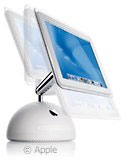 they want
- for Windows. In these cases, Apple needs to really push their
product. The eMac, iMac, and iBook need to be aggressively marketed to
schools, emphasizing the reliability of Macs over PCs, the
stability and compatibility of Mac OS X, and the low cost of
maintenance. Apple needs to show the schools that Macs may cost
a little more at the beginning, but they are cheaper to maintain in
the long run. They also need to demonstrate how the Macintosh
works seamlessly with the PC by connecting to PC networks, printing
to PC printers, and even running Windows applications with Virtual
PC.
they want
- for Windows. In these cases, Apple needs to really push their
product. The eMac, iMac, and iBook need to be aggressively marketed to
schools, emphasizing the reliability of Macs over PCs, the
stability and compatibility of Mac OS X, and the low cost of
maintenance. Apple needs to show the schools that Macs may cost
a little more at the beginning, but they are cheaper to maintain in
the long run. They also need to demonstrate how the Macintosh
works seamlessly with the PC by connecting to PC networks, printing
to PC printers, and even running Windows applications with Virtual
PC.
Of course, there are also the schools who are contemplating a change from the Mac to Windows. Apple also needs to step in here to show the advantages of the Mac over any PCs the school might be looking at.
Schools want a computer to be compatible. If a student can't type a document on their PC at home and open it on the Mac at school to continue working on it, what good are the Macs? Fortunately, the Mac does a great job of recognizing file types - Mac OS X recognizes creator codes and file extensions.
Schools also want a dependable computer, and a recent survey suggests that the Macintosh is the most reliable computer. Of course, that doesn't mean that every Mac is going to be perfect (there are always some that never work right, no matter what you do), but it does give Apple a strong advantage.
The other thing schools need are affordable computers. They don't have the budget to spent $2,000 on each computer for a lab - and this is where Apple is behind. While Dell can sell a decent PC for $700, Apple charges $1,000 for their low-end eMac.
If Apple can't reduce the price, they need to convince schools that buying a Mac is worth the extra $300.
About LEM Support Usage Privacy Contact
Follow Low End Mac on Twitter
Join Low End Mac on Facebook
Favorite Sites
MacSurfer
Cult of Mac
Shrine of Apple
MacInTouch
MyAppleMenu
InfoMac
The Mac Observer
Accelerate Your Mac
RetroMacCast
The Vintage Mac Museum
Deal Brothers
DealMac
Mac2Sell
Mac Driver Museum
JAG's House
System 6 Heaven
System 7 Today
the pickle's Low-End Mac FAQ
Affiliates
Amazon.com
The iTunes Store
PC Connection Express
Macgo Blu-ray Player
Parallels Desktop for Mac
eBay

