
Apple Archive
The Never-Ending Upgrade Cycle
- 2002.09.13
When the Mac initially came out in 1984, there was one model of Mac, one version of the
System Software, only a few
peripherals, and hardly any software. But this changed as Microsoft
and other companies started bringing productivity software to the
Mac, and companies like ActiVision and Sierra started manufacturing
Mac games that required specific machine configurations.
Until about 1991, software that worked on one type of Mac would work on pretty much any Mac. It was a little different for hardware, though. The Mac SE and II introduced a new type of port to the Mac, the ADB port, which many manufacturers took advantage of for joysticks, special keyboards, and other pointing devices.
In 1990, the Mac IIfx came out, and suddenly some software started requiring a 68030 processor to function.
In 1994, a new type of processor came to the Mac, the PowerPC. This meant that for best performance, new software needed to be written to take advantage of the PowerPC's features. Even the Mac OS had to be reworked to run on the PowerPC - the first PowerPC compatible release, 7.1.2, was more of a "consumer satisfaction" release so that Apple could get Power Mac computers out the door. It was full of bugs, and Apple really didn't get the Mac OS to run decently on a PowerPC until 8.1 - three years later. [Editor's note: Some of us had great luck with 7.5.x.]
By the time the G3 came out in November 1997, about 70% of the
software required a PowerPC processor. Right now, 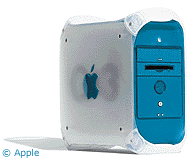 about 99% requires a PowerPC, probably about
40% of that requires OS X, and about 60% of the total requires
at least a G3 to function decently.
about 99% requires a PowerPC, probably about
40% of that requires OS X, and about 60% of the total requires
at least a G3 to function decently.
How did we get from software that ran fine on an 8 MHz Mac Plus to software that requires a 300 MHz G3 just to perform decently?
The obvious answer is that the new software has more features, whether they are ones that you'll use or not. Most people probably don't use more than 10% of what Microsoft Word has to offer - in fact, Word 5 or 6 would probably be fine for them.
One thing people seem to forget is that newer OS versions often require newer versions of software, and Word 6 simply doesn't run inside of OS X. The same goes for ClarisWorks 4. In order to get full compatibility with X, you must upgrade to Word X or AppleWorks 6 - both have quite a few more features (most of which you'll never use) and thus use more RAM, processing power, and hard drive space.
The other thing that requires more CPU power is the interface. Many users don't think about this, but it really became obvious upon the release of OS X. People who were used to being able to run the latest version of the classic Mac OS on their five-year-old Mac suddenly found that the new OS required a computer that was less than three years old. The main reason was because the UI in Mac OS X needs the extra processing power of the G3 processor, and the previous Macs just didn't have enough power to handle it well. Mac OS X's Aqua interface has a number of elements that require a fast processor - drop shadows, solid/active window dragging and resizing, fading/translucent menus, and the genie effect.
The other thing that makes software (Internet software, specifically) require a faster computer is the changing status of Internet technologies - older browsers don't support some of the new technologies and standards, and some of these technologies don't run well on older machines (Flash, for example), making Web browsers and the Internet in general require faster machines in order to be useable.
Not much can be done about it. In order to use some of the latest software you really have no choice but to upgrade your OS - or buy a newer machine, if your existing one won't run the applications you want to use.
The other option is to stay with the software you are currently running. Of course, this may mean not being able to take advantage of newer technologies and possible welcome features in future versions of the operating system.
About LEM Support Usage Privacy Contact
Follow Low End Mac on Twitter
Join Low End Mac on Facebook
Favorite Sites
MacSurfer
Cult of Mac
Shrine of Apple
MacInTouch
MyAppleMenu
InfoMac
The Mac Observer
Accelerate Your Mac
RetroMacCast
The Vintage Mac Museum
Deal Brothers
DealMac
Mac2Sell
Mac Driver Museum
JAG's House
System 6 Heaven
System 7 Today
the pickle's Low-End Mac FAQ
Affiliates
Amazon.com
The iTunes Store
PC Connection Express
Macgo Blu-ray Player
Parallels Desktop for Mac
eBay

