
Apple Archive
Replacing My PowerBook
- 2002.02.15
As many of my readers know, I have had a Macintosh PowerBook G3/333 with 192 MB of RAM and a 4 GB hard drive for the past year-and-a-half. I have upgraded that machine from OS 9.0 to 9.0.4 to 9.1, then to OS X 10.0.x, and finally OS 10.1.
I was finding that it was cumbersome and somewhat heavy bringing it to school every day, and I also realised that this machine was not designed for OS X and therefore could not take advantage of all of the new OS's features.
So I decided that it was time to look around for a replacement. I knew what I wanted in a machine. The new machine had to have at least a 10 GB hard drive and DVD-ROM. I did not need a CD-RW, since we already have an iMac with a CD-RW drive in the house.
I first decided to take a look at a refurbished 500 MHz iBook with DVD. I compared it to
the 600 MHz version and 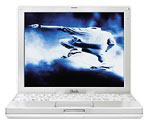 found that the bus speed was slower, which would
affect the overall performance negatively. I also talked with my
local Apple dealer,
TBI Computer, and they recommended that I go with the 600
MHz version if I wanted an iBook. (I am not affiliated with them in
any way, but I have to say that I have had nothing but excellent
advice and good service from TBI, so I completely trusted their
opinion on this.)
found that the bus speed was slower, which would
affect the overall performance negatively. I also talked with my
local Apple dealer,
TBI Computer, and they recommended that I go with the 600
MHz version if I wanted an iBook. (I am not affiliated with them in
any way, but I have to say that I have had nothing but excellent
advice and good service from TBI, so I completely trusted their
opinion on this.)
I liked the size of the iBook and the fact that it is durable. I started thinking that I might be able to eliminate my computer bag and stick the iBook in my backpack.
I then figured that I might as well take a look at a PowerBook
G4 before I made up my mind. I went back to TBI and 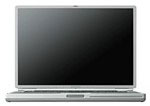 looked at the 550MHz
G4. The machine felt very fast; I liked the design even though
the screen was a little large.
looked at the 550MHz
G4. The machine felt very fast; I liked the design even though
the screen was a little large.
I brought a DVD so I could see how well the DVD players in the PowerBooks worked compared to the desktops. The minute I started playing the DVD, I was sold. The big screen finally got me with its ability to play my wide screen DVD almost full screen. TBI mentioned to me that if I had a small budget, the refurbished models are a good way to go as they now come with a one year warranty and are eligible for AppleCare.
When I got home I started searching for low prices online. I checked Deals On The Web, DealMac, DealNN, and Low End Mac's deals page. After several days of constant checking back, Deals On the Web pointed me to Apple.com for the refurbished G4/400 128/10 GB/DVD for $1,299!
When I was finally able to order it, they had run out, so I found the next lowest price on Low End Mac's deal page, which was $1,399 at Smalldog Electronics. Even though I checked off 3 day shipping, I got it within 2 days.
What do I think of it so far? It's great. The screen is very nice, and in some things it actually feels faster than my 400 MHz desktop G4. All of my applications work fine, and I've even upgraded a couple of them to OS X native versions.
I like the fact that the battery lasts 5 hours, and yes, it does actually last about 5 hours. My G3 used to last about 3.5 hours in OS 9 and 2.5 in OS X.
I also like the 1" thickness. It really makes it comfortable to use. I like the simplified design. There is very little room around the screen, unlike in the G3 or earlier, which makes it easier to concentrate on the screen itself. All logos have been eliminated from the front of the machine. Even though minor, it makes a big difference to me because the white Apple at the top of the screen on my G3 would distract me.
The keyboard is much the same as on the G3. It is comfortable to type on, even though it does feel somewhat fragile.
I don't like the trackpad. On the G4, they moved the button up, so I have to have my hand in a different, slightly more uncomfortable position to use the button on the trackpad. I also don't particularly like the feel of the trackpad itself.
As a partial solution I have turned on "tap to click." This lets me tap the trackpad if I want to select something on the screen instead of having to move my hand to push the button.
Whenever I can, I use an external mouse (a round one - yes, I was one of the few that really liked the little round mouse).
For trackpads, my 300 MHz iBook was excellent. The button was in the perfect place, and I liked the feel of the surface of the trackpad itself. My G3 wasn't as good as the iBook, but it was better than the G4. The button was farther up than on the iBook, and the trackpad itself was smaller, but it was easy to adjust to.
I expect that in a few months I will have become used to it.
I've used the G4 for a week now. Last Wednesday I brought it to school in order to actually start using it. The first thing I noticed were the "Wow! Nice screen!" remarks. Next were the "It's so thin - what is that, about an inch?" comments. Then were the "Is that an iBook or a G4" questions. And, of course, it wouldn't be complete without the common "So, do you have any games on that?" inquiry.
As I said before, it performs well with all of my software. However, I have become paranoid of the hard drive filling up. On my G3, I was reformatting it every few months because it would become full and get corrupted, so one of the first things I did was to only install applications that I know I use often. I only have the new Office v. X installed (which I am disappointed by, in case you were wondering; it's very slow and uses a ton of RAM and hard drive space) as apposed to Office 10 in the "Applications" folder and Office 2001 in the "Applications OS 9" folder for when I boot into OS 9. I installed one version of each application. On my G4 desktop I know I have older versions of applications still on the drive left over from upgrade installers. I haven't been able to find time to delete these old versions.
I also have no MP3s on PowerBook because they use up your drive space quickly. If I want to listen to MP3s, I use my iPod or my G4 desktop. And I have no games, either (which may surprise you for a high-school student, but truthfully, I don't like playing games).
Overall, I love my new PowerBook G4 and would highly recommend it to someone else facing the same decision (iBook/600 vs. G4/400).
About LEM Support Usage Privacy Contact
Follow Low End Mac on Twitter
Join Low End Mac on Facebook
Favorite Sites
MacSurfer
Cult of Mac
Shrine of Apple
MacInTouch
MyAppleMenu
InfoMac
The Mac Observer
Accelerate Your Mac
RetroMacCast
The Vintage Mac Museum
Deal Brothers
DealMac
Mac2Sell
Mac Driver Museum
JAG's House
System 6 Heaven
System 7 Today
the pickle's Low-End Mac FAQ
Affiliates
Amazon.com
The iTunes Store
PC Connection Express
Macgo Blu-ray Player
Parallels Desktop for Mac
eBay

