
Apple Archive
Lombard and Pismo Value
- 2001.06.29
The PowerBook G3 (Lombard) was
a welcome improvement to the excellent, but extremely large and
heavy, WallStreet. The Lombard
came in a new thin case and featured a brown coloured keyboard, so
some people (Apple included) refer to it as the Bronze Keyboard G3.
The Lombard was 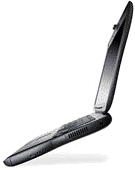 the first PowerBook to
ship with USB and the only one with both USB and SCSI. The Lombard
shipped in 333 MHz and 400 MHz versions. An internal DVD drive was
optional on both models, but the 333 MHz model could not accept a
DVD module if it had not originally shipped with a DVD drive.
the first PowerBook to
ship with USB and the only one with both USB and SCSI. The Lombard
shipped in 333 MHz and 400 MHz versions. An internal DVD drive was
optional on both models, but the 333 MHz model could not accept a
DVD module if it had not originally shipped with a DVD drive.
The PowerBook G3 (Pismo) shipped in February 2000 in 400 MHz and 500 MHz versions. It was the first portable to feature FireWire ports. The Pismo shipped in the same case as the Lombard and looked identical, except for the name below the screen. The Lombards are marked "Macintosh PowerBook G3" and the Pismos just say "PowerBook."
Lombards can currently be found at very reasonable prices, ranging from only about $1,000 to almost $1,600 for the top of the line 400 MHz model with DVD. Unfortunately, Lombards can only be expanded to 384 MB of RAM; the bottom slot is only able to be accessed by an Apple dealer. While 384 MB may sound like a lot now, OS X really likes RAM - and it runs better with 256 MB or more. Given that, how well will the Lombard be able to run future versions of the Mac OS? It runs 9.1 fine, since it comes with 64 MB of RAM already, but X isn't the fastest, because of RAM (partly because OS X is accelerated for the G4 processor, which a PowerBook G3 doesn't have, of course).
The Pismo fares better with RAM expansion. Pismo can accept up to 512 MB of RAM, which is a decent amount and plenty for running OS X. Because the Pismo has a faster processor as well, OS X will run slightly better on it.
Both Lombard and Pismo share the same keyboard, which is large and easy to type on. The trackpad is better than some of the older ones, although I find that the trackpad button isn't the best (I like a bit of a "clicky" feel, which the keyboard definitely has, but the trackpad button does not). The trackpad buttons on the 1400, 5300, and 500 series PowerBooks were a bit better.
The design of the Lombard/Pismo case is great, but be careful of the rubber on the top and bottom, which can come off easily. I also find that the plastic used on the case scratches very easily. Opening the case to install RAM or a new hard drive is fairly easy - very similar to the way the WallStreet G3 opens up. Just slide back the two tabs near the top of the keyboard, and slide the keyboard up, towards yourself (be careful because there is a cable that connects the keyboard to the logic board). Inside you will find a metal cage that protects the logic board. Unscrewing the 3 screws will yield a RAM expansion slot (there are actually two, one is underneath the logic board). To the right of the RAM slot will be the hard drive. Hard drives in Lombard/Pismo's shipped in various capacities from 4 GB to 8 GB. These can be replaced with standard internal IDE hard drives. The Lombard and Pismo uses the same type of RAM found in Rev. A and B iMacs (if you have spare RAM from one of those machines you can use it in your Lombard or Pismo).
Lombards tend to be relatively hard to find on the used market; I see more Pismos than Lombards. The 333 MHz Lombard can be bought for about $1,200 depending on how much RAM is installed; the 400 MHz model commands a higher price, about $1,500 for a model with DVD. The 400 MHz Pismo commands about $1,600, and the 500 MHz model fetches about $1,800. Of course, this is all depending on the configuration. A 333 MHz Lombard with 64 MB of RAM and a 4 GB hard drive is not worth as much as a 333 MHz Lombard with 384 MB of RAM and an 8 GB hard drive. You might pay $1,200 for the former, and $1,450 for the latter.
Both of these are excellent machines and make a great computer to use on the road. In fact, these can make decent "desktop replacements," since they offer the full compliment of ports, and support external monitors, keyboards, mice, and even external floppy drives. Both the Lombard and Pismo are good investments in laptop computers, and can be great buys on the used market.
About LEM Support Usage Privacy Contact
Follow Low End Mac on Twitter
Join Low End Mac on Facebook
Favorite Sites
MacSurfer
Cult of Mac
Shrine of Apple
MacInTouch
MyAppleMenu
InfoMac
The Mac Observer
Accelerate Your Mac
RetroMacCast
The Vintage Mac Museum
Deal Brothers
DealMac
Mac2Sell
Mac Driver Museum
JAG's House
System 6 Heaven
System 7 Today
the pickle's Low-End Mac FAQ
Affiliates
Amazon.com
The iTunes Store
PC Connection Express
Macgo Blu-ray Player
Parallels Desktop for Mac
eBay

